29
Section 4 Operation
4.1 Using the Keypad
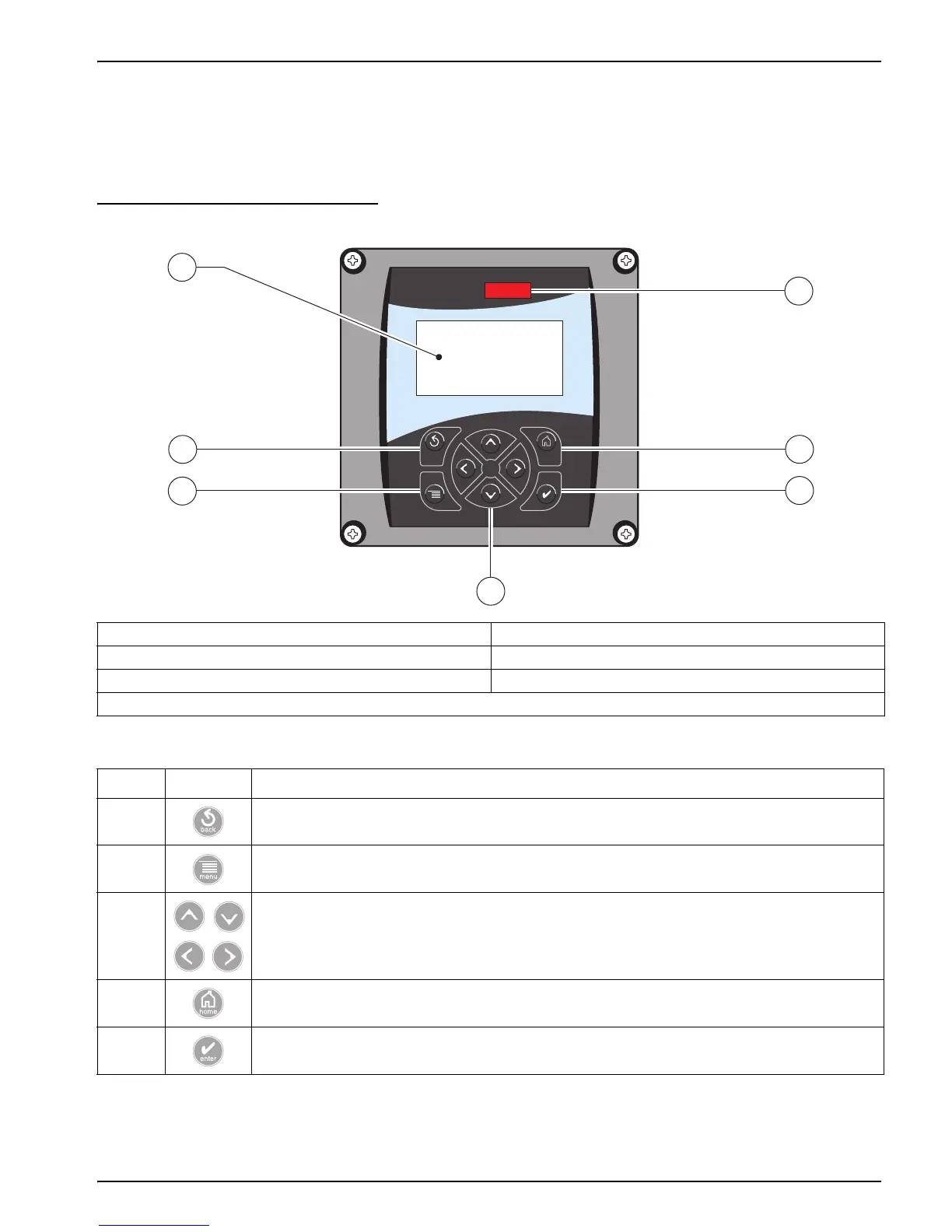
The front of the controller is shown in Figure 23. The keypad consists of the eight keys
described in Table 7.
Figure 23 Front of the Controller
1. Instrument display 5. IrDA Port
2. BACK key 6. HOME key
3. MENU key 7. ENTER key
4. RIGHT, LEFT, UP, and DOWN keys
Table 7 Controller Key Functions/Features
Number Key Function
2 Moves back one level in the menu structure.
3
Moves to the main menu from other menus. This key is not active in menus where a selection or other
input must be made.
4 Navigates through the menus, changes settings, and increments and decrements digits.
6
Moves to the Main Measurement screen from any other screen. This key is not active in menus
where a selection or other input must be made.
7 Accepts an input value, updates, or accepts displayed menu options.
sc100
1
2
6
5
3
7
4



 To Next Page