Page 52 of 62
Brushless DC Controller HST-350
Orginal operating manual Rev1.3
Mounting and commissioning
Flashing a new Firmware
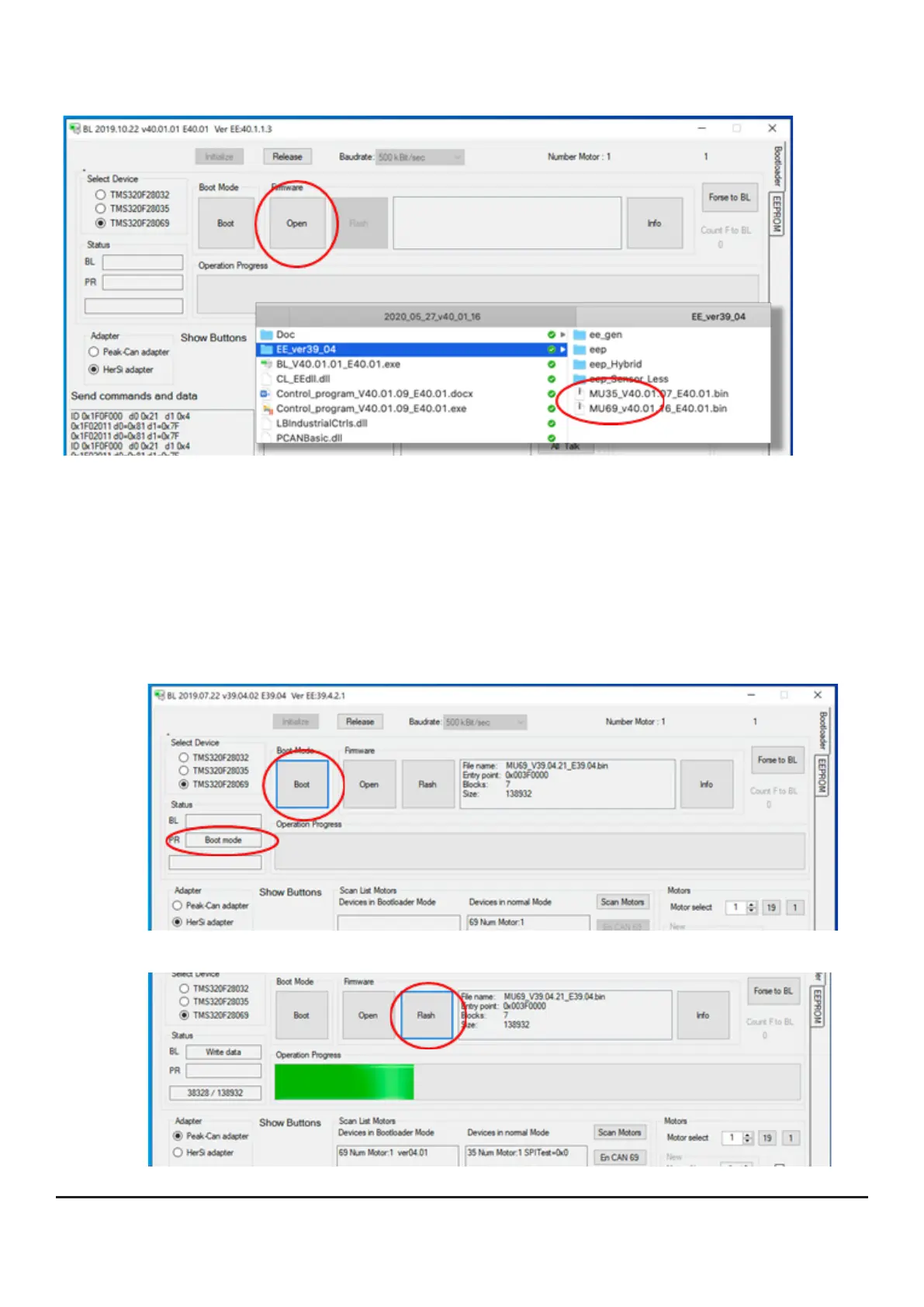
! Be sure to ash Device 69 rst, then Device 35 !
• Afteryouhavescannedthedevice„69“,selectthecurrentrmware
leinyoursoftwarepackage.Thermwareisthebasicsoftwareof
thecontroller.YouwillnditinthedirectoryEE-VerXX.Thereplease
selectthelestartingwiththenameMU69andconrm.
• Then press the button [Boot] as shown in the next picture; the button
turns blue and the system acknowledges with the status message
„Boot mode“.
• Now press the [Flash] button, this will transfer the software to the controller.


 To Next Page