Page 53 of 62
Brushless DC Controller HST-350
Orginal operating manual Rev1.3
Mounting and commissioning
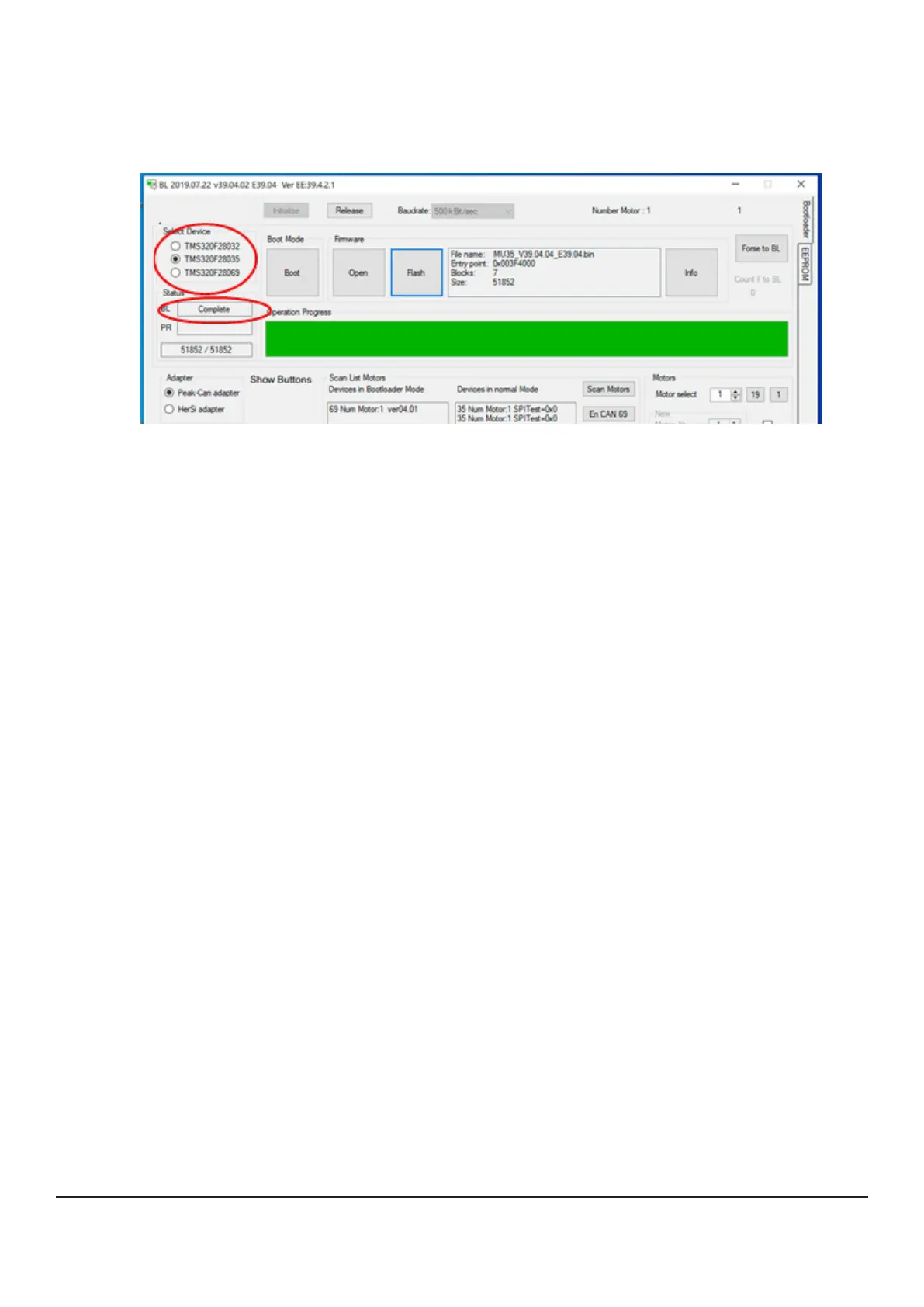
• You can observe the progress on the basis of the progress bar
• Now repeat the same step for the device „35“
• The bootloader acknowledges with the message „Complete“.
Writing a new EEPROM
Whenever you write a new FW version to a controller, it is essential to read in a new
EEPROM (Electrically Erasable Programmable Read-Only Memory) afterwards.
All parameters required for operating the drive are stored in the EEPROM.
Proceed as follows.
1. change to the register „EEPROM“ at the right edge of the bootloader
2. open the path to the new EEPROM
3.selectasuitableEEPROMandconrm;thedatawillbetransferredtothecontrol-
ler immediately
4. the controller acknowledges with the message „read EEPROM S4 ok“.


 To Next Page