Page 60 of 62
Brushless DC Controller HST-350
Orginal operating manual Rev1.3
Mounting and commissioning
• Optionally, you can also use the slider in the center at the bottom to move carefully from left
to right; this allows stepless control.
With the button [Zero] you directly select setpoint zero to stop the system.
• Ifthesystembehavescorrectlyatthispoint,youhaveconrmedcorrectoperationandcan
continue to operate the system as desired.
• Whenyourtestiscomplete,pressthe[OFF]button(up/left)toturntheunito;youwillhear
the relay click.
Error message
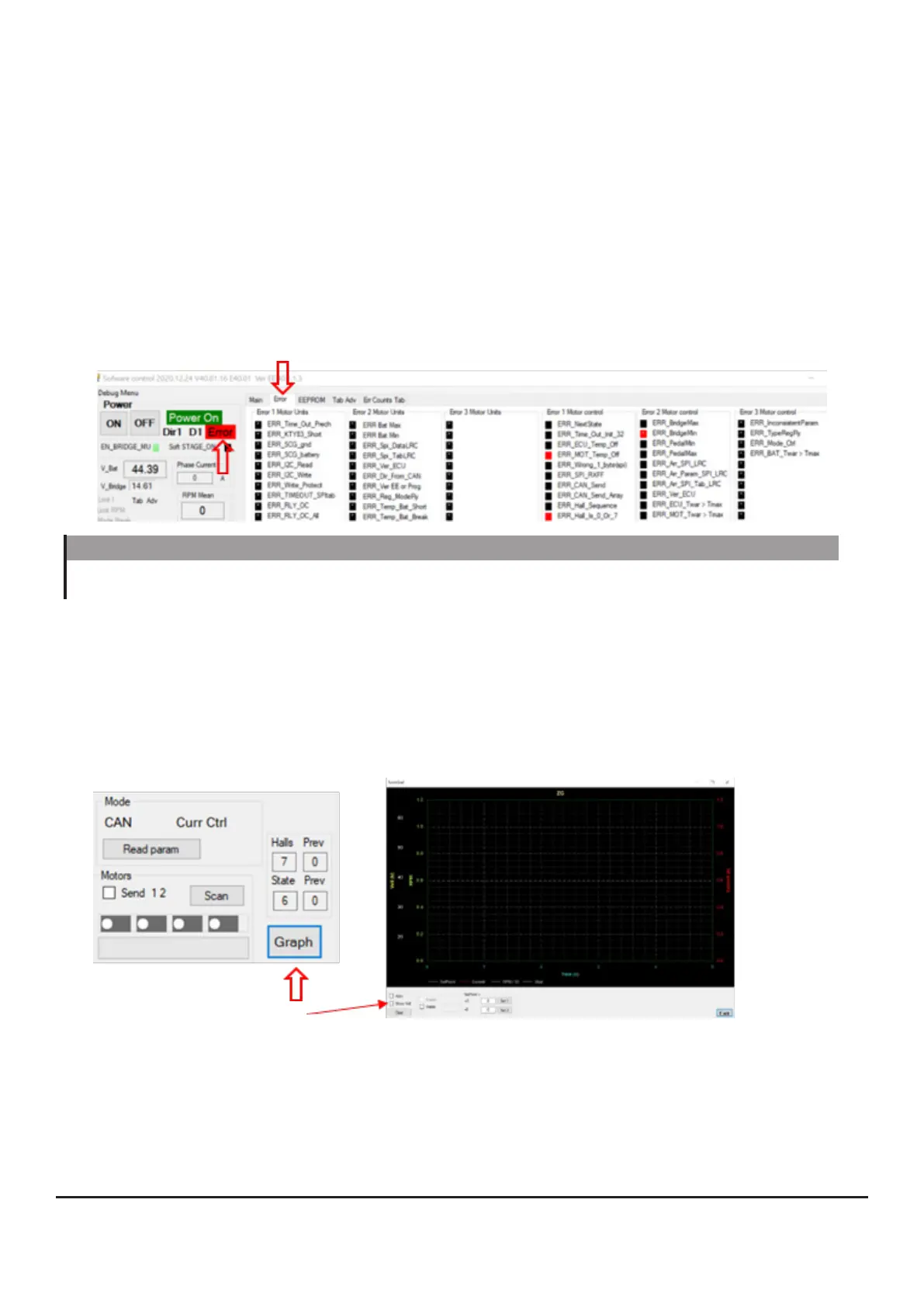
If an error has occurred in the system, it will be indicated in the „Error“ menu; the corresponding
„Error“ display will also be highlighted in red at the top/left.
GRAPH tool
You can get even more detailed information via the [Graph] tab (bottom/left). Here you can display
and save the history.
Here you can control the drive simultaneously via the slider in the start menu.
Put a check mark at „Active“ to follow the measurement in real time.
NOTE
If you detect a defect, do not operate the drive under any circumstances and contact our
service department.
What you can take from the GUI
TheGUIhelpsyoutosetyourdrivetomaximumeciency.
Voltage, current, current consumption, running direction and values of the connected sensors (tem-
peratures,speed)giveyouapictureoftheeciencyandfunctionofyourdrive.
If you change values, compare the output parameters after the change. This way you can optimize
the drive according to your ideas or adapt it to a new environment.


 To Next Page