- 6 -
BLADE CUTTING DIRECTION
shut off. If so, push down on either emergency push
buttons (I or H) to immediately stop all machine
functions.
- During the operation cycle, the hydraulic vise will
automatically close on the work piece for a distance
up to 8mm. The hydraulic vise will then open
maximum 8mm on end of operation. Now it is ready
for the next operation. Therefore, it is not necessary
to manually lock down the vise jaws on the work piece
for every operation. Allowing a gap of 4-5mm
between jaws and the work piece will suffice.
-The saw bow will return to the bow’s maximum height
upon completion of operation.
- In case of Emergency or problem during the
operation cycle, press the emergency push button (H
or I) down to shut off all functions.
-To release the emergency push button (H or I), rotate
the mushroom shaped button clock-wise. The button
will pop up and then the cutting cycle can be
restarted.
-The hydraulic flow control (G) will automatically
shut-off after 5 minutes of non-operation.
*Note: If the hydraulic flow control fails to activate, then
switch (C), (D), and (F) cannot operate. Indicator
light (7) will blink if any are pressed, indicating that
start switch (G) has failed to activate.
-If the hand operation is selected and the foot pad is
used, then the hand operation indicator light (4) will
blink. And vice versa, If the foot pad operation is
selected and the hand switches are used, then the
foot operation indicator light (5) will blink. They
indicate improper selection.
-The appropriate indicator light will blink to indicate
which part of the machine has gone out of order.
1. Indicator light 14 indicates the emergency button
is pressed. Indicator light 16 indicates the
emergency button on foot pad is pressed.
2. Indicator light 13 indicates the band saw blade
has broken.
3. Indicator light 10 indicates the blade cover is
open.
4. Indicator light 12 indicates the motor has
overloaded.
5. Indicator light 15 indicates the hydraulic motor
has overloaded.
6. Indicator light 11 indicates the speed is not
properly selected.
-If the saw bow up/down switches are out of order then
indicator lights 2 and 3 will blink at the same time.
4 ADVICE ON USING YOUR
BANDSAW
4.1 Recommendations and advice for using the
machine
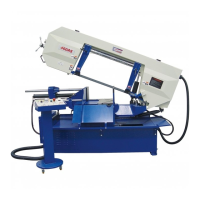
The machine has been designed to cut metal building
materials, with different shapes and profiles, used in
workshops, turner's shops and general mechanical
structural work.
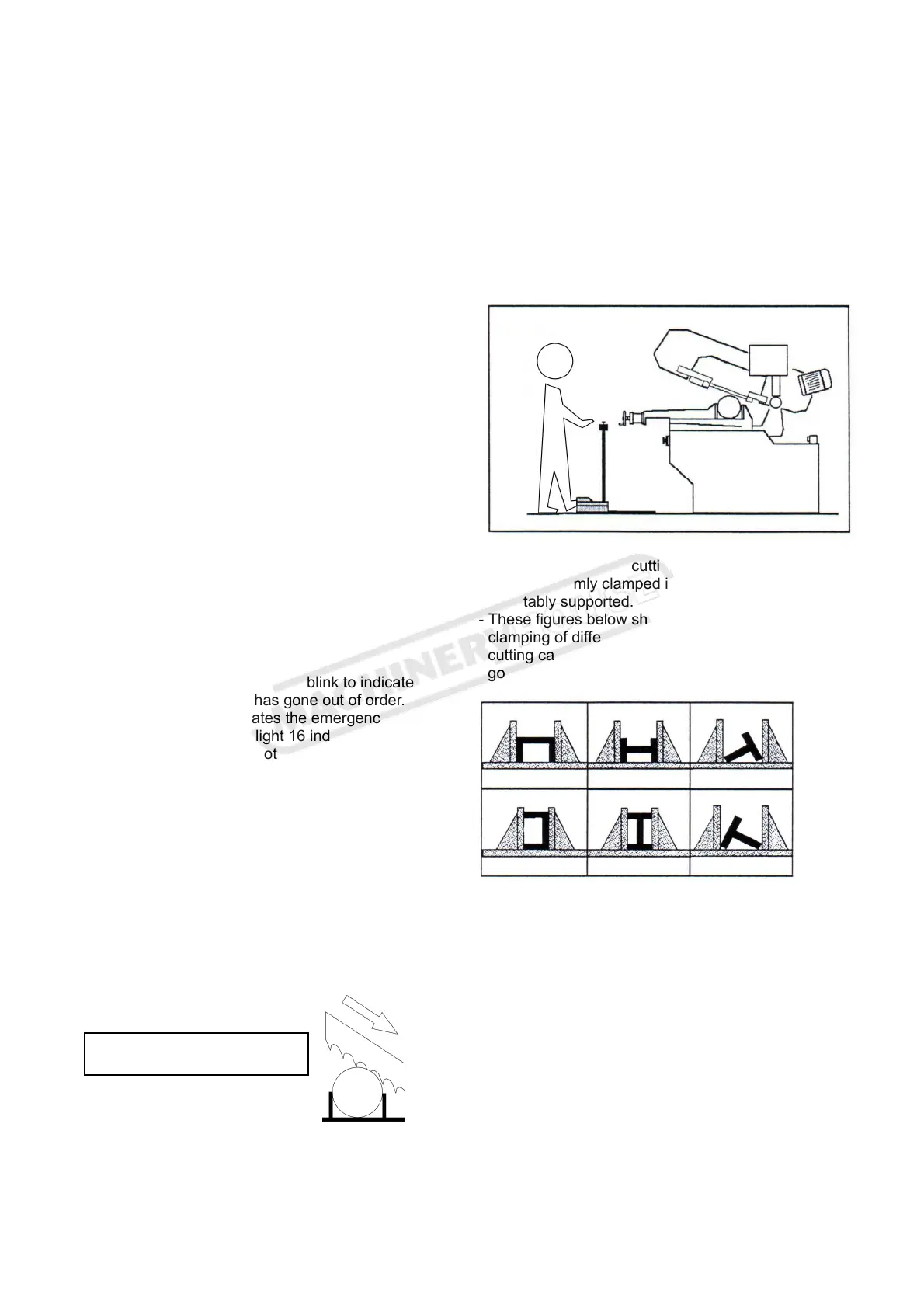
Only one operator is needed to use the machine, that
must stand as shown in the picture.
- Before starting each cutting operation, ensure that
the part is firmly clamped in the vise and that the end
is suitably supported.
- These figures below show examples of suitable
clamping of different section bars, bearing in mind the
cutting capacities of the machine in order to achieve a
good efficiency and blade durability.
- Do not use blades of a different size from those
stated in the machine specifications.
- If the blade gets stuck in the cut, press the cycle start
switch or emergency button to switch off the machine.
Open the vise slowly, remove the part and check that
the blade or its teeth are not broken. If they are
broken, change the blade.
- Check saw frame return spring to ensure proper
balancing.
- Before carrying out any repairs on the machine,
consult the dealer.
Instruction Manual for EB-270DSA (B066)


 To Next Page