11
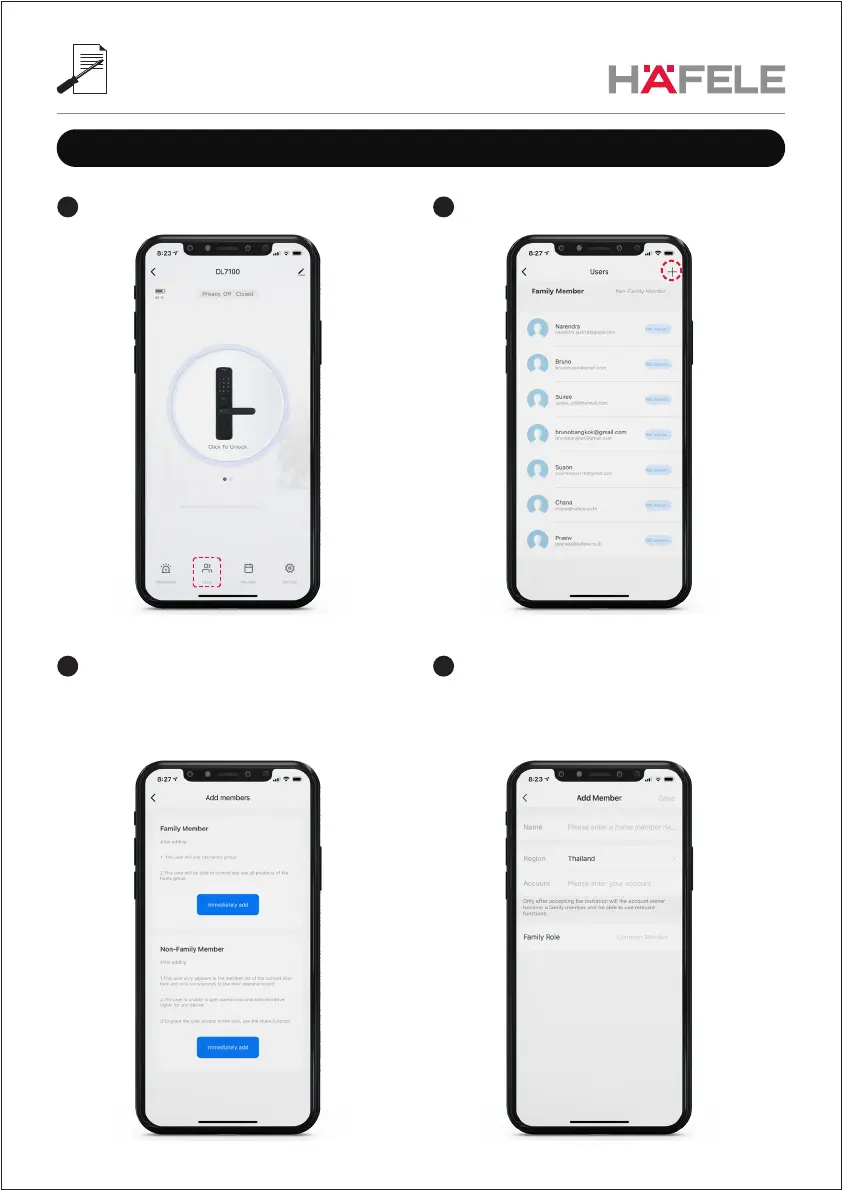
Add users
Select “+” on the right side2
Family Members; enter user data e.g. Name, Region,
Account (email of their mobile APP account)
4
1 Select “Users” on the bottom
3 Select the member type and then click
“Immediately add”
**Note: Users will then see this lock in their APP
and have access to all functions.


 To Next Page