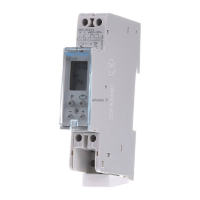
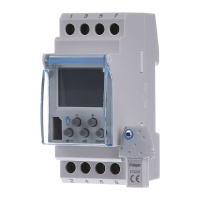
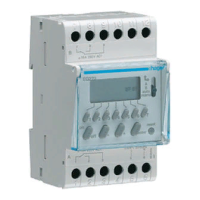
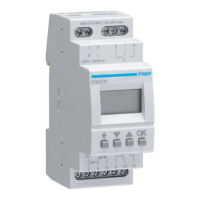
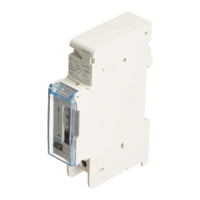
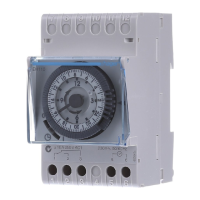
6E 6380C4
Programming: prog new
Programming may be done for each day or
for a group of days. In this case instructions are
common to several days.
Days: 1 = Monday, 2 = Tuesday, 3 = Wednesday...
7 = Sunday.
1. Select the prog mode using menu, then ok.
2. Select the channel (A or B) using + or -, then ok.
The number of remaining program steps appears
for a short time.
3. Choose the day(s) using + or -. Validate with ok.
4.
ok flashes. Use ok to validate the group of days.
- or makes it possible to reset the group of
days if necessary
5. Using + or -, select the state of the instruction:
On, Off or . Press ok to validate the state.
6. Enter the time of switch-on using + or -.
Validate with ok.
7. Enter minutes with + or -. Validate with ok.
8. For On , set the duration (seconds, then
minutes) in the same way as for the switch-on
schedule.
Program the other instructions of the group of
days by repeating operations 3 to 8.
The day or the group of days may be modified at
the during step 3 by pressing the +
,
- or .
At the end of programming return to auto mode
using the menu button.
To set the program of the other channel, return to prog
new mode and proceed according to steps 2 to 8.
In this mode it is also possible to add an instruction to
the program set up.
Proceed as described above.
auto
prog
modif
new
On
Off
24
1812
60
auto
prog
modif
new
On
Off
24
1812
60
prog
new
On
24
1812
60
à 40 %
ok
To check the daily profile set up without the risk of
modification or deletion:
Select the mode using menu and press ok.
Select the channel (A or B) using + or - and ok.
The first step of Monday is displayed as well as
the daily profile.
Two options available for display :
1. Pressing repeatedly + or -: lets you shift days.
In this case only the first daily step is displayed
as well as the daily profile.
2. Pressing ok: all steps of each day appear one
after the other.
Display
Select the prog mode with menu and press ok.
Select the channel (A or B) using + or - and ok.
Select the modif mode with + or -.
Validate with ok.
The number of remaining program steps appears
for a short time.
The first step of the first day or group of days
appears.
Repeatedly pressing the ok key displays all
programmed steps one at a time.
Any flashing field (state, hour, minutes) may be
modified using + or -, then validated with ok.
When the cursor is positioned on ok located
behind the group of days, you may display
successively the days or the groups of days and
switch directly to the one that has to be modified
using + or -.
To remove a program step :
select the state of the channel (One, Off or ),
press simultaneously + and -.
Clear appears on the screen. Validate with ok.
Modification or clearing of a program step :
prog modif
Allows you to override the output, On or Off
for a given period.
Once done, this override will be removed
and will not be carried over to the following
year.
Select the mode using menu then ok.
With + or -, select the state of override: On or
Off, ok to validate.
Enter the day then the month of the starting
period (date 1) using + or - then ok.
Enter in the same way the day and the month
of the ending period (date 2).
In auto mode, flashes to indicate that
a period of holidays was programmed.
becomes permanent during the period.
The override will be effective at 0:00 of the
1st date until 23:59 from the 2nd date.
If date 1 is set before the day of
programming, the period of holidays is
valid for the following year.
To clear a period of holidays return to the
mode, press simultaneously the + and - keys.
Clear appears. Confirm with ok.
Holidays
Pressing repeatedly -.
If the state of the output is On:
1
st
press: temporary waiver. Off and
flash. The next program step will
let you return to the automatic
mode.
2
nd
press: permanent override. On and
are permanent. This override must
be cancelled manually.
3
rd
press: permanent override. Off and
are permanent. This override must
be cancelled manually.
4
th
press: random operation. Simulation of
presence, as well as the state
of the output are displayed. Must
be cancelled manually.
In this case the steps of the
program are shifted randomly
within a range of ± 59 min.
5
th
pressure: return to the automatic mode.
Override -
Random operation
Select the mode with menu then ok.
Modify the day, month, year, the hour and the
minutes using + or - and ok.
The time switch next suggests the winter/summer
time changes .
Select the type of change desired using + or - .
Validate with ok.
Setting time and day
Winter/summer time change
The change always takes place between 2:00 and
3:00 a.m.
When the USER type is selected:
1. Enter the day then the month of the date of change
of the summer time (+ 1hour) with + or - and ok.
2. Enter the day then the month of the date of change
of the winter time (- 1hour) with + or - and ok.
The time switch will check which days of which
weeks correspond to these dates and will apply
changes to the same periods for the following years
independently of the date.
As soon as the key appears on the switch
appear on the screen.
Two types of operation:
A. Permanent override:
Insert the key into the switch.
After 10 seconds the program contained in the
key will be executed without clearing the program
contained in the time switch.
As soon as the key is removed the program of
the time switch is again valid.
B. Copy (load) / Save (save):
The key makes it possible to save a program
contained in the time switch.
It is also possible to copy the contents of
the key into the clock.
1. Insert the key and wait for 2 seconds.
2. Using menu select the mode:
save to save a program contained in the time
switch,
load to load the program of the key into the
time switch,
to check the program contained in the key.
3. Validate the selection with ok.
4. For save and load reconfirm with ok.
The following error messages may appear
on the screen:
no prog: the key is empty, it does not contain any
program.
Error: the key is that of a one-channel switch.
In these two cases:
• Only the save save is possible.
• The error message remains on display as long as
the key is present, but in this case the program of
the time switch is executed.
Key
To prevent all undesirable actions, the
keyboard of the time switch may be locked
using a key EG004.
Unlocking is done in the same way.
Locking
The type of change depends on the geographical
zone
Types available:
*
type according defect
Type
Start of time
change Summer
Start of time
change Winter
Zone
of application
Euro
*
Last Sunday
of March
Last Sunday
of October
European Union
USA
Second Sunday in
March
First Sunday in
November
North America
AUS
First Sunday in
October
First Sunday in April Australia
USER
Date freely
programmed
Date freely
programmed
No
No change No change
A warranty period of 24 months is offered on hager
products, from date of manufacture, relating to any material
of manufacturing defect. If any product is found to be
defective it must be returned via the installer and supplier
(wholesaler). The warranty is withdrawn if:
- after inspection by hager quality control dept the device is
found to have been installed in a manner which is contrary
to IEE wiring regulations and accepted practice within the
industry at the time of installation.
- The procedure for the return of goods has not been
followed. Explanation of defect must be included when
returning goods.
§
Warranty
NOT APPLICABLE FOR AUSTRALIA
Hager 07.2012 OCOM 114312
This device must be installed only by
a qualified electrician according to the
installation standards in force in the
country.
Usable in all Europe
å
and in Switzerland


 To Previous Page
 Loading...