12
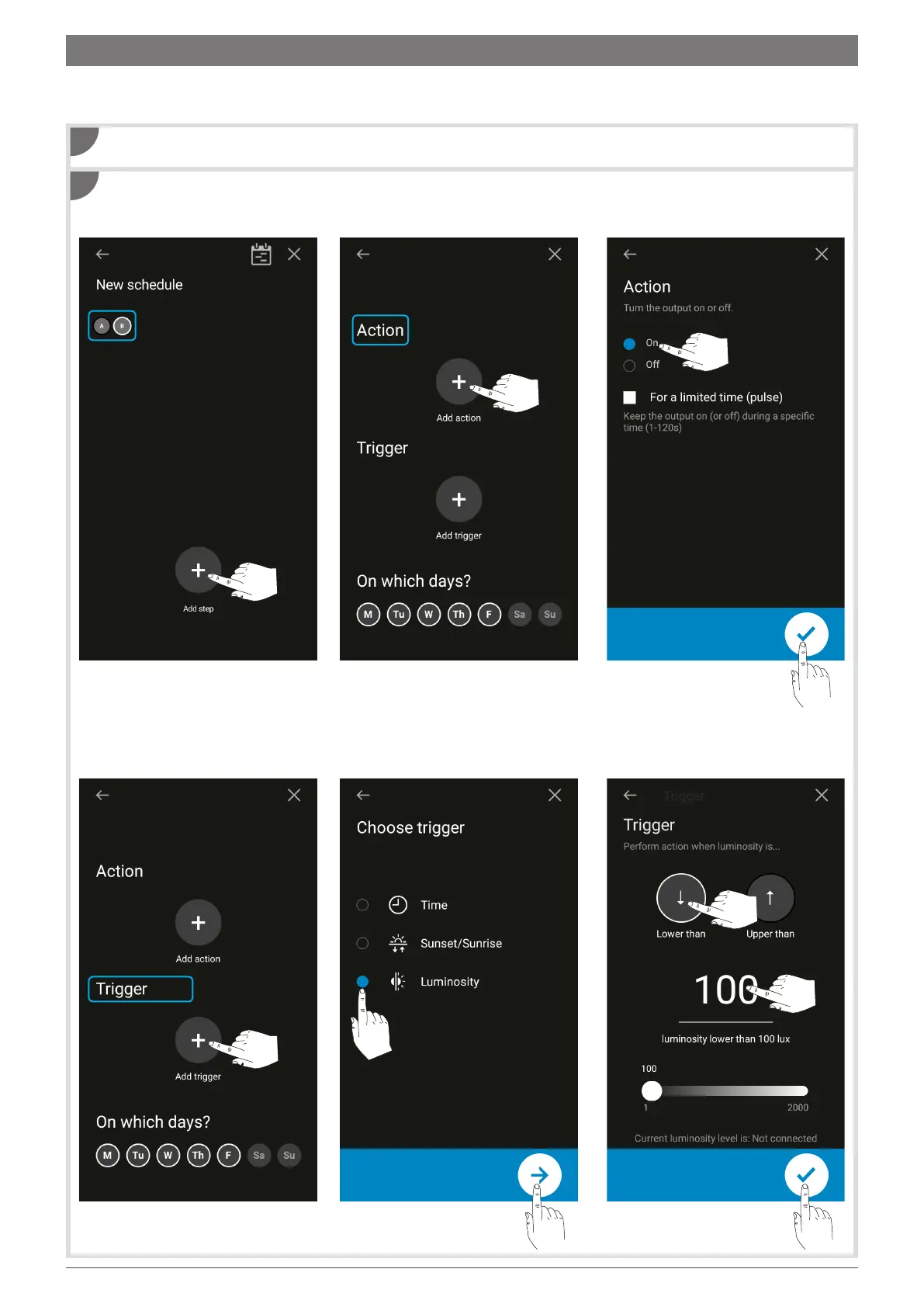
Create a new program (see section 4).
1 Add a step.
4 Add a trigger.
Program step 1: switch on light when brightness is below 100 lux.
2 Add an action.
5 Select the Brightness trigger then
tap the arrow to move to the next
page.
3 Select "On"then confirm.
6 Select the Lower than function
and set its value to 100 lux. Then
tap the arrow to confirm.
1
2
Example: We want to switch on the light when the brightness is below 100 lux (step 1), and switch it o when the
brightness is above 100 lux (step 2), from Monday to Friday, on output B. To do this:
8. Programming the twilight switch



 To Next Page
 Loading...