Home
hager
Switch
EGN100
Page 21 (Updating Device Firmware)
hager EGN100 - Updating Device Firmware; Access Device Settings; Check and Install Firmware Update
24 pages
Manual
To Next Page
To Next Page
To Previous Page
To Previous Page
Loading...
21
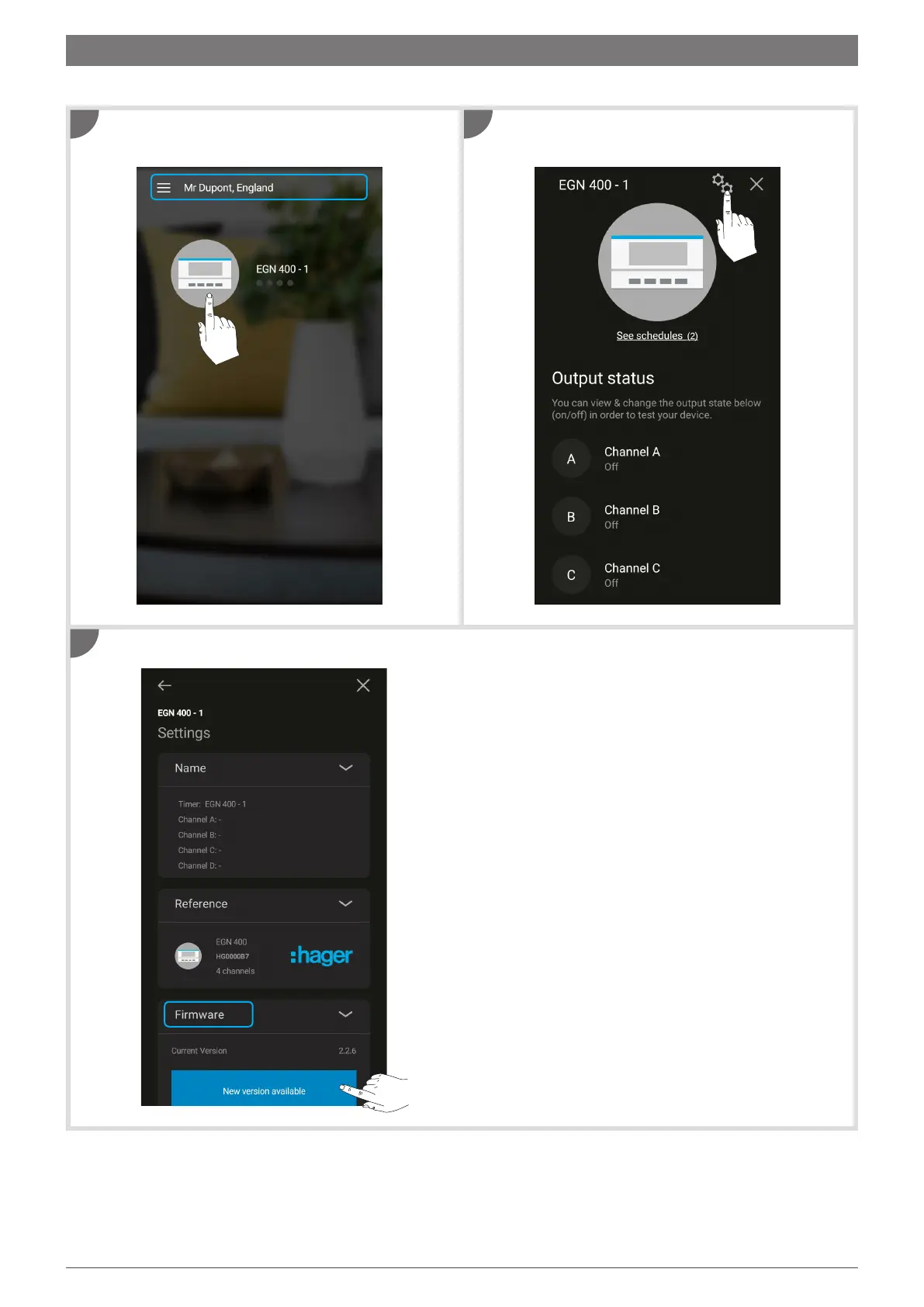
On the home screen, tap the
device icon
t
o begin.
In the
Firmware tab
, tap
New version available
.
Then tap the
device settings
symbol.
Use the
Hager Mood
app to keep the firmwar
e in your device up to date.
1
3
2
11. Updating device firmware
20
22
Table of Contents
Main Page
Table of Contents
2
Introduction
2
Setting up Your Installation
2
Connecting a Time Switch (EGN100/200/400) for the First Time
4
Creating a New Program
6
Loading a Program from the App to the Clock Key (EGN103 and EGN003)
7
Adding Program Steps
9
The "AND" Logical Operator (EGN100/200/400)
11
Programming the Twilight Switch
12
RF-Quicklink Connection
15
Integration with Coviva (Tkp100A/Coviva App)
18
Updating Device Firmware
21
Other manuals for hager EGN100
Manual
2 pages
Related product manuals
hager EGN100AU
18 pages
hager EGN200AU
49 pages
hager EGN400AU
49 pages
hager EG071
2 pages
hager EG170
2 pages
hager EG 103
2 pages
hager EE171
4 pages
hager EMN005
2 pages
hager EHN010
6 pages



 To Next Page