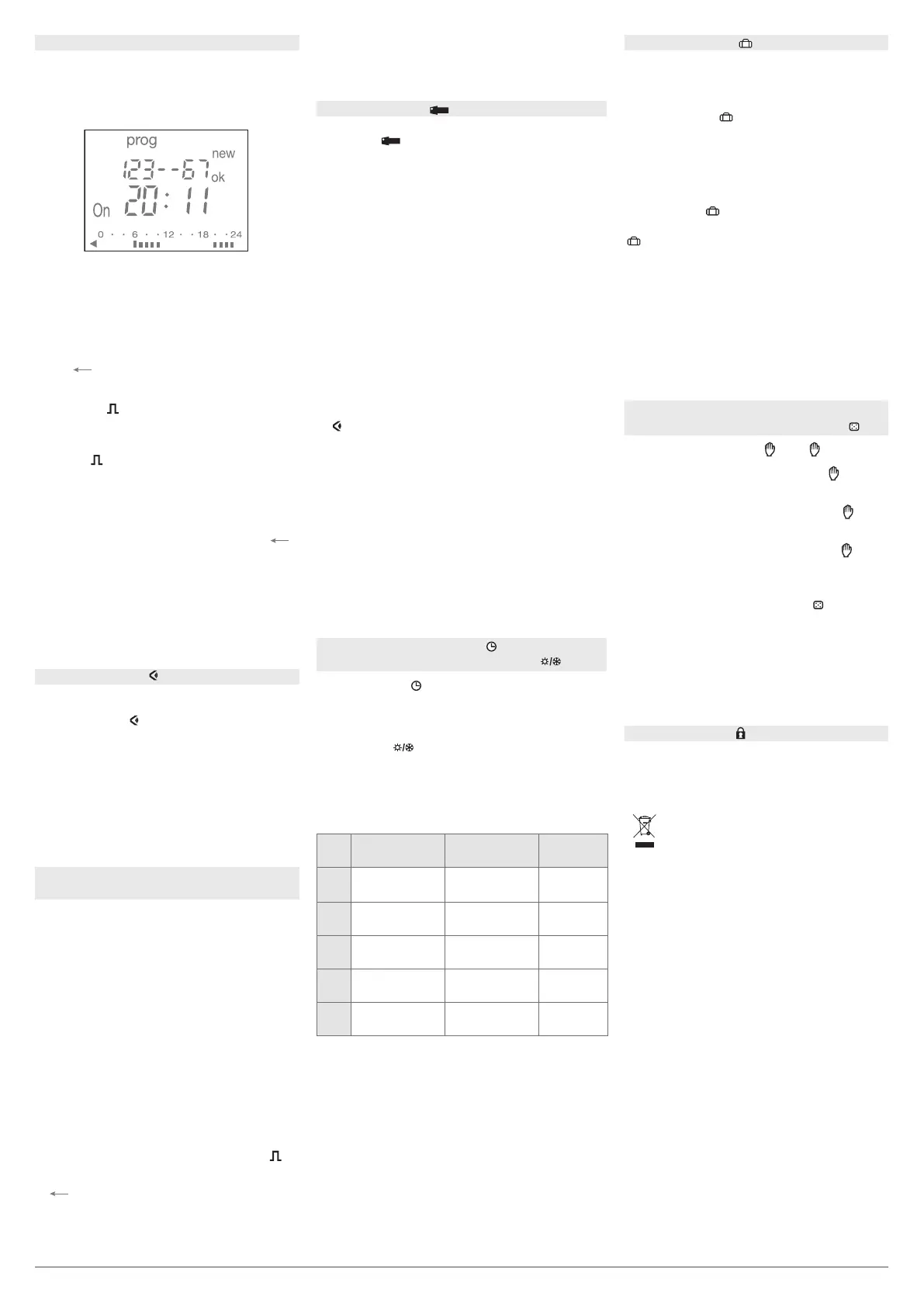
Programming : prog new
To check the daily profile set up without the risk
of modification or deletion :
Select the mode
using menu and press ok.
Select the channel (A or B) using + or – and ok.
The first step of Monday is displayed as well as
the daily profile.
Two options available for display :
1. Pressing repeatedly + or – : lets you shift days.
In this case only the first daily step is dis-
played as well as the daily profile.
2. Pressing ok : all steps of each day appear one
after the other.
Select the prog mode with menu and press ok.
Select the channel (A or B) using + or – and ok.
Select the modif mode with + or –.
Validate with ok.
The number of remaining program steps
appears for a short time.
The first step of the first day or group of days
appears.
Repeatedly pressing the ok key displays all
programmed steps one at a time.
Any flashing field (state, hour, minutes) may be
modified using + or –, then validated with ok.
When the cursor is positioned on ok located
behind the group of days, you may display suc-
cessively the days or the groups of days
and switch directly to the one that has to be
modified using + or –.
To remove a program step :
select the state of the channel (One, O or
),
press simultaneously + and –.
Clear appears on the screen. Validate with ok
or
auto
prog
modif
new
On
Off
24
1812
60
to cancel.
Modification or clearing of a program
step : prog modif
Allows you to override the output, On or O
for a given period.
Once done, this override will be removed
and will not be carried over to the following year.
Select the mode
using menu then ok.
With + or –, select the state of override :
On or O, ok to validate.
Enter the day then the month of the starting
period (date 1) using + or – then ok.
Enter in the same way the day and the month
of the ending period (date 2).
In auto mode,
flashes to indicate that
a period of holidays was programmed.
becomes permanent during the period.
The override will be eective at 0 :00 of the 1st
date until 23 :59 from the 2nd date.
If date 1 is set before the day of programming,
the period of holidays is valid for the following
year.
To clear a period of holidays return to the mode,
press simultaneously the + and – keys.
Clear appears. Confirm with ok.
Pressing repeatedly on A
or B .
If the state of the output is On :
1
st
press : temporary waiver. O and flash.
The next program step will let you
return to the automatic mode.
2
nd
press : permanent override. On and
are permanent. This override must be
cancelled manually.
3
rd
press : permanent override. O and
are permanent. This override must be
cancelled manually.
4
th
press : random operation.
Simulation of presence,
as well as
the state of the output are displayed.
Must be cancelled manually.
In this case the steps of the program
are shifted randomly within a range of
± 59 min.
5
th
press : return to the automatic mode.
Select the mode
with menu then ok.
Modify the day, month, year, the hour and the
minutes using + or – and ok.
The time switch next suggests the winter / summer
time changes
.
Select the type of change desired using + or – .
Validate with ok.
The type of change depends on the geographical
zone.
Types available :
* type according defect
The change always takes place between 2 :00
and 3 :00 a.m.
When the USER type is selected :
1. Enter the day then the month of the date of
change of the summer time (+ 1 hour) with + or –
and ok.
2. Enter the day then the month of the date of
change of the winter time (- 1 hour) with + or –
and ok.
The time switch will check which days of which
weeks correspond to these dates and will apply
changes to the same periods for the following years
independently of the date.
As soon as the key is inserted in the time switch,
the symbol
appears on the screen.
Two types of operation :
A. Permanent override :
Insert the key into the switch.
After 10 seconds the program contained in the key
will be executed without clearing the program
contained in the time switch.
As soon as the key is removed the program
of the time switch is again valid.
B. Copy (load) / Save (save) :
The key makes it possible to save a program
contained in the time switch.
It is also possible to copy the contents of the key
into the clock.
1. Insert the key and wait for 2 sec.
2. Using menu select the mode :
save to save a program contained in the time
switch,
load to load the program of the key into the time
switch,
to check the program contained in the key.
3. Validate the selection with ok.
4. For save and load reconfirm with ok.
The following error messages may appear
on the screen :
- no prog : the key is empty, it does not contain
any program.
- Error : the key is part of another time switch.
In these two cases :
• Only the save save is possible.
• The error message remains on display as long
as the key is present, but in this case the program
of the time switch is executed.
Display
Setting time at the date
Winter / summer time change
EG005 Key
To prevent all undesirable actions, the keyboard
of the time switch may be locked using a key
EG004.
Unlocking is done in the same way.
Holidays
Locking
Programming may be done for each day or
for a group of days. In this case instructions are
common to several days.
Days : 1 = Monday, 2 = Tuesday,
3 = Wednesday... 7 = Sunday.
1. Select the prog mode using menu, then ok.
2.
Select the channel (A or B) using + or
–
,
then ok.
The number of remaining program steps
appears for a short time.
3.
Choose the day(s) using + or
–
. Validate with ok.
4. ok flashes. Use ok to validate the group of
days.
– or
auto
prog
modif
new
On
Off
24
1812
60
makes it possible to reset the group
of days if necessary
5. Using + or –, select the state of the instruction :
On, O or
. Press ok to validate the state.
6. Enter the time of switch-on using + or –.
Validate with ok.
7. Enter minutes with + or –. Validate with ok.
8. For On
, set the duration (seconds, then
minutes) in the same way as for the switch-on
schedule.
Program the other instructions of the group
of days by repeating operations 3 to 8.
The day or the group of days may be modified
at the during step 3 by pressing the +, – or
auto
prog
modif
new
On
Off
24
1812
60
.
At the end of programming return to auto mode
using the menu button.
To set the program of the other channel, return
to prog new mode and proceed according to
steps 2 to 8.
In this mode it is also possible to add an ins-
truction to the program set up.
Proceed as described above.
Override -
Random operation
Type
Start of time
change Summer
Start of time
change Winter
Zone
of application
Euro
*
Last Sunday
of
March
Last Sunday
of October
European
Union
USA
Second Sunday in
March
First Sunday in
November
North
America
AUS
First Sunday in
October
First Sunday in
April
Australia
USER
Date freely
programmed
Date freely
programmed
No
No change No change
O
The program steps are actioned on
the bus only at the programmed time.
Consequently any programming or modification
of the program is only considered with the following
program step.
Use the manual override to update the controlled
output if necessary.
4 Hager Controls S.A.S., 33 rue Saint-Nicolas, B.P. 10140, 67703 SAVERNE CEDEX, France - www.hager.com 08.2017 6LE004134A
Usable in all Europe
å
and in Switzerland
Correct Disposal of This product
(Waste Electrical & Electronic
Equipment)
(Applicable in the European Union and other European
countries with separate collection systems).
This marking shown on the product or its literature
indicates that it should not be disposed with other
household wasted at the end of its working life. To
prevent possible harm to the environment or human
health from uncontrolled waste disposal, please
separate this from other types of wastes and recycle it
responsibly to promote the sustainable reuse of
material resources. Household users should contact
either the retailer where they purchased this product,
or their local government office, for details of where
and how they can take this item for environmentally
safe recycling.
Business users should contact their supplier and
check the terms and conditions of the purchase
contract. This product should not be mixed with other
commercial wastes of disposal.


 To Previous Page
 Loading...