EasyManua.ls Logo

Haier HW70-14829 - User Manual

Haier HW70-14829
33 pages
Print Icon
To Next Page IconTo Next Page
Loading...
GB
User manual
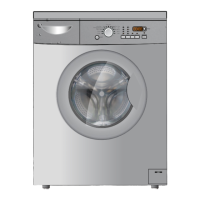
Washing machine
HW60-12829
HW60-14829
HW70-12829
HW70-14829
HW80-12829
HW80-14829
HW100-12829
HW100-14829

Questions and Answers

Haier HW70-14829 Specifications

General IconGeneral
BrandHaier
ModelHW70-14829
CategoryWasher
LanguageEnglish

Summary

Safety Information: Initial and Daily Use

Before First Use Safety Checks

Key safety checks and precautions to take before operating the washing machine for the first time.

Daily Use Safety Precautions

Guidelines for safe daily operation, including child safety, handling of detergents, and avoiding common hazards.

Safety Information: Maintenance and Installation

Safe Operation and Maintenance Advice

Important safety advice for operating the appliance, cleaning, and performing maintenance tasks.

Installation Safety Guidelines

Safety rules to follow during the installation process of the washing machine.

Safety Information: Installation Environment and Intended Use

Installation Environment and Electrical Safety

Specifies safe installation locations and electrical connection requirements, including UK plug details.

Intended Use and Modifications Warning

Defines the appliance's intended use and warns against modifications or unintended usage.

Control Panel and Detergent Drawer Overview

Control Panel Components Explained

Details the buttons, indicators, and display elements on the washing machine's control panel.

Control Panel - Buttons and Functions

Power, Programme, Start;Pause Button Usage

Explains how to use the main control buttons: Power, Programme Selector, and Start/Pause.

Control Panel - Advanced Features

Washing Programmes Guide

Daily Use - Connections and Laundry Preparation

Daily Use - Washing Instructions and Loading

Detergent Addition and Programme Selection

Operating the Washing Cycle

Appliance Care and Cleaning Procedures

Long Period Maintenance and Pump Filter Cleaning

Pump Filter Cleaning - Final Steps and Cautions

Troubleshooting - Information Codes and Display Errors

Resolving Display Code Errors

Provides solutions for common problems indicated by specific display codes (E1, E2, E4, E8, F3, F4).

Troubleshooting - Common and Non-Display Errors

Resolving Display and Non-Display Errors

Offers solutions for various appliance malfunctions, including motor errors, communication issues, and unbalanced loads.

Troubleshooting - Advanced Issues and Power Failure

Addressing Washing Results and Foam Issues

Explains how to resolve issues like incorrect wash duration, unsatisfactory results, and excessive foam.

Appliance Installation - Preparation and Bolts

Appliance Installation - Moving and Alignment

Water Drain Connection

Connecting the Drain Hose to Sink or Pipe

Detailed instructions and options for connecting the drain hose to a sink or wastewater pipe, with safety cautions.

Water and Electrical Connections

Connecting Fresh Water Supply

Guides on how to connect the fresh water inlet hose to the appliance and water tap.

Electrical Connection and Safety

Instructions for connecting the electrical power supply and important safety warnings regarding connections.

Related product manuals