Chapter 6. Operation Instructions
6-1. Get to know your TV
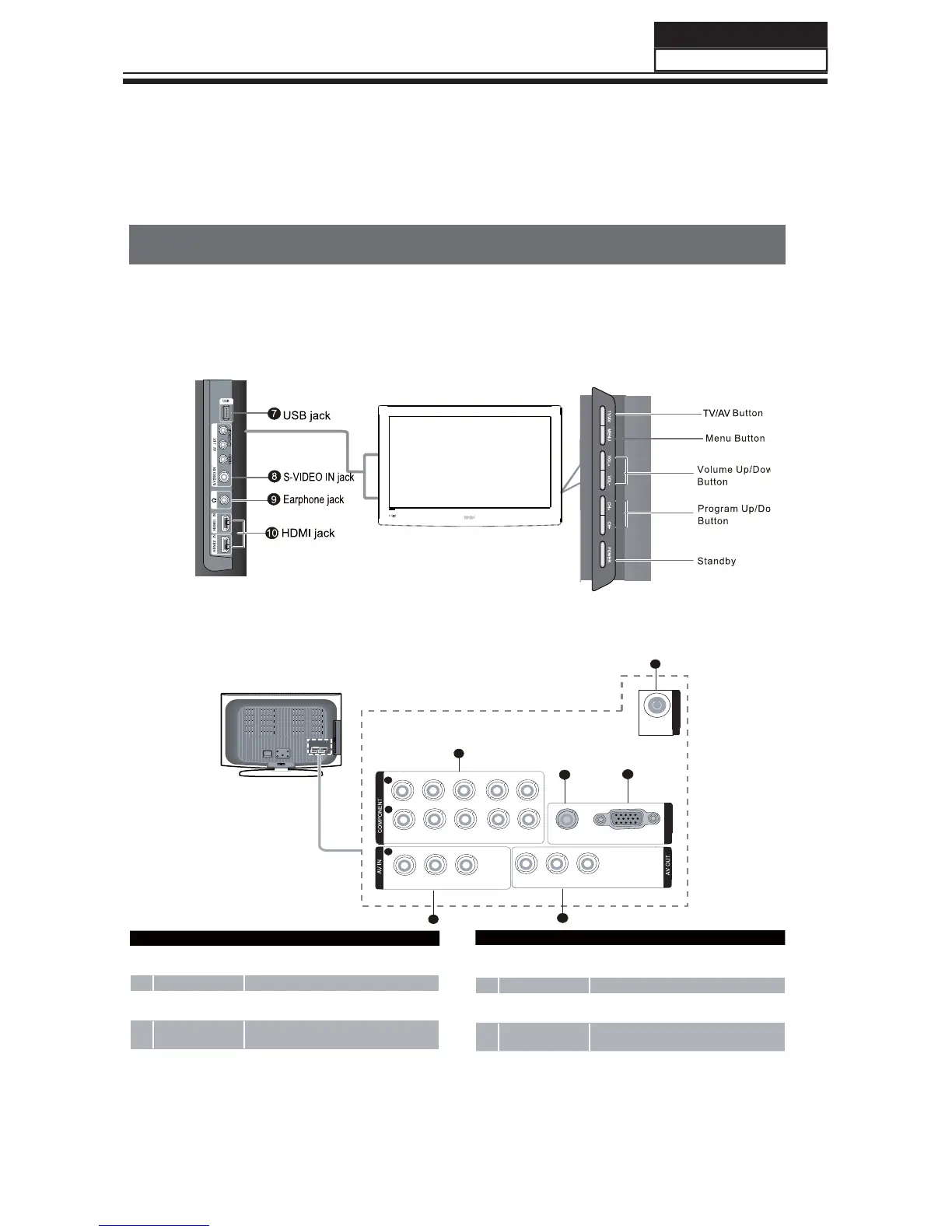
Panel Control and Rear Terminals Control
- This is a simplified representation of front panel.
- Here shown may be somewhat dierent from your TV.
Panel Control
Rear Terminals Control
VIDEO
L-AUDIO-R
VIDEO
L-AUDIO-R
Y Pb/Cb Pr/Cr L-AUDIO-R
VGA/DVI AUDIO
VIDEO
VIDEO
ANT
L AUDIO R
VIDEO
PC
L AUDIOR
AV 2IN
AV OUT
YPbPrL R
PCAUDIO
GOMPONENY
1
2
3
4
5
VGA
IN
VGA IN
2
1
2
ANT IN
6
1
COMPONENT In
Connect a component Video/Audio device to
these jacks
2
VGA/DVI AUDIO Connect a VGA Audio device to these jacks
3
VGA IN
Connect the monitor output connector from a PC
to the jack
4
AV IN
Connect Video/Audio out from an Video/Audio
device to these jacks.
5
AV OUT Video/Audio output terminal
6
ANT IN
Connect cable or antenna signal to the TV, either
directly or through your cable box.
7
USB jack
Connect USB storage device to this jack.
8
S-VIDEO
Connect the S-VIDEO cable from an external
signal source to this jack.
9
Earphone Earphone audio output terminal.
0
HDMI
Connect a HDMI device to receive digital audio
and uncompressed digital video.
Service Manual
Model No.:
/)
39



 To Next Page