Chapter 8. Measurements and Adjustments
8-1. Service Mode
8-1-1.How to enter into Service Mode
The way to the factory mode menu:
1st, press menu,
2en, input 8893,
Finished these operations ,system will be into the factory mode menu.
At the end of the main factory menu, you can see the edition of the software,
like this” L_MST6M36J S_AU32VP_BX ”.
8-1-2.How to exit
If you want to exit this factory menu, please press the button ”Exit” on the remote.
system will be out the factory mode menu.
8-2. Measurements and Adjustments
8-2-1. The Main Menu
In factory mode menu,press up/down button to choose the up/down item,press left/right button
WRWKHVXEPHQXSUHVV2.EXWWRQWRDI¿UPSUHVV0(18EXWWRQJRWRWKHQH[WSDJH
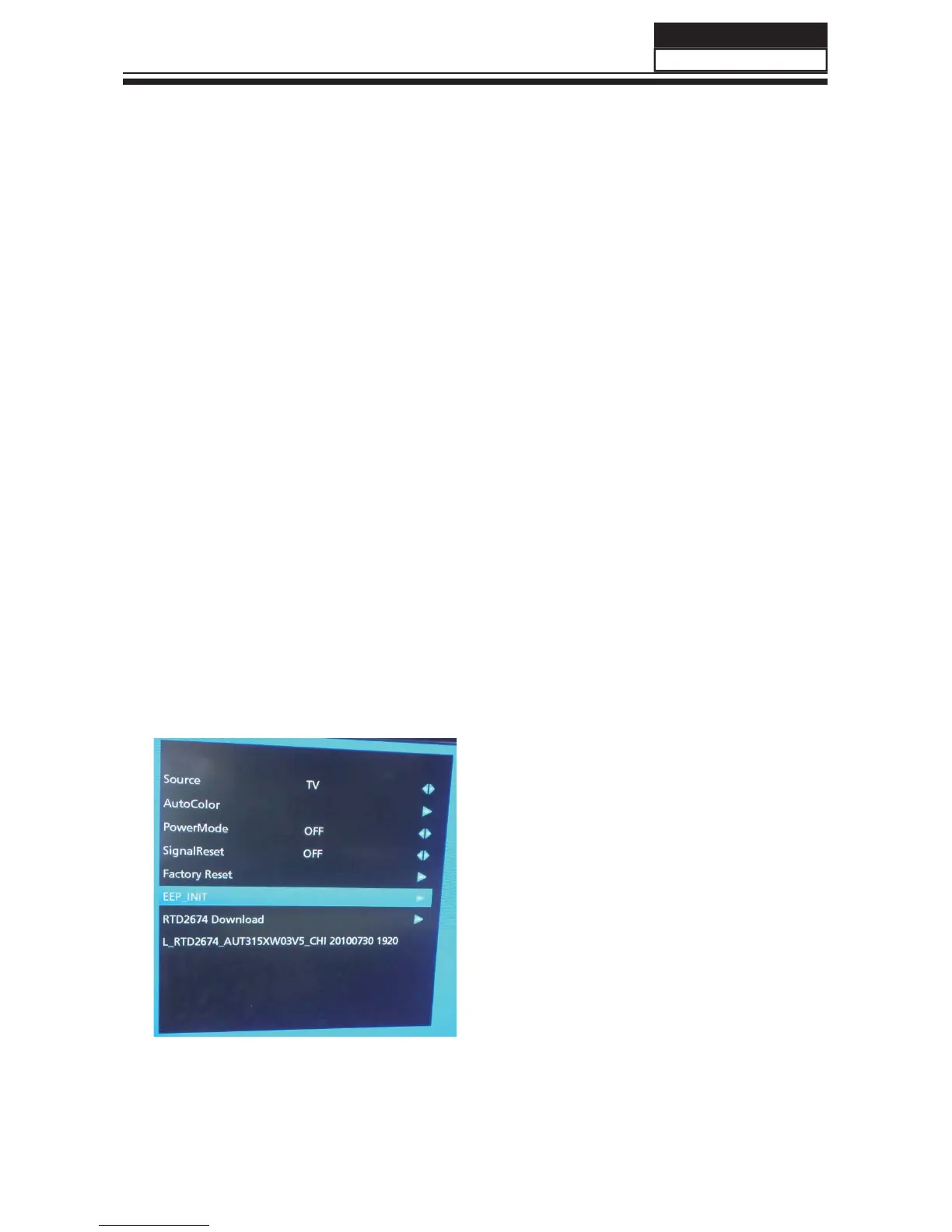
In this page, you should consider "INT
EEPROM" function.This function you can reset all
date return to original state.if you encounter
inextricable problem,you can try this function.
Press
"CH+/CH-" button to select "INT EEPROM
",then press "VOL+" button.It needs a few
secounds.
NOTE : After reset ,please shut off the power.
Be carefully use this function.
57'6)DFWRU\0HQX
$IWHU,17B((3FKRRVH)DFWRU\5HVHW
DQGUHVHWDOOGDWDWRRXWIDFWRU\VWDWH
Service Manual
Model No.:
/)
55



 To Next Page