17
In the event of a problem Capsule X has a handful of helpful feedback lights.
Indicator lights
Dust Pouch indicator flashing
Capsule X main unit is hot!
Stop using Capsule X.
2. Check for blockages.
3. Change the Dust Pouch
and charge the Battery.
4. Allow Capsule X to cool for at least 30
minutes.
4 lights flashing on Battery
Battery removed whilst in use OR
Capsule X motor is jammed
1. Remove then reattach the Battery.
2. Check filter and Dust Pouch
are in place.
3. Fully charge the Battery.
4. If problem persists contact Halo
support hello@capsuleclean.co.uk
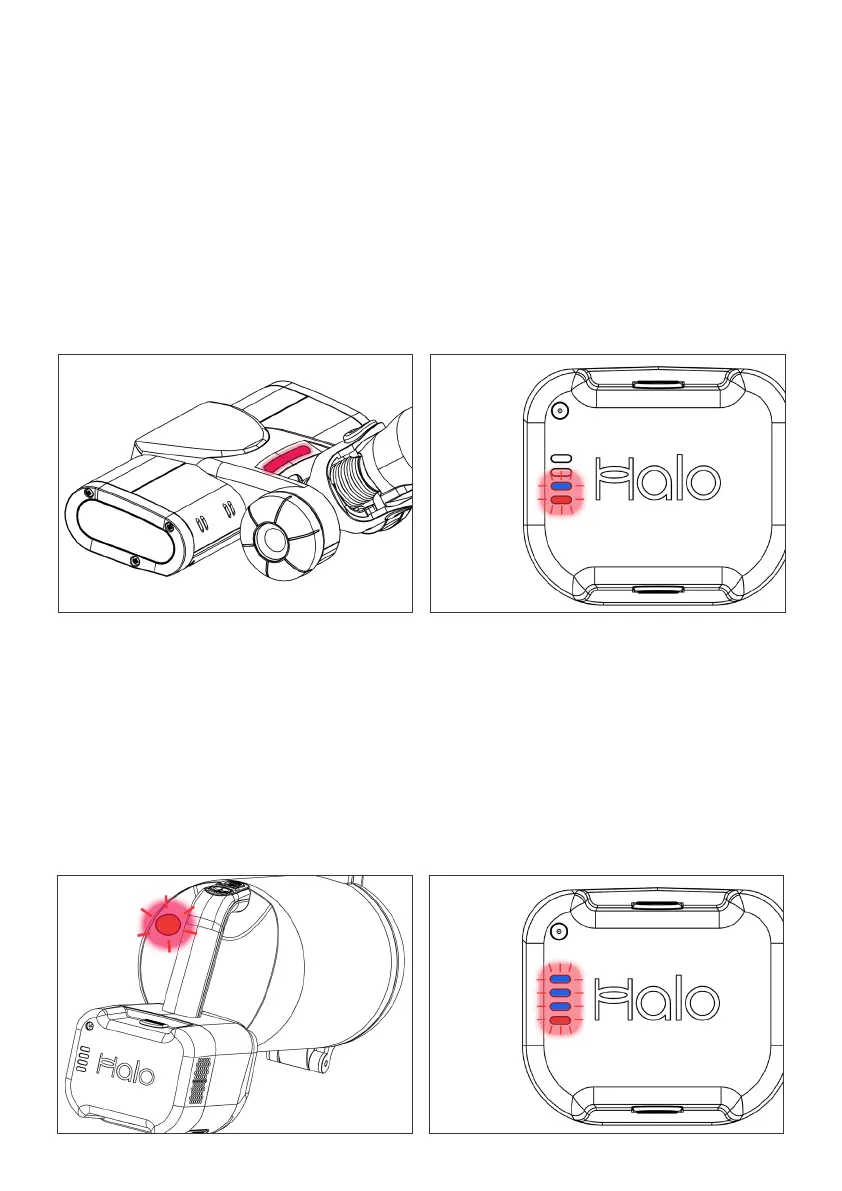
Red light on Motor Brush Head
Brush is jammed
1. Disconnect the Motor Brush Head
from the Extension Tube and main
body to isolate it from power.
2. Check for blockages.
2 lights flashing on Battery
Battery is hot
1. Battery will not function until cool.
2. Cooling will take approximately 30
minutes at room temperature.
3. Normal function will then resume.


 To Next Page