8
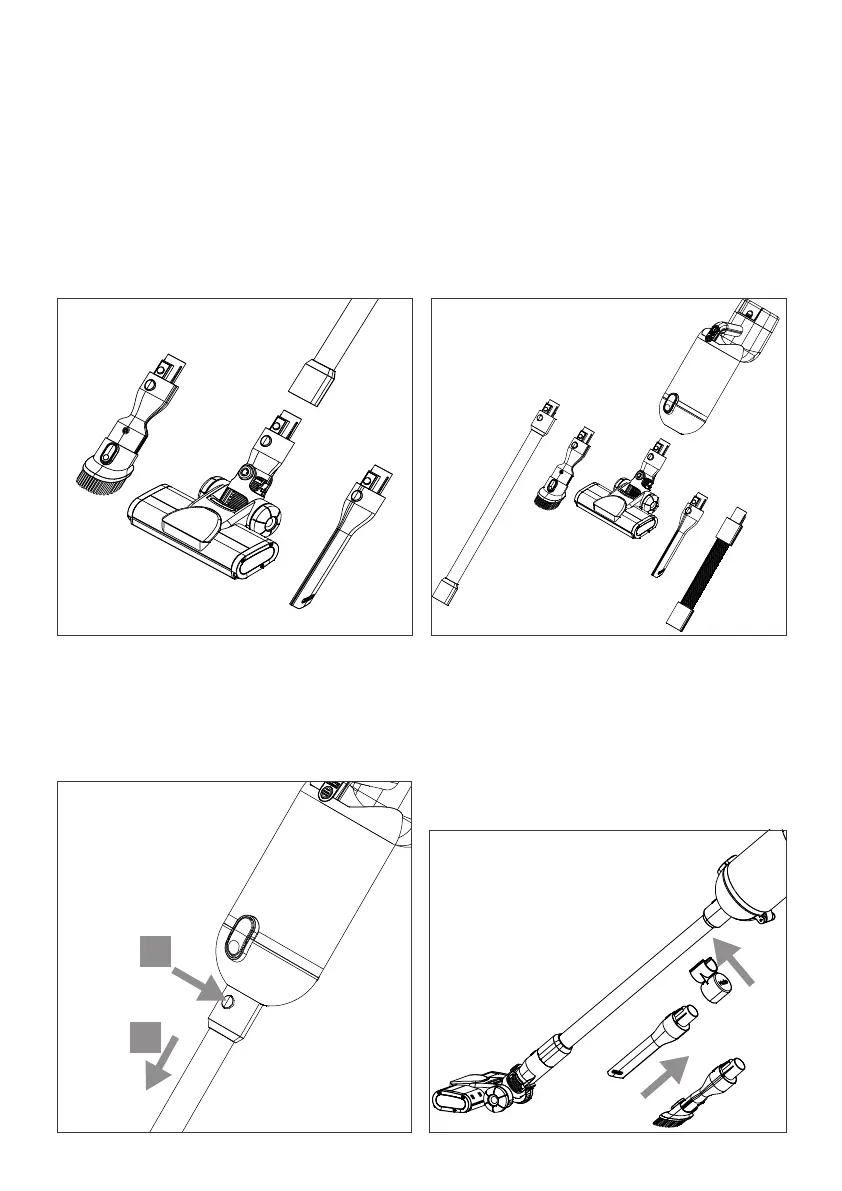
Accessory Clip
4. The accessory clip can be fitted to the
top of the Extension Tube. Simply push
the clip onto the tube then insert the
chosen accessory. This can then be
carried with your Capsule X.
The accessories can be attached in a variety of ways
1. The Motor Brush Head or any of the
accessories can be attached
to the end of the Extension Tube.
3. Release accessories by depressing the
release button (A) then pulling them
away from the Main Unit (B).
2. Alternatively any of the accessories
can be connected directly into
the Capsule X Main Unit to allow
handheld operation.
Attaching the accessories
B
A


 To Next Page