7
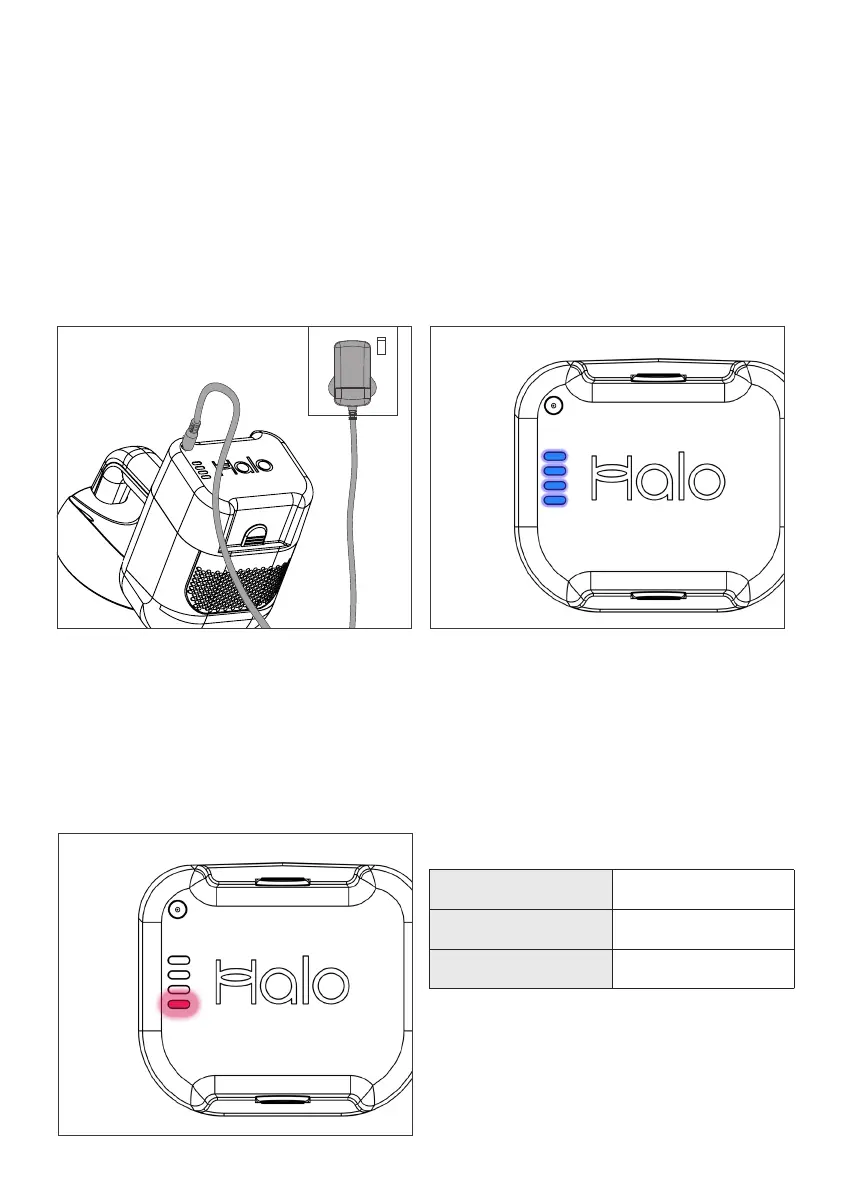
The charger connects between the
Capsule X Battery and the mains.
The Battery can be charged while it
is connected to Capsule X or when
separated.
The Battery can not be charged when
Capsule X is in use.
Charging Status
Whilst charging, the Battery indicator
will show the level of charge from 0-100%
in 25% increments.
Capsule X can be left connected when
fully charged. The charger will enter
sleep mode and no electricity will be
consumed.
Charging
Runtime indicator
The Battery indicator will show fewer
bars lit as Capsule X is used.
The last bar will flash red shortly before
the Battery is exhausted.
Runtime hints and tips
For full runtime Capsule X should be
charged for 2 hours from empty and
cool. Allow an extra 30 mins if the
battery is very warm.
Capsule X’s onboard computer estimates
charge level and may show full prior to
this time. Charge for the full 2.5 hours.
Figures are estimates based on in home
testing. Results in different homes
may vary with different ambient
temperatures and flooring types.
Additional batteries to provide extra
runtime are availble from Halo.
Eco Mode
Over 60 minutes
Performance Mode Over 25 minutes
Boost Approx 9 minutes
Runtime Guide
Fitting the Battery


 To Next Page