UM-365HaD-U H46 TPMS TOOL User Guide
User Guide Hamaton H46 Page 17/38
10. PROGRAM BLANK SENSOR
This section explains how to recover a sensor ID in order to enter it in a blank sensor. If the "old"
sensor can be read, use the "COPY ORIGINAL SENSOR" menu to recover the ID. If it cannot be
read, use the "CREATE NEW SENSOR" menu to create a randomized ID.
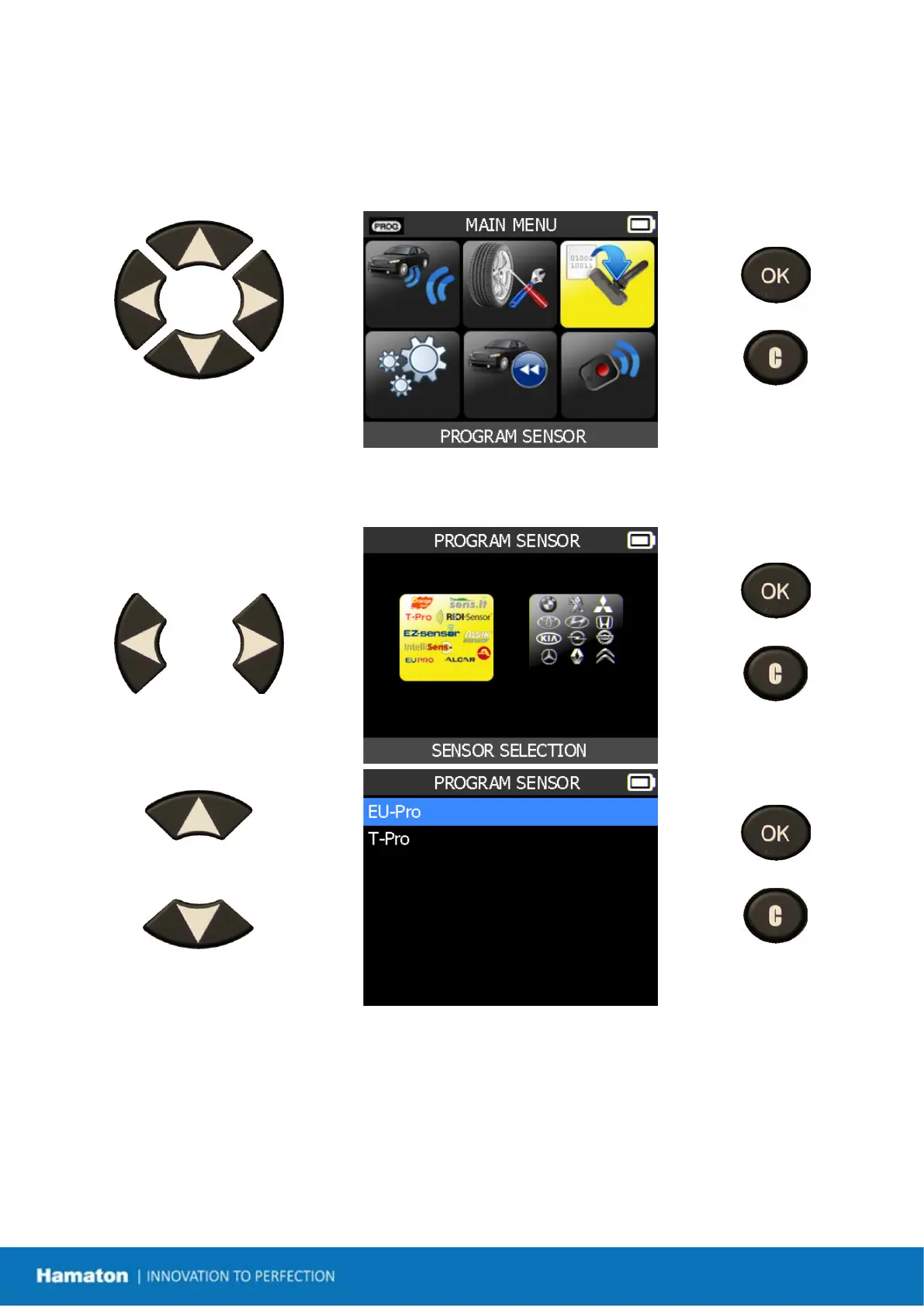
Select "PROGRAM SENSOR"
menu.
= continue
= previous
10.1. First Option: Sensor Selection
= continue
= previous
Select the sensor brand.
= continue
= previous
Select car manufacturer.
Select car model.
Select year.


 To Next Page