UM-365HaD-U H46 TPMS TOOL User Guide
User Guide Hamaton H46 Page 28/38
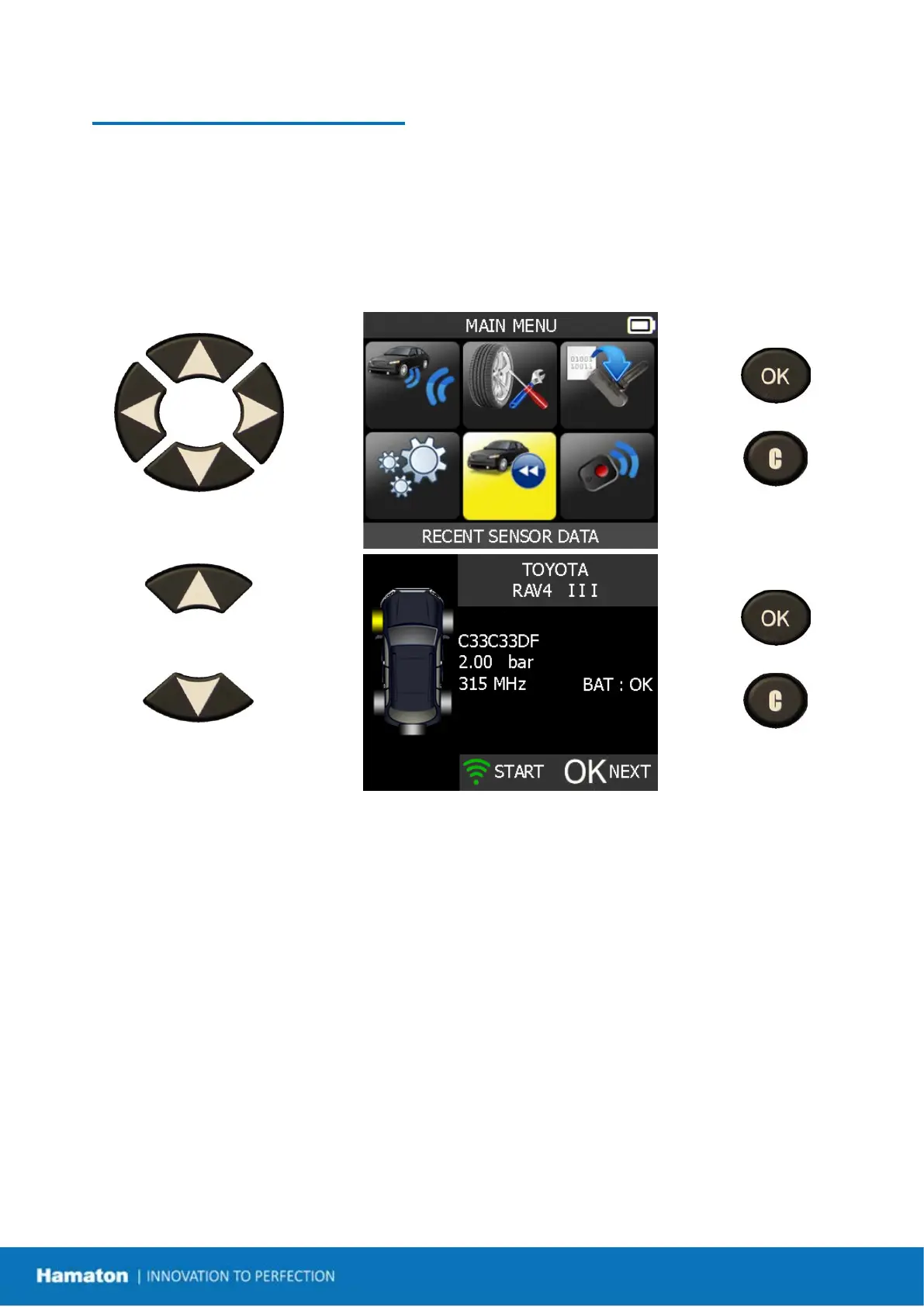
RECENT SENSOR DATA
1. RECENT SENSOR DATA
When a new vehicle is triggered the result is automatically stored in the RECENT SENSOR DATA
menu. You may recall the result and continue to trigger the entire vehicle. The data is
automatically replaced if a new vehicle is triggered. The data remains in the memory even after
the device has been turned off.
Select "SETTINGS" menu.
= continue
= previous
Scroll up and down to select
function or settings.
= continue
= previous


 To Next Page