UM-365HaD-U H46 TPMS TOOL User Guide
User Guide Hamaton H46 Page 8/38
6. POWER ON
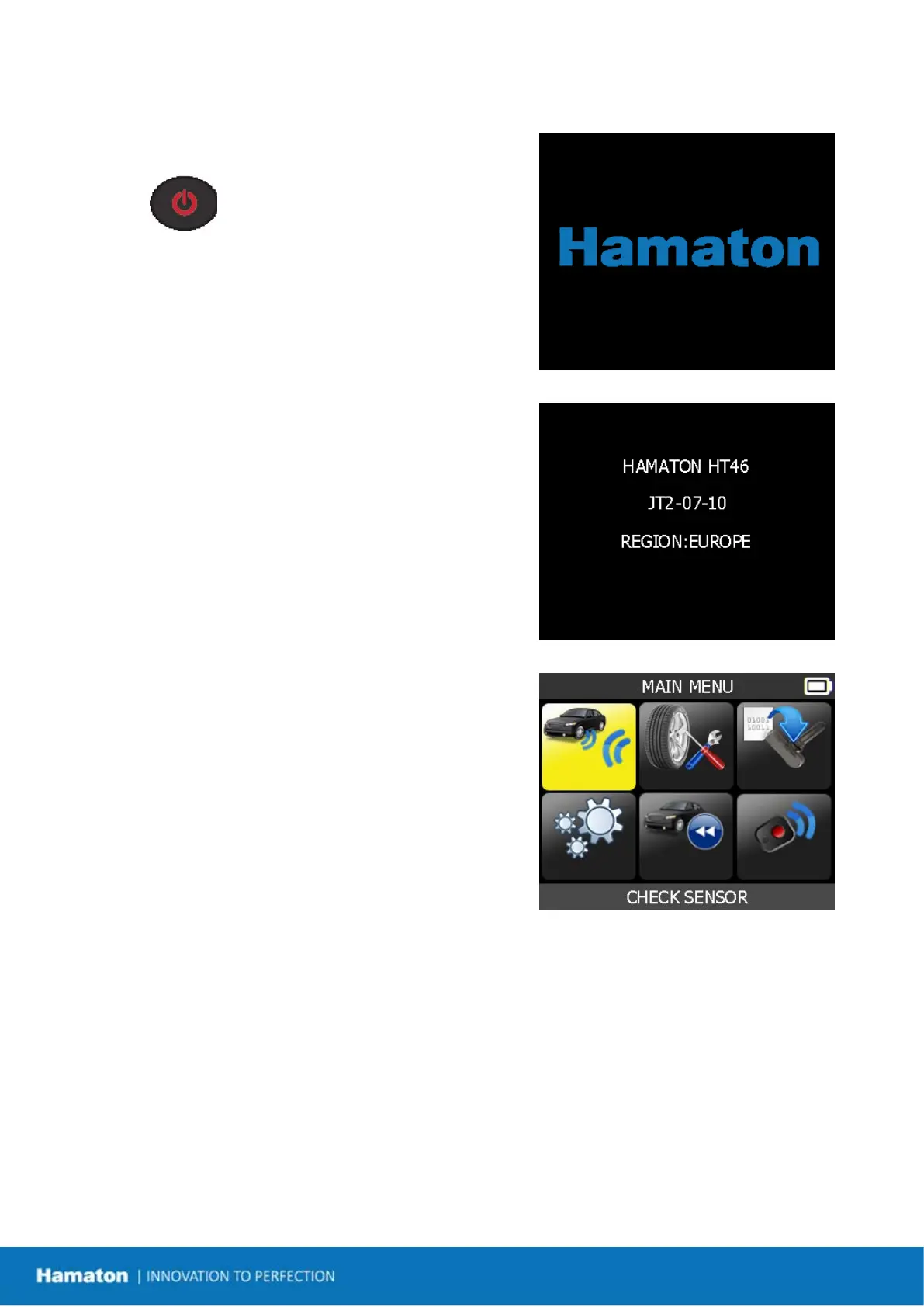
Press key to turn on the device.
The TPMS TOOL:
First displays the logo as Fig. 1.
Fig. 1
The software version and the work zone as Fig. 2.
Fig. 2
The MAIN MENU will then be displayed as Fig. 3.
Fig. 3


 To Next Page