UM-365HaD-U H46 TPMS TOOL User Guide
User Guide Hamaton H46 Page 22/38
SETTINGS
1. SETTINGS
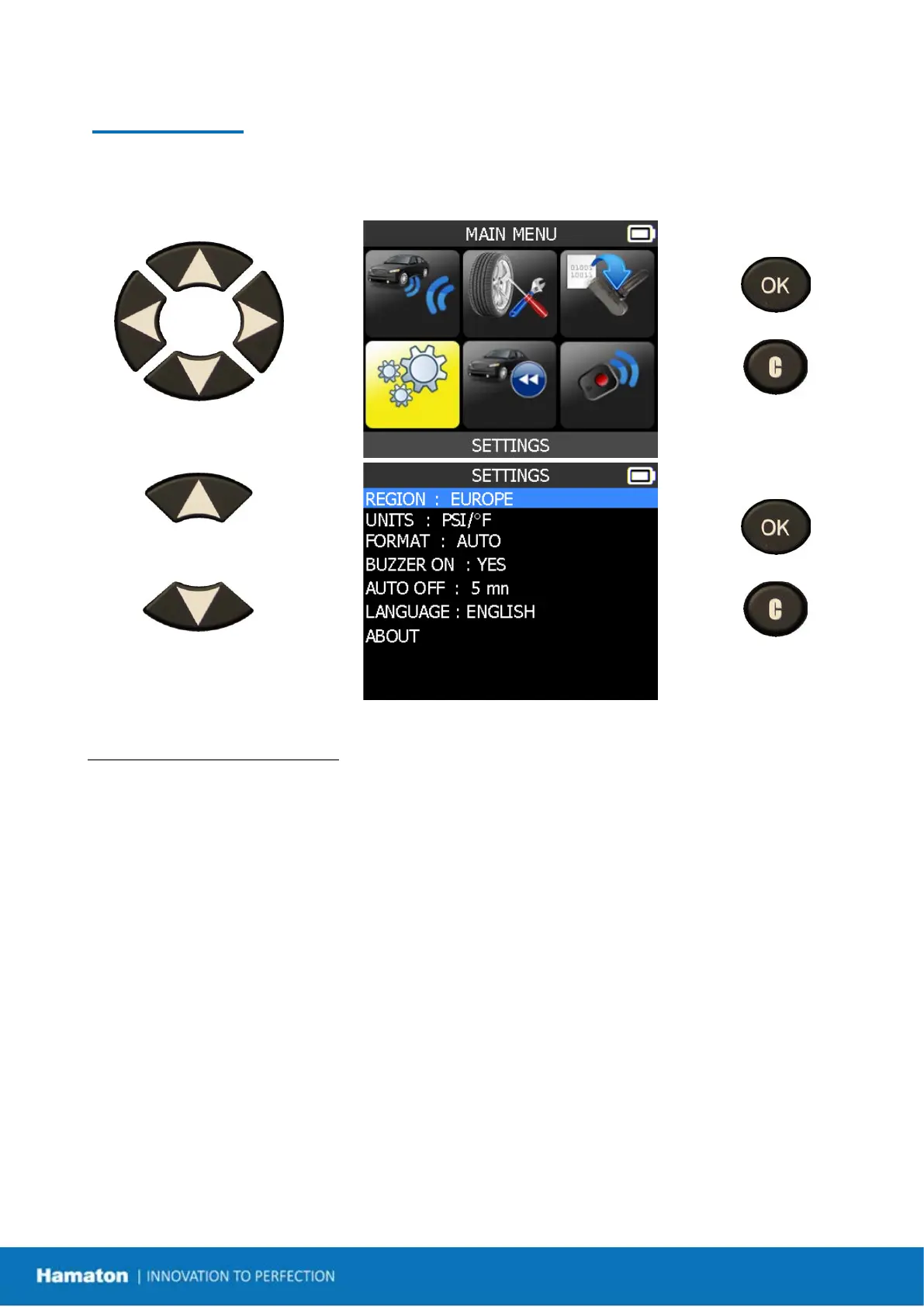
Select "SETTINGS" menu.
= continue
= previous
Scroll up and down to select
function or settings.
= continue
= previous
Key Functional Descriptions:
REGION: to select the area of work, AMERICA, EUROPE and KOREA.
UNITS: change the air pressure and temperature display (kPa, Bar or PSI with F° or C°).
FORMAT: change the format of sensor ID display.
BUZZER: turn buzzer ON or OFF (YES or NO).
AUTO OFF: time the device automatically powers off after not being operated.
LANGUAGE: to select the language of the device.
ABOUT: to display the version and information about the device.


 To Next Page