UM-365HaD-U H46 TPMS TOOL User Guide
User Guide Hamaton H46 Page 23/38
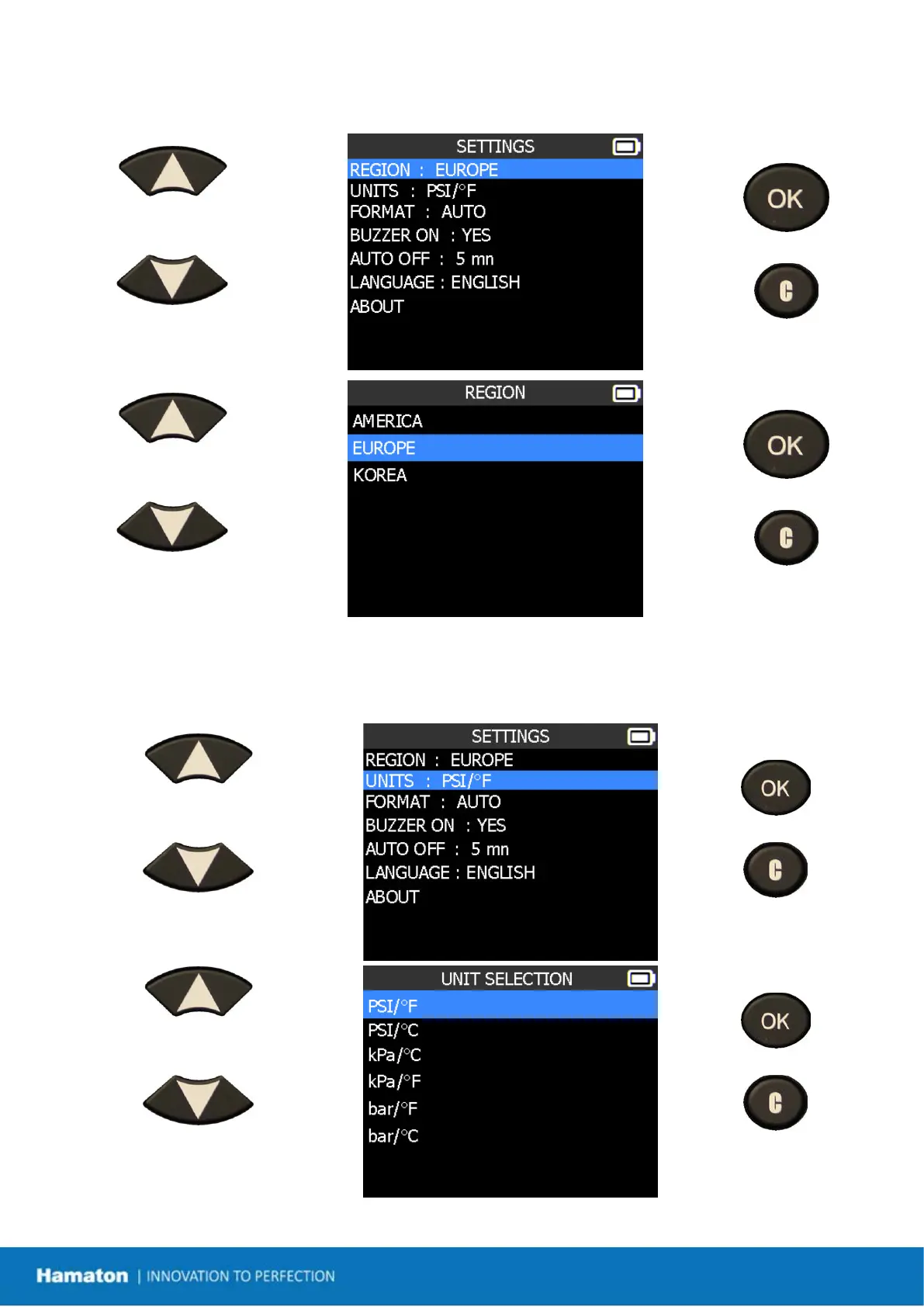
1.1. Change Zone Settings
Scroll up and down to
select the zone menu.
= confirm
= previous
Scroll up and down to
select a zone.
= confirm
= previous
The tool will load the new database for the selected zone.
1.2. Change Units Settings
Scroll up and down to select
function or settings.
= continue
= previous
Scroll up and down to select
the units.
= continue
= previous


 To Next Page