UM-365HaD-U H46 TPMS TOOL User Guide
User Guide Hamaton H46 Page 24/38
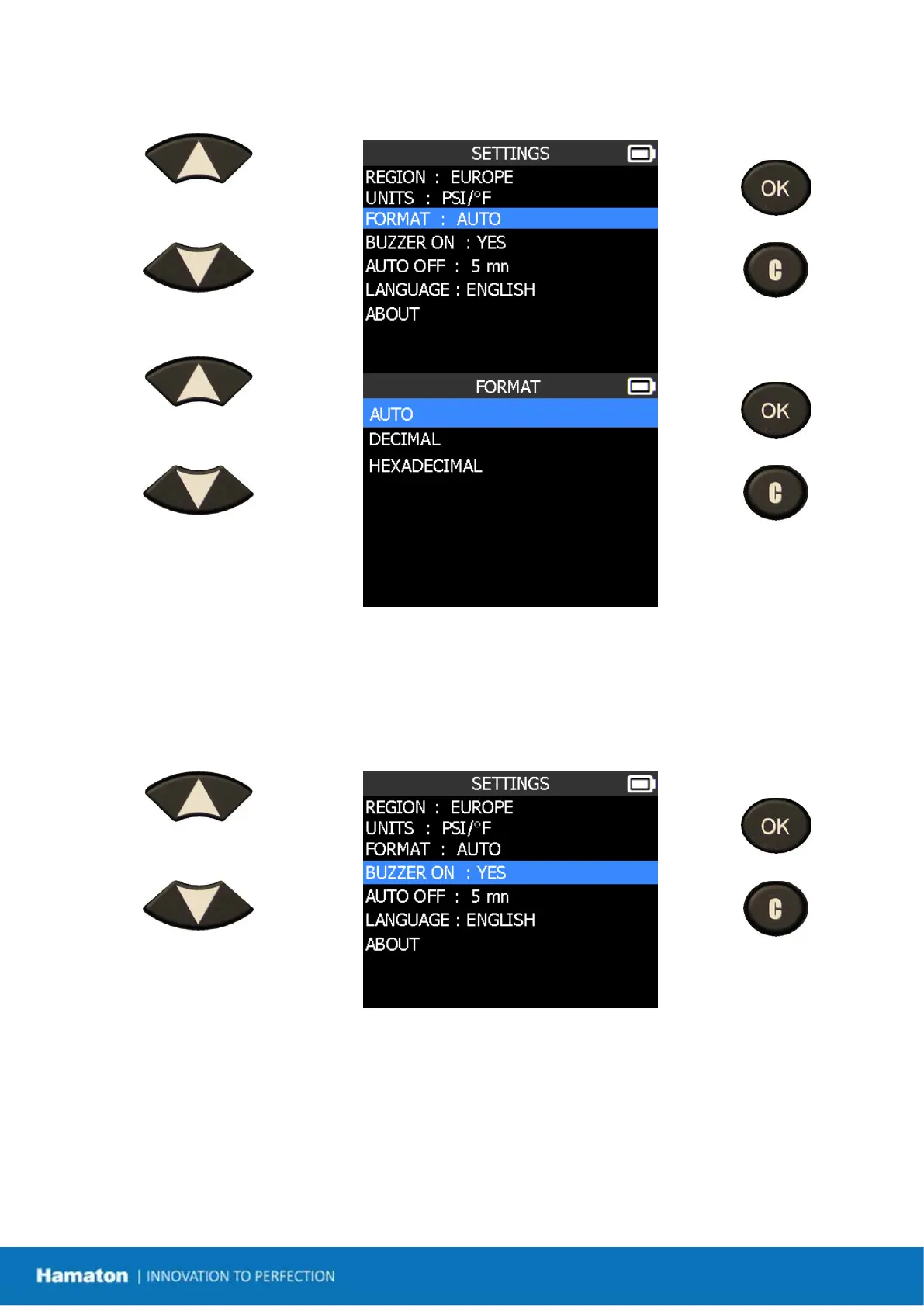
1.3. Change Format Settings
Scroll up and down to select
function or settings.
= continue
= previous
Scroll up and down to select
the format.
= continue
= previous
AUTO: display sensor ID format in the way sensor is transmitting.
DECIMAL: force to display sensor ID in decimal (0 to 9).
HEXADECIMAL: force to display sensor ID in hexadecimal (0 to F).
1.4. Change Buzzer On Settings
When buzzer on is set to YES, a beep sounds when the sensor ID is detected.
Scroll up and down to select
function or settings.
= continue
= previous


 To Next Page