UM-365HaD-U H46 TPMS TOOL User Guide
User Guide Hamaton H46 Page 25/38
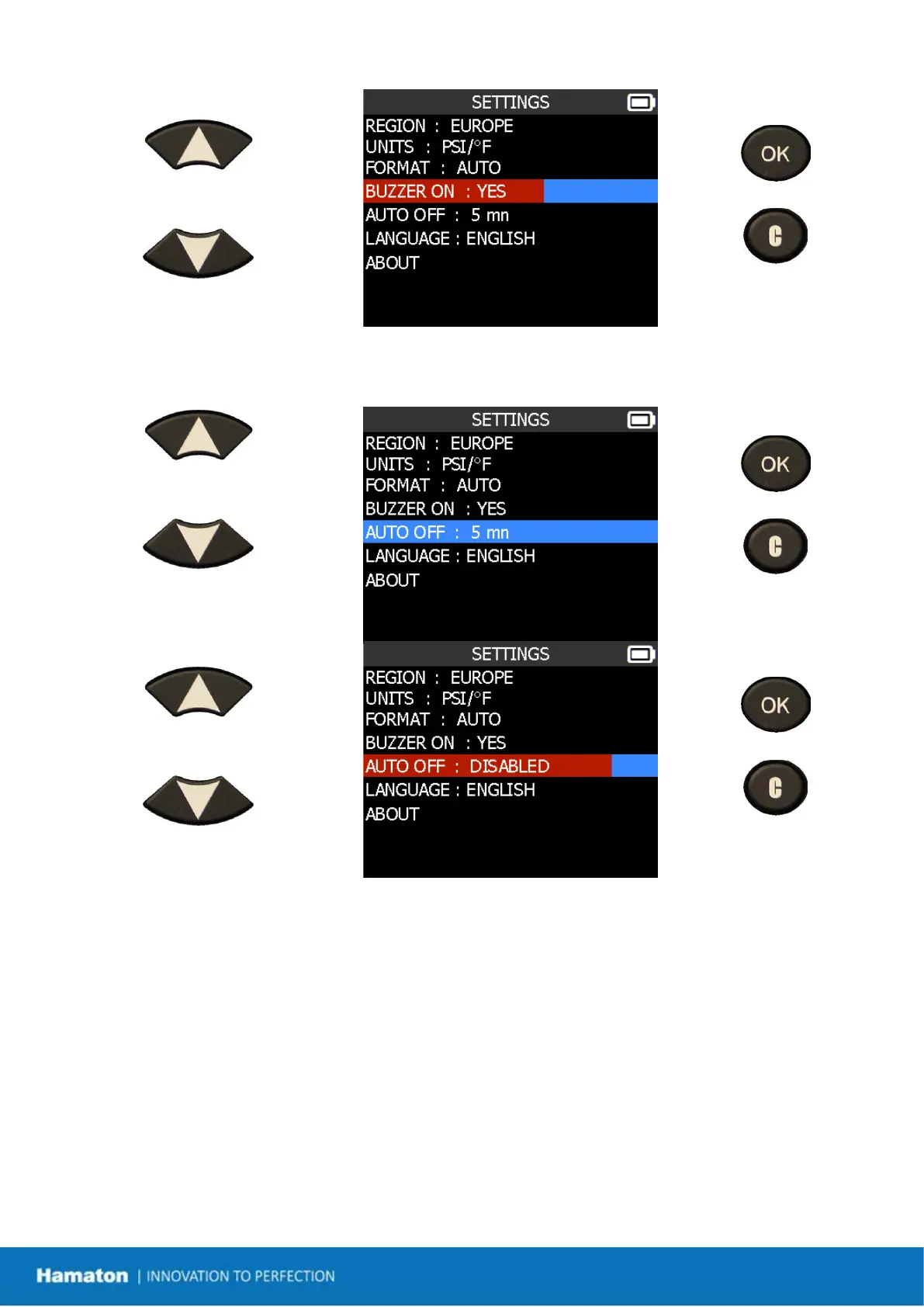
Scroll up and down to select
YES or NO.
= continue
= previous
1.5. Change Auto Off Settings
Scroll up and down to select
function or settings.
= continue
= previous
Scroll up and down to set the
time.
= continue
= previous
Change from 1 to 60 min or DISABLED.


 To Next Page