Scooter settings | 15
Trophy 20 UM 28
Trophy 20 UM 08
A
Trophy 20 UM 09
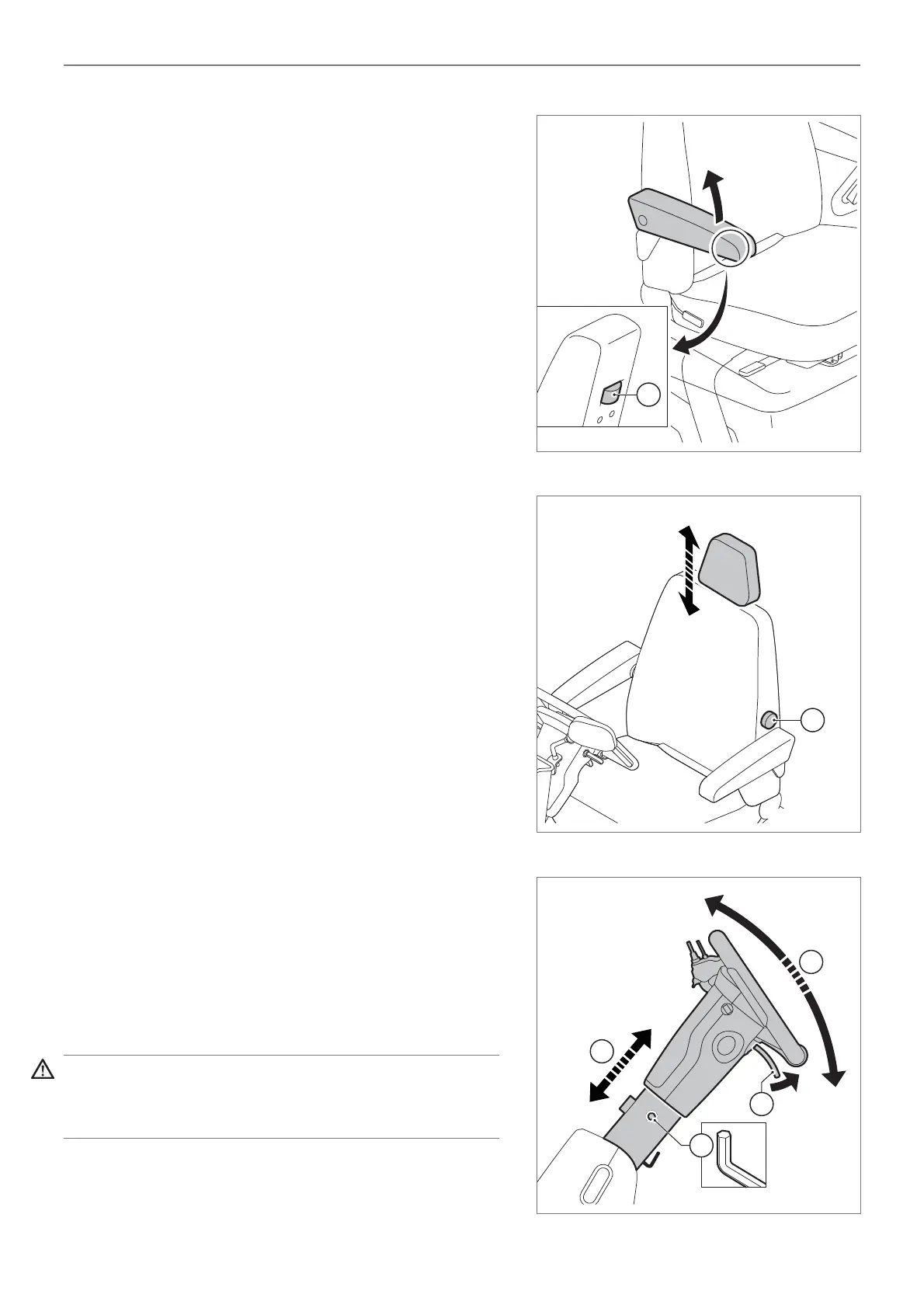
Adjusting the armrest (fi gure 4)
The armrests can be adjusted as follows:
• The rotary knobs (A) for adjusting the height of
the armrests are located on the bottom side the
armrests.
Adjusting the headrest (if applicable)
The headrest can be adjusted to various heights.
The headrest height is adjusted as follows:
• Press the plastic button at the point where the
headrest is attached to the seat, at the same time
moving the headrest to the required height. The
headrest can also be removed if required.
• Release the button and move the headrest slightly
so that it locks into one of the positions.
4.2 Adjusting lumbar-support (if
applicable)
The lumbar-support can be adjusted by turning knob A
to achieve the most comfortable position (fi gure 5).
4.3 Adjusting the steering column
The steering column can be adjusted to make driving
more comfortable and to make it easier for you to
mount and dismount from the scooter (fi gure 6).
Steering column length can be adjusted by dealer as
follows:
• Untighten the screw (A) with alten-key (5 mm)
• Adjust the length (a-direction)
• Tighten screw A
The steering column is adjusted by user as follows:
• Using one hand, pull handle (B) upwards while
pulling the steering column towards you with the
other hand until it is in the most comfortable position.
• Release the handle. Then release the steering
column.
Warning!
Exercise caution while adjusting the steering column
and ensure that your fi ngers do not become trapped.
Figure 4
Figure 5
Figure 6


 To Next Page