24 | Use of the scooter
Trophy 20 UM 18
Trophy 20 UM 24
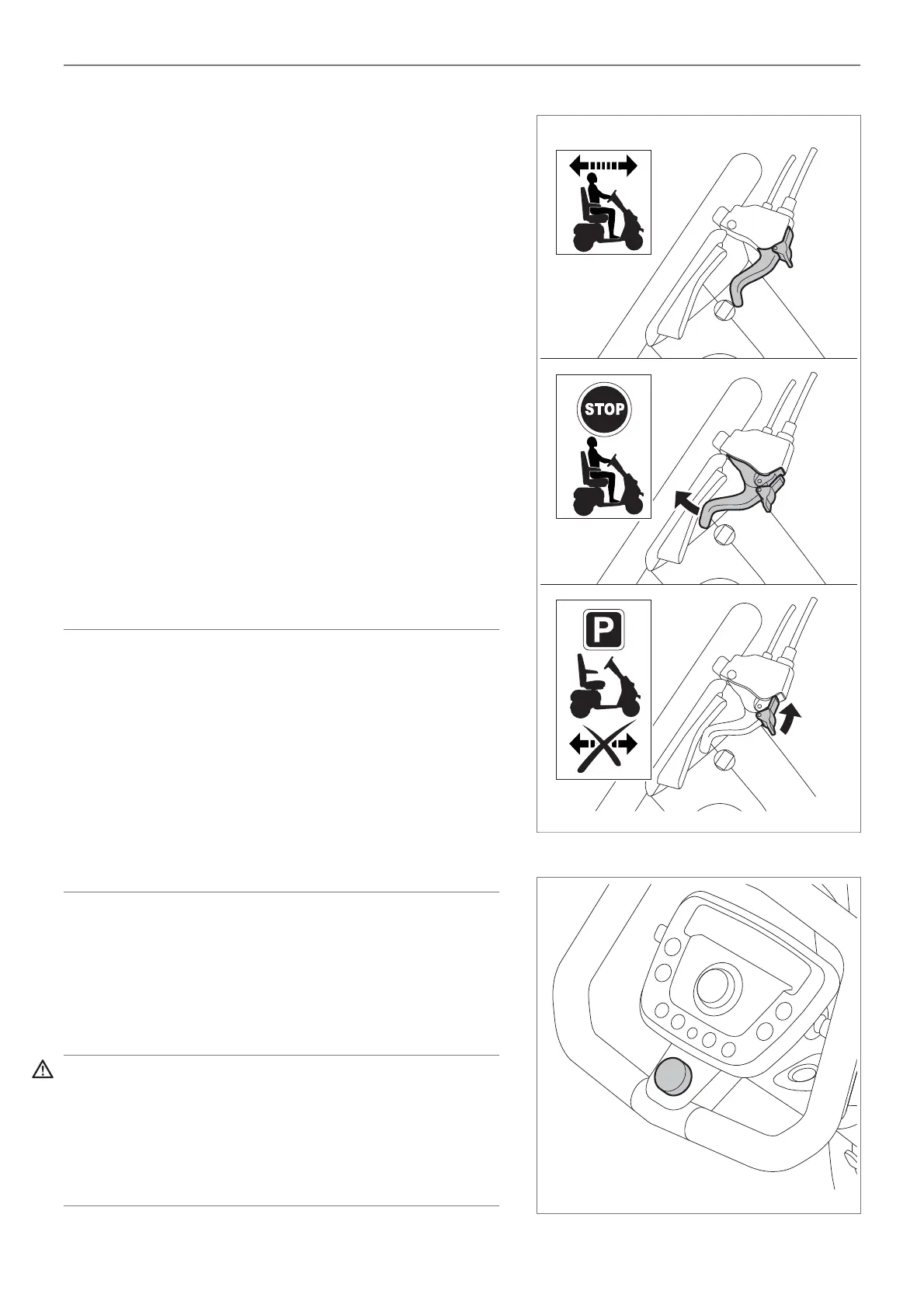
Braking and stopping when in forward or reverse
drive (fi gure 14)
• On slowly releasing the throttle, the Trophy 20
brakes and comes to a standstill.
• On braking, the lights and brake lights illuminate
automatically.
• If you need to stop suddenly while driving, the
throttle should be immediately released and/or the
manual brake can be used.
• Once the scooter has come to a standstill, the
parking brake is automatically applied.
• As extra security, the manual brake is equipped with
an additional parking brake feature. This should also
being used when the scooter is in freewheel / neutral
mode. See section 5.7.
• In case of emergency the optional emergency
stop button can be pushed. The scooter will make
an emergency stop (fi gure 15). After using the
emergency stop button, it needs to be pulled back by
turning it clockwise (as indicated on the emergency
stop button) and the ignition key needs to be turned
off and on again to proceed driving.
Note!
The brakes can be checked by releasing the drive lever
suddenly.
When driving at high speeds caution must be exercised,
particularly on pavements and in pedestrian areas.
In such cases it is advisable to set a lower maximum
speed using the speed regulator.
Do not cross over any roads until you can handle the
scooter and the controls.
Corners
Going around corners; Turning left or right
• If you turn the tiller to the left or to the right, the
scooter changes direction and will drive to the left or
to the right.
Warning!
When turning, always remember to make a visual check
fi rst and to use the indicators.
Always take corners at a safe speed, i.e. at a reduced
speed.
Figure 14
Figure 15


 To Next Page