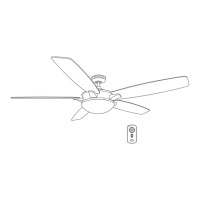
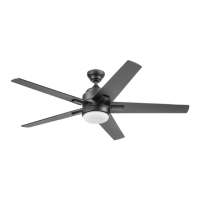
This document provides instructions for the installation, operation, and maintenance of the Boltz Ceiling Fan (Model #42300), a product of Harbor Breeze. The fan is designed for residential use and comes with a remote control for convenient operation.
Function Description
The Boltz Ceiling Fan is designed to provide air circulation and illumination in a room. It features four blades that rotate to create airflow, and an integrated LED light kit for lighting. The fan can be operated at different speeds and includes a reverse switch to change the direction of airflow, allowing for year-round comfort. In warmer weather, the fan can be set to create a downward airflow, producing a wind chill effect. In cooler weather, it can be set to create an upward airflow, helping to move warm air off the ceiling area. The LED light kit offers five color settings, ranging from soft white (2700K) to cool white (6500K), with a factory setting of 2700K. The fan is controlled by a remote pack, which allows for speed adjustment, light control (on/off and dimming), and activation of a light delay off mode.
Usage Features
- Remote Control Operation: The fan is primarily operated using a remote control. The remote allows users to:
- Adjust Fan Speed: Select from high, medium, or low fan speeds.
- Turn Fan On/Off: A dedicated button turns the fan off.
- Control Light: Turn the light on or off, and dim or brighten the lights by pressing and holding the light control button.
- Light Delay Off Mode: This feature allows the light to turn off automatically after one minute. It is activated by pressing and holding the fan power button for five seconds. The LED indicator on the remote will flash four times to confirm the mode setting.
- D/CFL Switch: The remote includes a D/CFL switch, which is factory-set to "D" to ensure the halogen bulb is dimmable.
- Reverse Switch for Seasonal Use: The fan includes a reverse switch located on the motor housing.
- Warmer Weather: Pushing the reverse switch to the left displays a sun icon, resulting in downward airflow for a wind chill effect.
- Cooler Weather: Pushing the reverse switch to the right displays a snowflake icon, resulting in upward airflow to help move hot air off the ceiling area.
- Important Note: The reverse switch must be set completely to the left or right for the fan to function correctly. If it is in the middle position, the fan will not operate.
- Adjustable LED Color Temperature: The LED light kit offers five color settings (2700K to 6500K). Users can adjust the LED color switch to change the color temperature to their preference.
- Mounting Options: The fan supports standard mounting for ceilings 8 ft. or higher, and angle mounting for angled or vaulted ceilings. For angle mounting, it's important to ensure the ceiling angle is not steeper than 16° and that a longer downrod may be necessary for proper blade clearance. Flushmount and closemount installations are not available for this model.
- Safety Clearances: For safe operation, the blades must be at least 30 inches from any obstructions, and the downrod length should ensure the blades are at least 7 feet above the floor.
- Remote Mounting Bracket: The remote control comes with a mounting bracket that can be installed on a wall for easy storage and access.
Maintenance Features
- Regular Inspections: At least twice a year, the canopy should be lowered to check the downrod assembly, and all screws on the fan should be tightened.
- Cleaning: The motor housing should be cleaned with a soft brush or lint-free cloth to avoid scratching the finish. The blades should also be cleaned with a lint-free cloth. It is important not to use water or a damp cloth to clean the ceiling fan.
- Battery Replacement: The remote control uses an A23, 12-volt alkaline battery. Exhausted batteries should be removed from the remote. Non-rechargeable batteries should not be recharged. Batteries should not be disposed of in fire, as they may explode or leak.
- Power Disconnection for Maintenance: Before beginning any maintenance tasks, the main power supply to the fan must be shut off.
- Troubleshooting Guide: The manual includes a comprehensive troubleshooting section to address common issues such as the fan not moving, lights not working, excessive noise, or remote control malfunction. This guide provides possible causes and corrective actions, such as checking wire connections, tightening loose blades or mounting brackets, replacing the remote battery, or re-syncing the remote to the receiver after a power surge.
- Limited Lifetime Warranty: The manufacturer warrants the fan to be free from defects in workmanship and materials for a lifetime from the date of purchase by the original purchaser. Other fan parts, excluding glass or plastic blades, are warranted for one year. The warranty covers correction of defects or replacement with a comparable model. It is important to note that the warranty does not cover damage due to accident, misuse, improper installation, or unauthorized service. A small amount of "wobble" is considered normal and not a defect.



 To Next Page
 General