EasyManua.ls Logo

Harbor Breeze TIEMPO E-TM52BNK5CS - User Manual

Harbor Breeze TIEMPO E-TM52BNK5CS
40 pages
Print Icon
To Next Page IconTo Next Page
Loading...
E192641
ITEM #0125453
0125500
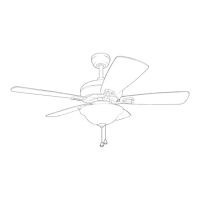
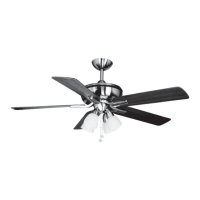
TIEMPO CEILING FAN
Español p. 19
MODEL #E-TM52BNK5CS
E-TM52BNKB5CS
ATTACH YOUR RECEIPT HERE
Serial Number
Purchase Date
1
Lowes.com/harborbreeze
Questions, problems, missing parts? Before returning to your retailer, call our customer
service department at 1-800-643-0067, 8 a.m. - 6 p.m., EST, Monday - Thursday, 8 a.m. - 5 p.m.,
EST, Friday.
EB14350
Federal regulations require ceiling fans with light kits manufactured or imported after
January 1, 2009, to limit total wattage consumed by the light kit to 190W. Therefore,
this fan is equipped with a wattage limiting device.
Harbor Breeze® is a registered trademark
of LF, LLC. All Rights Reserved.

Questions and Answers

  • T
    timothywilliamsAug 1, 2025
    Why is my Harbor Breeze Fan wobbling excessively?
    • C
      cwilliamsAug 1, 2025
      Excessive wobbling in your Harbor Breeze Fan can stem from several causes: * Loose blades. Solution: Tighten all blade screws. * Incorrectly attached blade arms. Solution: Re-install the blade arms. * Unbalanced blades. Solution: Switch the blade with one from the opposite side. * Insecurely mounted fan. Solution: Turn the power off, carefully loosen the canopy, and verify that the mounting bracket is secure. * Fan too close to vaulted ceiling. Solution: Use a longer downrod or move the fan to another location. * Loose set screws on the motor housing yoke. Solution: Tighten the yoke set screws securely. * Loose set screw on the hanging ball. Solution: Carefully loosen and lower the canopy and verify that the set screw on the hanging ball is tightened securely.
  • G
    Gregory GarrettAug 6, 2025
    What to do if my Harbor Breeze Fan is not moving?
    • M
      Mary MckeeAug 6, 2025
      If your Harbor Breeze Fan is not moving, first, ensure the reverse switch is fully engaged by pushing it firmly either left or right. Check if the power is on or if a fuse has blown, and correct as necessary. Finally, turn the power off, loosen the canopy, and check all wire connections for any faults.
  • G
    Gary FreyAug 10, 2025
    What to do if my Harbor Breeze TIEMPO E-TM52BNK5CS operates but the lights fail?
    • N
      Nicholas ChristensenAug 10, 2025
      If your Harbor Breeze Fan operates but the lights don't, start by ensuring the bulb(s) are installed correctly. Check the wires in the outlet box and re-wire according to instructions if needed. Also, verify that the wall switch to the fan is turned on.
  • S
    Samantha JosephAug 16, 2025
    How to fix a noisy Harbor Breeze TIEMPO E-TM52BNK5CS Fan?
    • A
      Amber FlowersAug 16, 2025
      A noisy Harbor Breeze Fan can be due to a few reasons: * Loose blades: Tighten all blade screws. * Cracked blade: Replace the blade. * Unapproved speed control: Replace it with an approved speed control device.
  • N
    Noah RogersAug 20, 2025
    What to do if my Harbor Breeze TIEMPO E-TM52BNK5CS Fan lights are too dim?
    • D
      David DominguezAug 20, 2025
      If the lights on your Harbor Breeze Fan appear dimmer than expected, it could be because the fan is lamped with more than 190W. To resolve this, use bulbs in the light kit that total no more than 190W.
  • N
    Nicholas TaylorAug 26, 2025
    What to do if my Harbor Breeze TIEMPO E-TM52BNK5CS light kit is lamped with more than the allowable 190W?
    • J
      Jennifer RiveraAug 26, 2025
      To resolve this, use bulbs in your Harbor Breeze Fan light kit that total no more than 190W.

Summary

Safety Information

General Safety and Installation Warnings

Essential safety precautions for fan assembly, installation, and operation.

Package Contents

Hardware Contents

Preparation

Assembly Overview and Requirements

Details assembly time, required tools, and important safety precautions.

Initial Installation

Installation Preparation and Safety

Covers power disconnection, mounting method choice, and blade clearance checks.

Fan Mounting

Downrod and Canopy Assembly

Steps for inserting the downrod, securing it, and preparing wires.

Wiring

Fan and Light Controlled by Pull Chains

Connect fan and light using pull chains as per diagram 1a.

Fan Controlled by Pull Chain, Light by Wall Switch

Wire fan for pull chain control and light for separate wall switch control.

Fan and Light Controlled by Two Wall Switches

Connect fan and light to independent wall switches as per diagram 1c.

Final Installation

Canopy and Blade Arm Attachment

Secure canopy cover, attach blade arms to blades and motor housing.

Light Kit and Shade Installation

Attach switch housing, light kit fitter, and glass shades to the fan.

Bulb and Pull Chain Setup

Install light bulbs and attach pull chain extensions.

Operating Instructions

Fan Speed and Light Control

Operate fan speed and light using pull chains.

Fan Reverse Switch Operation

Adjust reverse switch for seasonal airflow optimization.

Care and Maintenance

Troubleshooting

Common Fan Issues and Solutions

Addresses common problems like fan not moving, noise, and wobbling.

Limited Lifetime Warranty

Replacement Parts List

Harbor Breeze TIEMPO E-TM52BNK5CS Specifications

General IconGeneral
ModelTIEMPO E-TM52BNK5CS
BrandHarbor Breeze
CategoryCeiling Fan
Blade Span52 inches
Number of Blades5
Motor TypeAC
Reversible MotorYes
Number of Speeds3
Control TypePull chain
Mounting TypeDownrod mount
FinishBrushed Nickel
Blade MaterialMDF
WarrantyLimited Lifetime
Blade FinishWalnut
Room SizeUp to 400 sq ft

Related product manuals