EasyManua.ls Logo

Harbor Breeze TG44LW3D1RS - User Manual

Harbor Breeze TG44LW3D1RS
40 pages
Print Icon
To Next Page IconTo Next Page
Loading...
ITEM #1145471
0923049
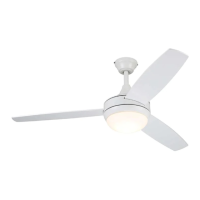
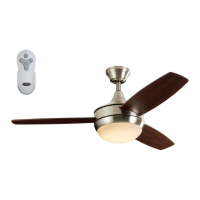
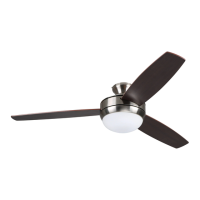
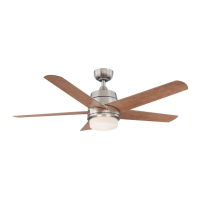
BEACH CREEK
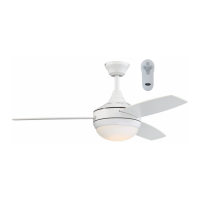
LED CEILING FAN
Español p. 21
MODEL #TG44LW3D1RS
TG44OSB3D1RC
ATTACH YOUR RECEIPT HERE
Purchase Date
Questions, problems, missing parts? Before returning to your retailer, call our customer
service department at 1-800-527-1292, 8:30 a.m. - 5 p.m., CST, Monday - Friday.
1

Questions and Answers

  • T
    Tina DavidsonAug 12, 2025
    What to do if my Harbor Breeze TG44LW3D1RS does not move?
    • T
      timothymayerAug 12, 2025
      If your Harbor Breeze Fan isn't moving, there could be several reasons. First, ensure the reverse switch is fully engaged by pushing it firmly to the left or right. Check if the power is on or if a fuse has blown, and correct as needed. Another potential cause is a faulty wire connection; in this case, turn off the power, carefully loosen the canopy, and inspect all connections. Finally, the learning code process between the fan and the remote control transmitter may not have been successful or activated; try turning off the power and repeating the instructions in Step 2 on page 17.
  • K
    khernandezAug 18, 2025
    Why is my Harbor Breeze TG44LW3D1RS wobbling so much?
    • R
      richardsongaryAug 19, 2025
      If your Harbor Breeze Fan wobbles excessively, start by tightening all blade screws, as loose blades are a common cause. If that doesn't solve the problem, try switching one blade with a blade from the opposite side to address potential imbalances. Also, turn off the power and carefully loosen the canopy to verify that the mounting bracket is securely attached. Ensure that the fan isn't too close to a vaulted ceiling; if it is, use a longer downrod or relocate the fan. Finally, make sure the set screw(s) on the motor housing yoke are properly tightened.
  • J
    Jennifer SchmidtAug 27, 2025
    What to do if Harbor Breeze TG44LW3D1RS operates but light fails?
    • G
      Gregory RoweAug 27, 2025
      If your Harbor Breeze Fan operates but the light fails, first, make sure that the wall switch to the fan is on. If the wall switch is on, check the wires in the canopy and, if necessary, re-wire according to instructions on pages 13 and 14.
  • D
    Donna ManningSep 3, 2025
    How to fix a noisy Harbor Breeze TG44LW3D1RS Fan?
    • E
      elizabethhaydenSep 3, 2025
      If your Harbor Breeze Fan is operating noisily, first check and tighten all blade screws, as loose blades can cause noise. If the noise persists, inspect the blades for cracks and replace any cracked blades. If you're using a full range dimmer switch, replace it with an approved speed control device. Also, consider that if the fan is new, it may require a "break in" period of a few days, especially when running it at medium and high speeds.

Harbor Breeze TG44LW3D1RS Specifications

General IconGeneral
Model NumberTG44LW3D1RS
BrandHarbor Breeze
Fan TypeCeiling Fan
Blade Span44 inches
Number of Blades5
Light Kit IncludedYes
Motor TypeAC
Motor Speeds3
Reversible MotorYes
Remote Control IncludedYes
Mounting OptionsDownrod
Light Bulb Base TypeCandelabra base (E-12)

Related product manuals