EZ-Guide® Plus
Setting the units and language
o change:
• the units to metric, use Lightbar / Units
• the language to Portuguese, Spanish, French, German, or Italian, use Lightbar / Language
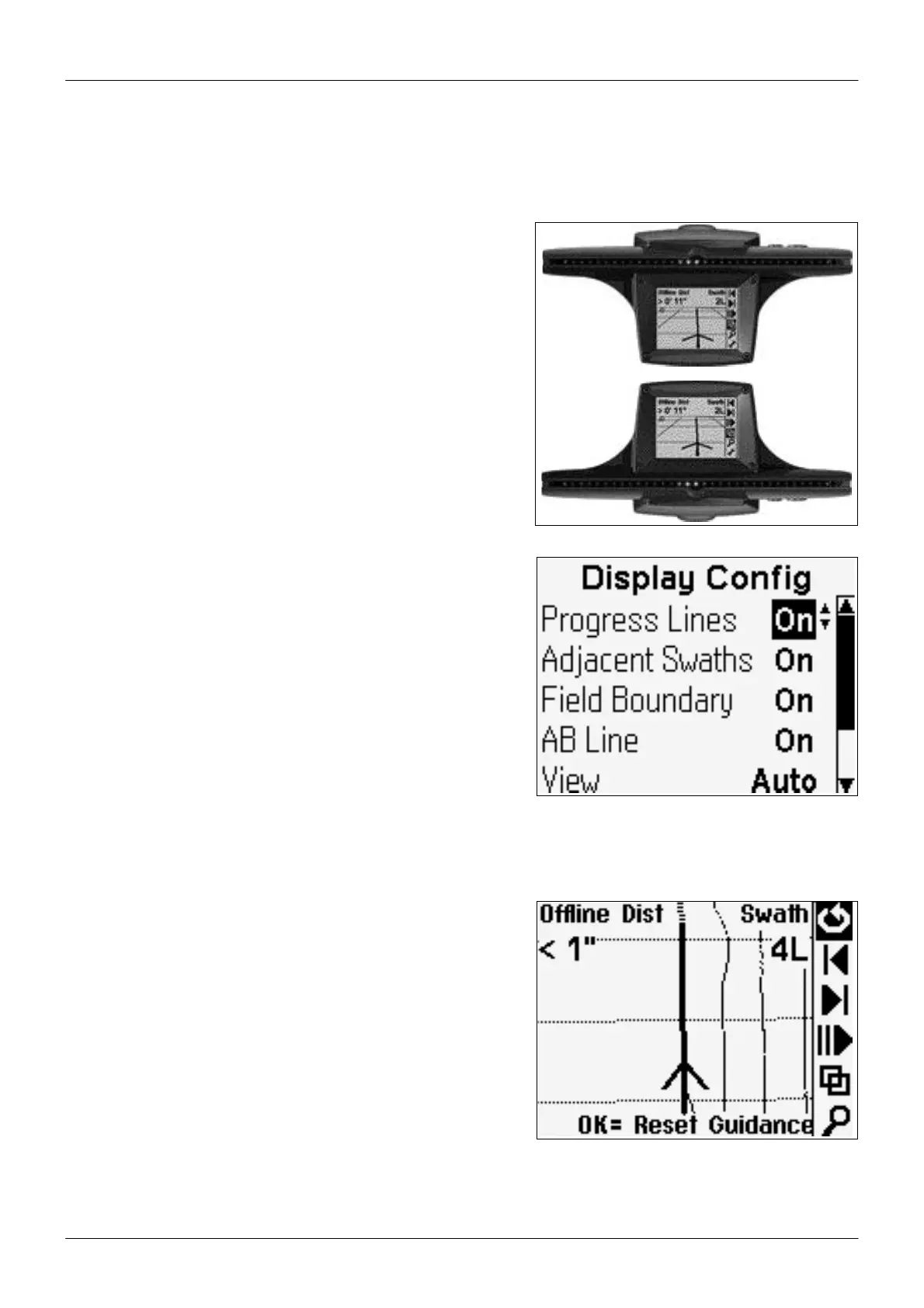
Changing the display orientation
By default, the lightbar displays correctly when it is mounted with
the LEDs above the screen (upright).
o configure the lightbar to display correctly when it is mounted
with the LEDs below the screen (inverted), use Lightbar / Lightbar
Mount.
Configuring the display
Use Lightbar / Display Config to enable or disable any of the follo-
wing items displayed on the plan and perspective maps:
• Progress Lines: To give a sense of perspective and speed
• Adjacent Swaths: One swath either side of the current swath
• Field Boundary: If the field is a Headland
• AB Line
• Path Driven
You can also use this screen to change the View option:
• Auto: View automatically changes between plan and perspective
views in headlands
• Fixed: View remains fixed
Path display
By default, the path you have driven is always displayed on screen as
a dotted line. If you have a spray switch connected, you can choose
to display the path only when the spray switch is on. To do this, con-
figure Path Display to Switch.
o turn off the display of the driven path, configure Path Display to
Off.
10



 To Next Page