EZ-Guide® Plus
Status
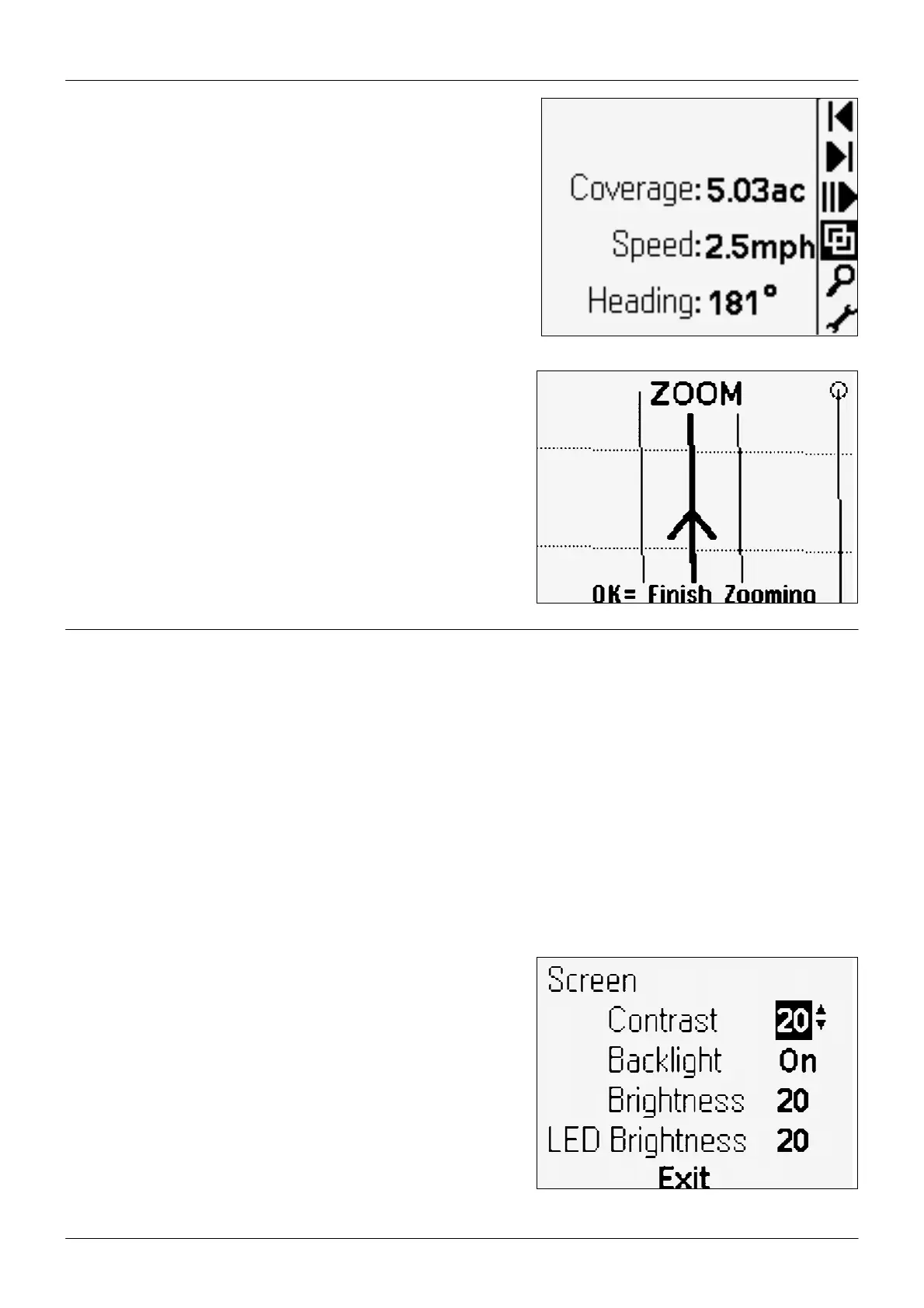
his screen displays up to four status text options.
o configure the text, use the Status Text configuration option.
Zooming
o enter zoom mode, select 5, or press z on the
remote control. The ZOOM screen appears.
• To change the zoom scale, press A or V.
• To accept zoom scale and return to the map view,press o, or press
z on the remote control.
Configuring the Lightbar
Before you use the lightbar in the field, check and configure the lightbar settings from the Lightbar menu:
1. To access the configuration menu, select 7 and then press o. Or press m on the remote control.
2. To select a configuration option and display the value, press u or D. To accept the setting, press o.
3. To change the value, press u or D. To save the change, press o.
4. To exit the configuration menu, press u or D until you have selected the Return to Guidance option, and then press o.
Or press m on the remote control.
Adjusting the brightness and contrast
You can view the LCD screen in all conditions—from bright sunlight
to night time.
If necessary, use Lightbar / Contrast / Brightness to adjust the screen
contrast, turn on the backlight, or adjust the backlight and LED
brightness.
Tip — If the backlight is configured to On, it automatically turns off
during daylight hours, and turns back on in the late afternoon. When
the backlight is enabled but currently not on, the Backlight setting
displays Auto.
9



 To Next Page