EZ-Guide® Plus
GPS output
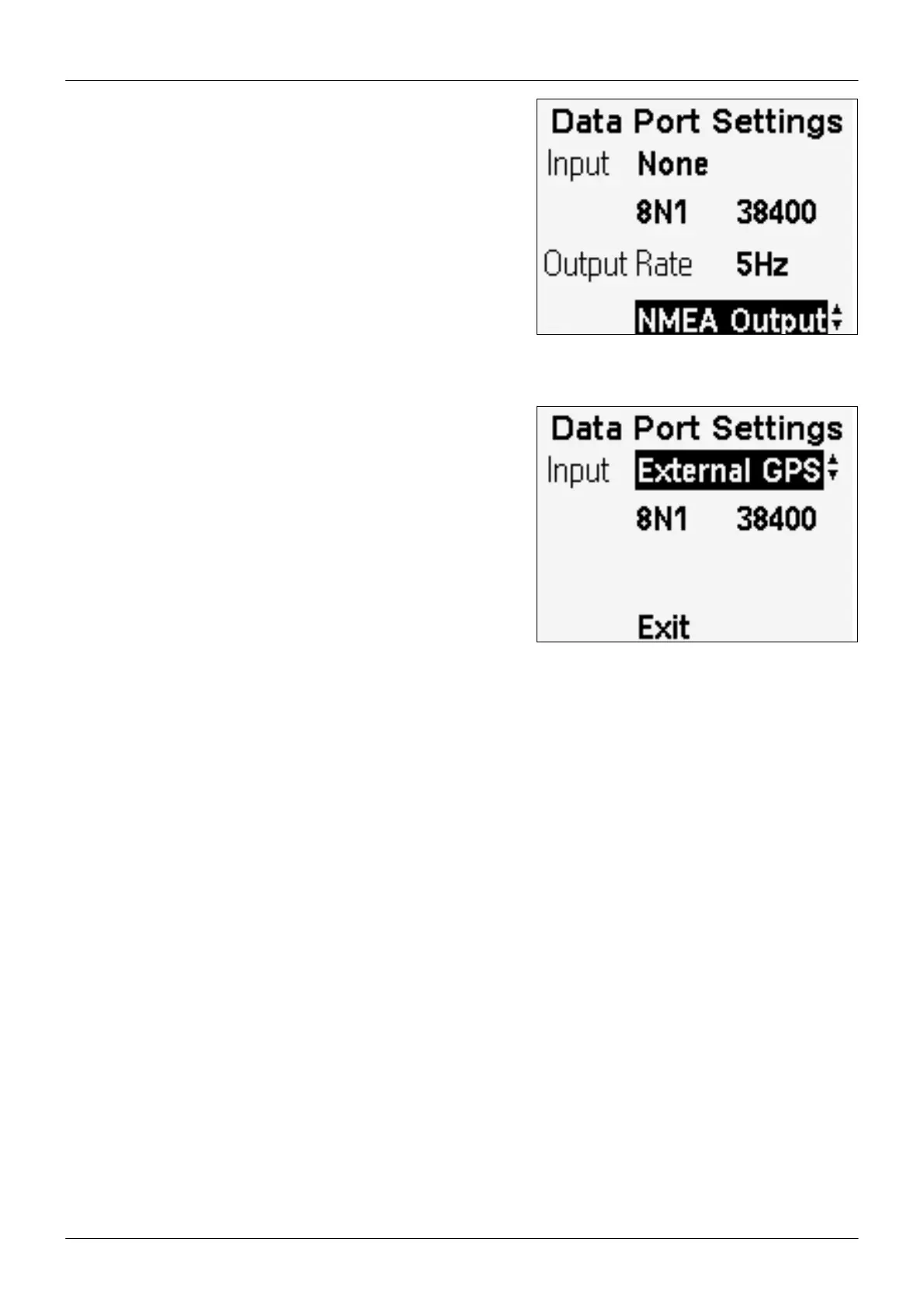
If you are using the integrated GPS receiver, the EZ-Guide Plus
system is configured to output the GPS positions to another device
(for example, a yield monitor). By default, the GPS data is sent at
4800, 8N1, and the default messages are NMEA GGA and VTG at 1
Hz. To change the output rate, change the setting in Lightbar / Data
Port Settings. To output different messages, highlight Exit, and then
press D to display the NMEA Output option. Press o. The NMEA
Messages screen appears. Turn on or turn off the messages as requi-
red.
Note — To send NMEA output at 5 Hz, it is recommended that you
change the baud rate to 9600 or higher for best performance.
External GPS input
You can use positions from an external GPS receiver. To do this,
change the input format at Lightbar / Data Port Settings to External
GPS. Confirm that the port settings match the receiver output. The
EZ-Guide Plus lightbar requires GGA positions for guidance. It is
recommended that you also configure your receiver to output VTG
messages.
Note — If the EZ-Guide Plus lightbar does not receive VTG messa-
ges, guidance may be erratic, especially if you have an antenna
offset or are working at slow speeds.
I
you are using a receiver with R
or OmniS
AR HP corrections, do not define a new guidance line until the
ow
Accuracy message stops flashing. Otherwise, you may get significant pass-to-pass drift until the receiver reaches its hig-
hest level of accuracy (Fixed). If the GPS Status is Float, then the accuracy is still converging.
Note — When you use external GPS input, the EZ-Guide Plus system does not output GPS data to another device. To
send GPS positions to another device, connect the external receiver directly to the device.
Receiver configuration
he default settings of the integrated GPS receiver should be suitable for most applications and locations. If you need to
change any advanced receiver settings, use the AgRemote software. For AgRemote to communicate with the lightbar,
you must set the input format at Lightbar / Data Port Settings to Diagnostics. You cannot use the Auto port configuration
Force connection options in AgRemote. You must manually set theparity and baud options in the Data Port Settings
screen to match the AgRemote settings.
22



 To Next Page