9 - Menu 5 Logbook
9.2
Menu 5.2 Data dump
Enables data dump to an office printer. This could be done for example, by using the HyperTerminal function in Microsoft
Windows.
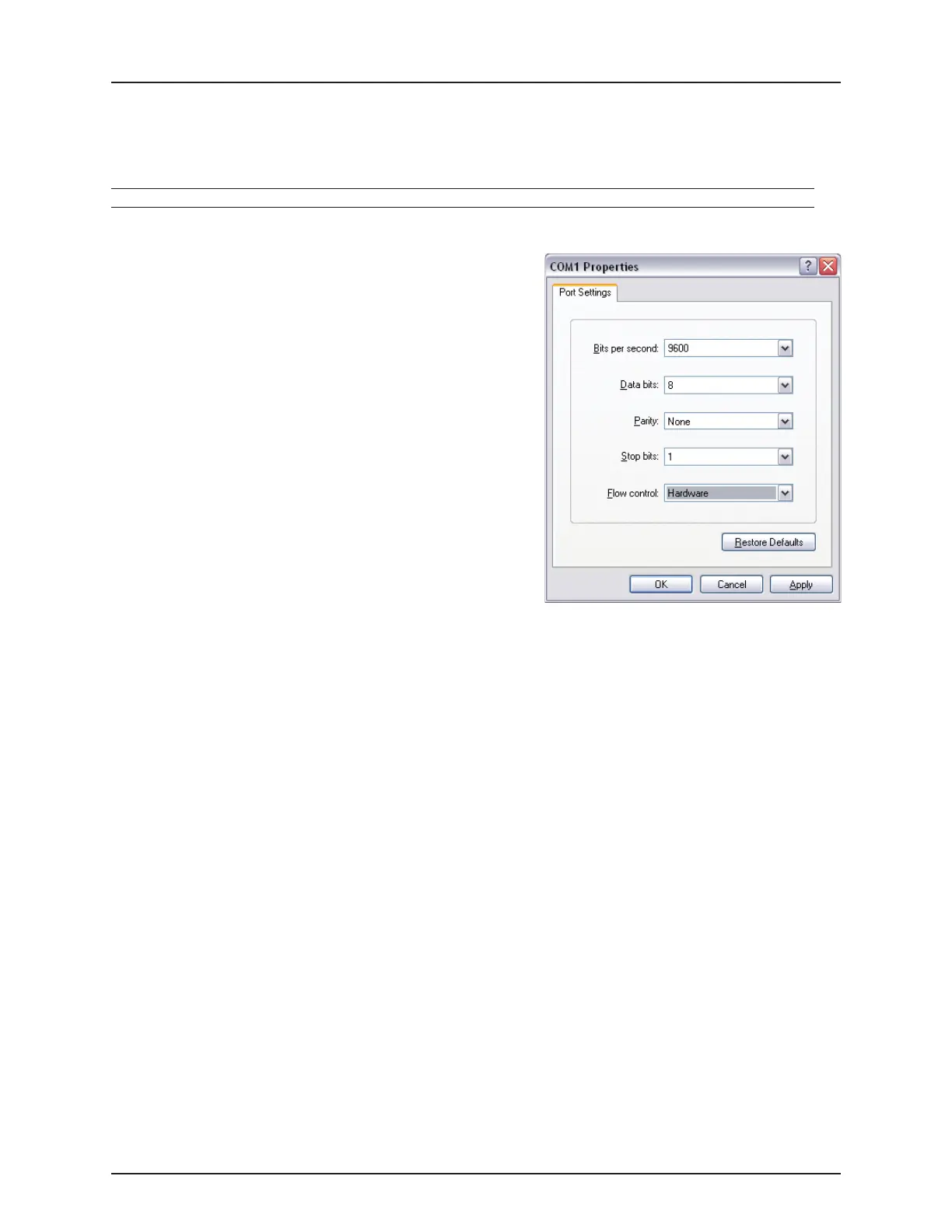
For HyperTerminal to communicate properly the COM port settings
must be set as shown before transmitting data.
The Hyper Terminal has to be activated on the PC and a communication
cable (ref. no. 72271600) must be connected to the COM port:
ISOBUS:
• COM 1 on the SetBox.
Menu Help text
[5.2.1 Data dump of raw data] Transmits data from all 99 registers in comma-separated file for Excel.
[5.2.2 Hyperterminal service report] Transmits to PC at high speed. Show Configuration, Error Log, Track, PrimeFlow.


 To Next Page