23
English
GB
In that case, remove the connection to the PC and start the data transfer again.
The blood pressure monitor switches off automatically after 10 seconds of inac-
tivity and when communication with the PC is interrupted.
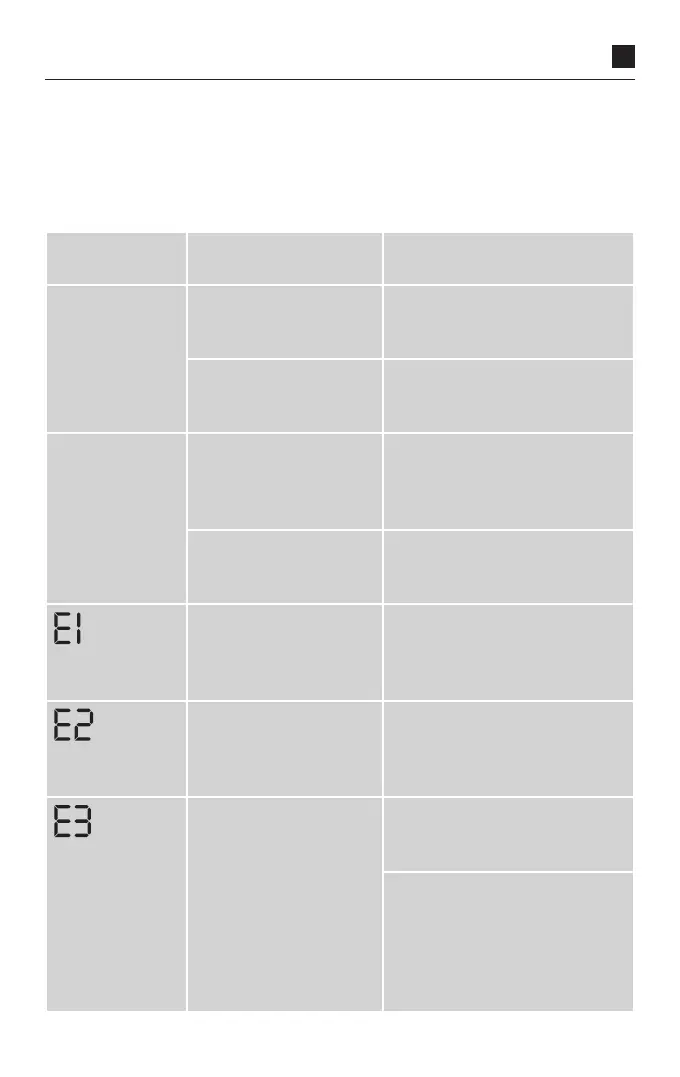
8. Error messages
Specific
Error
Possible causes Remedy
Monitor cannot
be switched on
Batteries are missing,
inserted incorrectly or
flat.
Check batteries and insert four
identical new batteries if nec-
essary.
Power supply unit not
correctly connected or
faulty.
Plug the power supply unit into
the connector socket on the
back of the monitor.
Cuff will not
inflate
Cuff connector plug is
incorrectly positioned in
the connector socket of
the monitor.
Check the connection between
the cuff connector plug and
socket.
Wrong cuff type con-
nected.
Verify that only an approved
Veroval
®
cuff and connector are
being used.
Pulse could not be
detected correctly.
Check whether the cuff has
been applied correctly. Do not
talk or move during the measur-
ing procedure.
The pulse could not be
detected.
Check whether the cuff has
been positioned correctly. Do
not talk or move during the
measuring procedure.
The cuff was applied too
firmly or too loosely.
Apply the cuff so that two fin-
gers fit between the cuff and
the upper arm.
Air tube is not correctly con-
nected to the monitor.
Check that the connector plug is
correctly positioned.
If this error occurs frequently,
you should use a new cuff.



 To Next Page