22
English
GB
Deleting saved readings
All data saved for each user can be separately deleted for user memory
and
user memory . To do so, press the button of the corresponding user memory
( or ). The average value will then appear on the display.
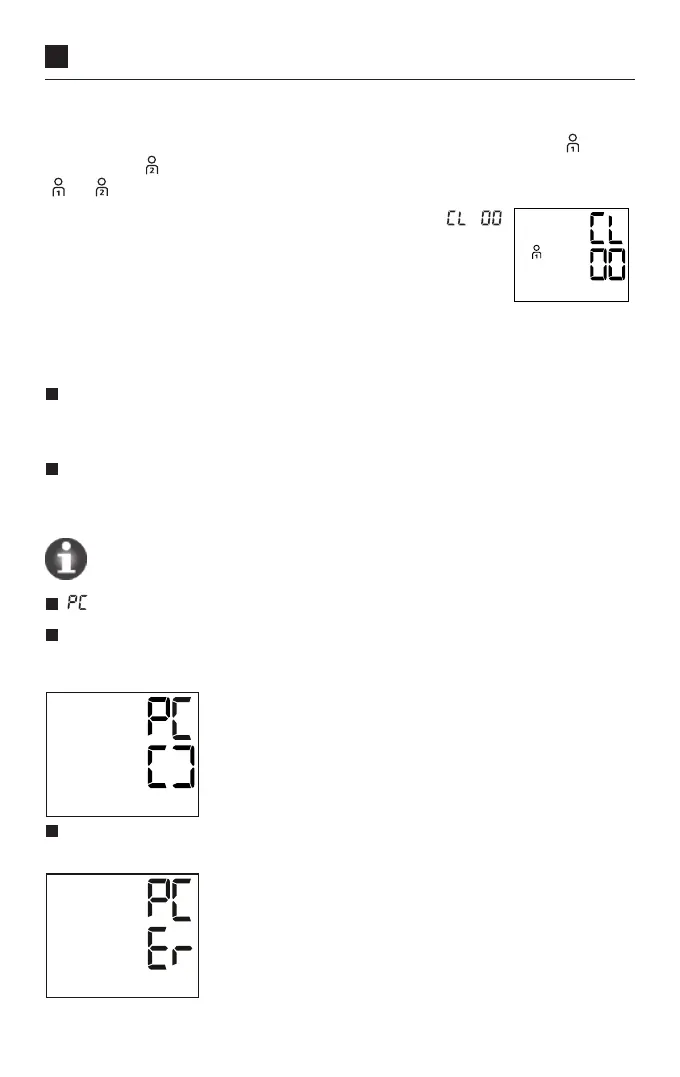
Press and hold the user memory button for 5 seconds. ‘
’
appears on the display. All data in the selected user memory
are now deleted. If you release the button ahead of time, no
data will be deleted.
7. Transferring measured values to
Veroval
®
medi.connect
Download the Veroval
®
medi.connect software from the website
www.veroval.com. Compatible with any computer with Windows 7, 8 or 10
(for the duration of ocial Microsoft support).
Start the program and connect the Veroval
®
upper arm monitor to your PC
using the enclosed USB cable. Then follow the instructions in the Veroval
®
medi.connect software.
No data can be transferred during a measurement.
‘ ’ is displayed on the blood pressure monitor.
Start the data transfer using the ‘medi.connect’ software. An animation is
shown on the display during data transfer. See Figure 1 for an example of how
a successful data transfer is displayed on the blood pressure monitor.
Fig.1
If the data transfer is unsuccessful, an error message is displayed on the blood
pressure monitor, as shown in Fig. 2.
Fig. 2



 To Next Page