22
EN
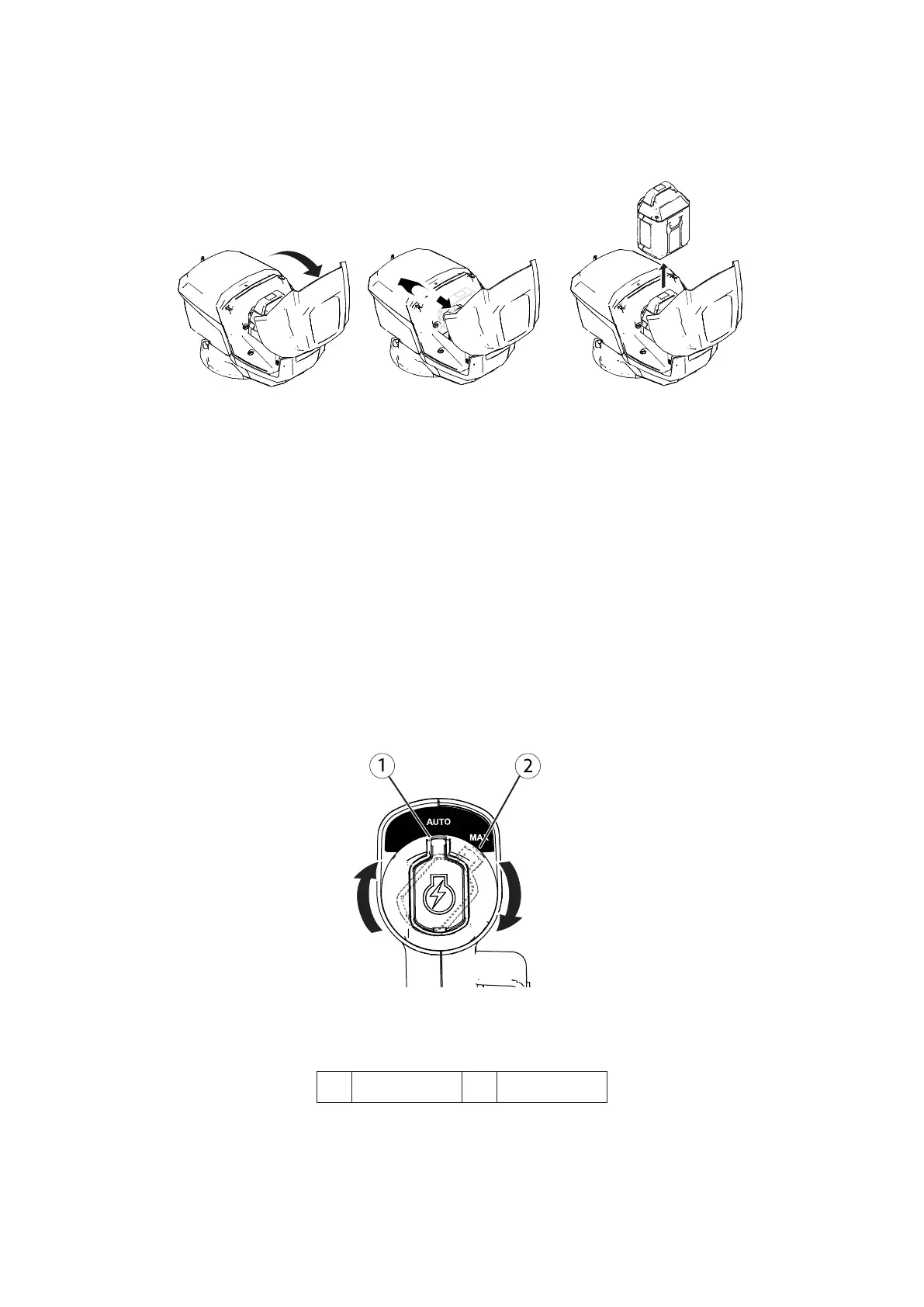
Removing the Battery Pack from the Machine
1. Lift up the battery-compartment lid.
2. Press the battery-pack latch to release the battery pack and remove the battery pack.
3. Close the battery compartment lid.
Figure 18
Adjusting the Blade Speed
This machine has 2 blade-speed settings: AUTO and MAX.
• When set to the AUTO position, the blade speed is adjusted automatically for greater efficiency;
changes in cutting conditions are detected and the blade speed increases when necessary to maintain
quality of cut.
• When set to the MAX position, the blade speed remains at the highest speed at all times.
Turn the electric-start button in the electric starter to either position to adjust the blade speed setting
Figure 19.
Figure 19
1. AUTO speed 2. MAX speed


 To Next Page