EasyManua.ls Logo

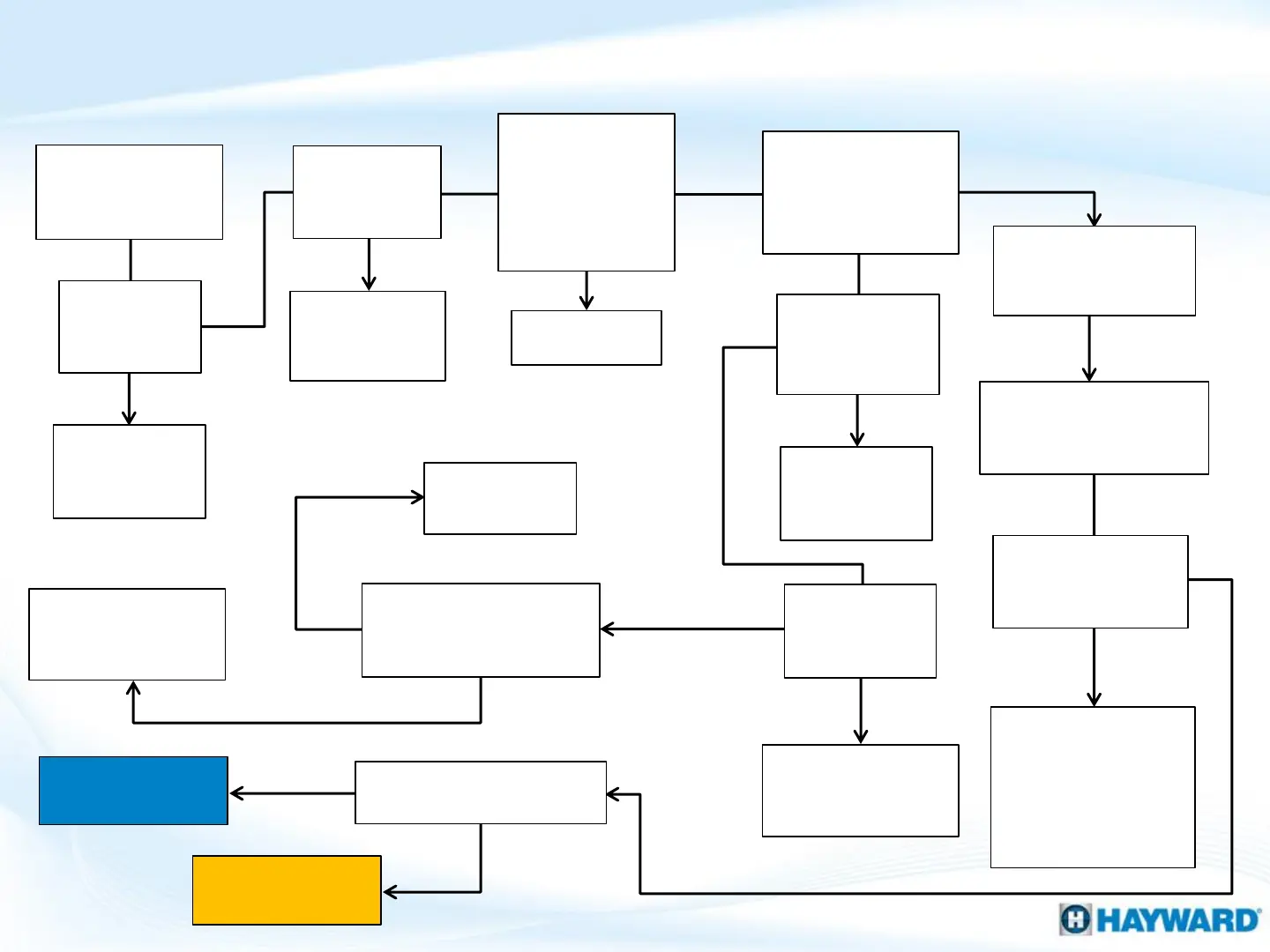
Hayward OmniLogic - Wi-Fi Connection: MSP Not Found; Wi-Fi Troubleshooting Workflow

Hayward OmniLogic
50 pages
Print Icon
To Next Page IconTo Next Page
To Previous Page IconTo Previous Page
Loading...
Under dynamic, MSP
has IP addresses?
Update
firmware &
retest
YES
Are the
HLWLAN, MSP,
& injector
connected
properly?
NO
On HLWLAN, are
the power & one
of the LAN LEDS
ON/flashing?
YES
2. Wi-Fi Connection: “MSP Not Found”
Firmware
up-to-
date?
MSP Not
Found
YES
NO
Fix & retest
NO
Do Ethernet
cables pass
LAN test?
NO
Replace
failed cables
& retest
On MPP, Is
the 24V
LEDs ON?
YES
YES
NO
Replace:
HLWLAN
On MPP, is 24VDC
present at “HLWLAN
Power”?
NO
YES
Proceed to
Section 3, ( to
diagnose power)
YES
NO
Is the MSP
configured?
Configure
MSP &
retest
NO
35
YES
Go To Section B
(Next Page)
Go To Section C
(pg. 32)
Run Ookla, are
speeds higher
than 3MB/3MB?
Connect phone or
Wi-Fi enabled
device to network
Identify location
where speeds are
sufficient &
relocate HLWLAN
& retest
YES
Verify network
name &
password
Proceed to
Section 3, ( to
diagnose power)
NO