7
Vedpak 98_Version 6_12.2017
160775
Saturation
Provide adjustment for the light intensity level of TFT display.
Setting value from 0 ~ 100. Default value is 50.
Hue
Provide adjustment for the lightness and colorfulness level of TFT display.
Setting value from 0 ~ 100. Default value is 50.
(Only in NTSC system is available.)
Sharpness
Provide adjustment for the edge contrast (acutance) level of TFT display.
Setting value from 0 ~ 100. Default value is 50.
Return
Return to OSD menu selection screen.
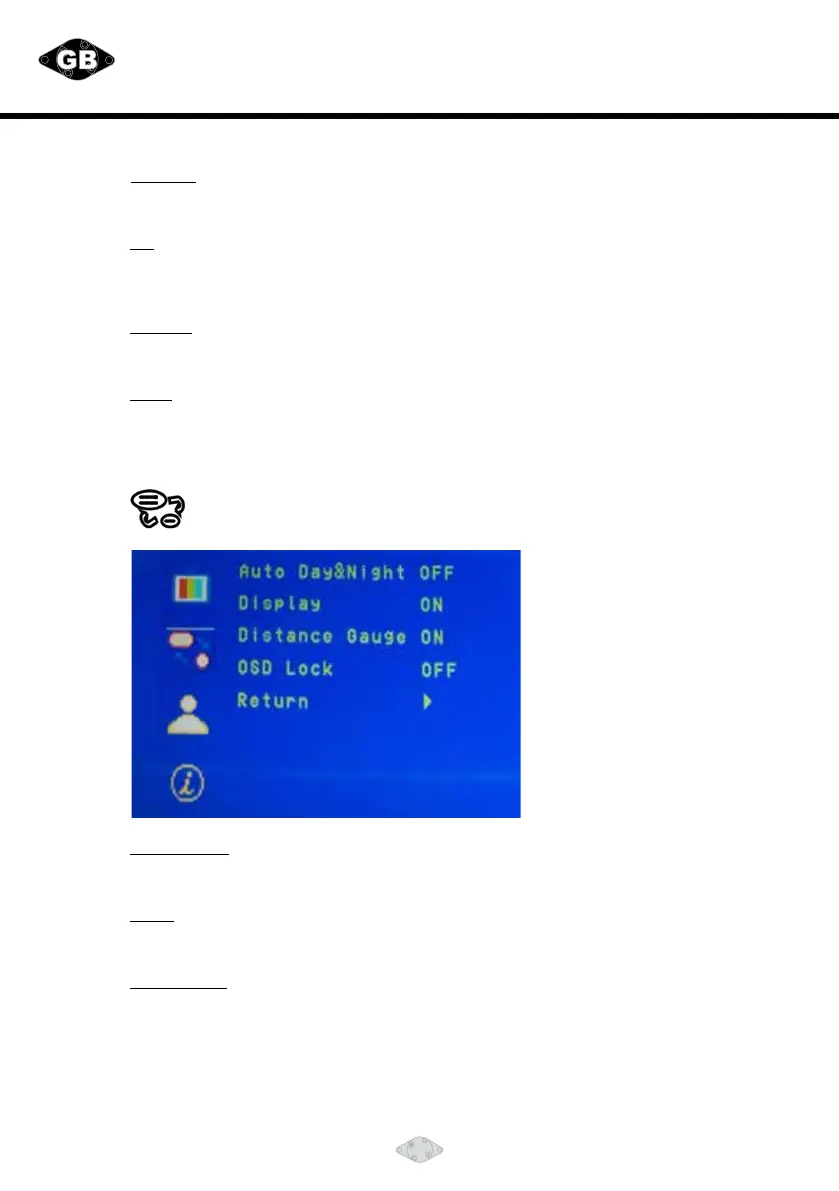
DISPLAY Menu
Thismenusetupcontainstheonscreenidentication
and the activation of the distance gauge.
Auto Day&Night
Select “ON” to activate the auto day & night function or “OFF” to
deactivate it. Default value is OFF.
Display
Select “ON” to show the source of video input title on screen or “OFF” to keep it invisible.
Default value is ON.
Distance Gauge
Set the distance gauge “ON” to show the distance gauge on screen while reserving
or “OFF” to deactivate. Default value is ON.
(This “DISTANCE GAUGE” is for user’s reference only)


 To Next Page