8
Vedpak 98_Version 6_12.2017
160775
OSD Lock
This function provides protection when an unauthorized person tries to access the OSD settings.
JUMP and Source key press simultaneously for over 5 seconds to unlock. Default value is OFF.
Users must turn on LCD in order to run unlock process. All function buttons are still
working during OSD Menu lock up period.
Return
Return to OSD menu selection screen.
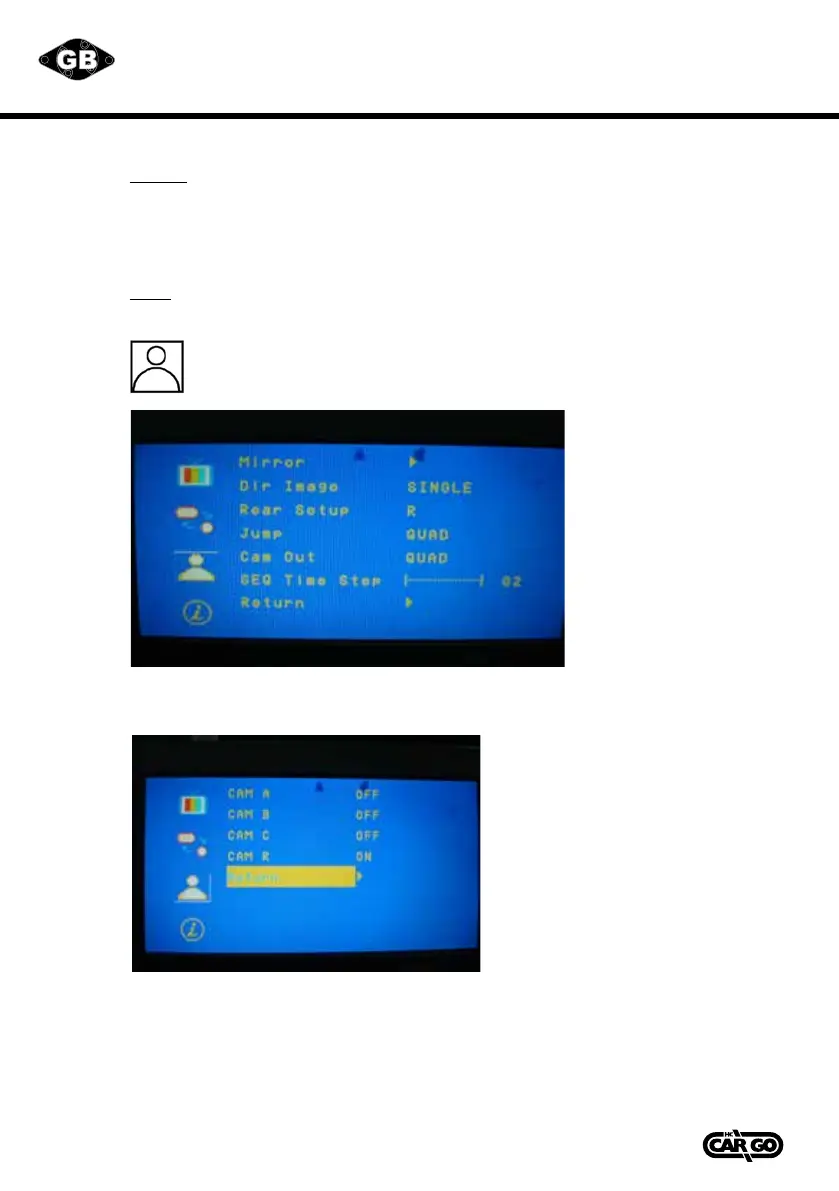
CAMERA Menu
This menu set up contains the on Camera and Jump setting.
MIRROR:
Select"ON"toactivatethemirrorfunctionfordierentcamerasor"OFF"foranormalimage.
Default values are following below setting.
CAM A ”OFF”
CAM B ”OFF”
CAM C ”OFF”
CAM R ”ON”



 To Next Page