-------------------------------------------------
-------------------------
-
RM22A/RM22D
OPERATIONS MANUAL
HealthCare Information, LLC 22
PILLOW SPEAKER & SIP / PUFF DEVICE OPERATION
For pillow speakers with an analog (rotary) type volume control, you may wish to lock the TV volume at a preset level to assure
proper volume to the pillow speaker at all times. Some digital pillow speakers have rotary volume controls.
See page 1
5
for information on connecting pillow speakers & SIP/PUFF DEVICE.
See page 18
to disab
le the TV’s internal speakers.
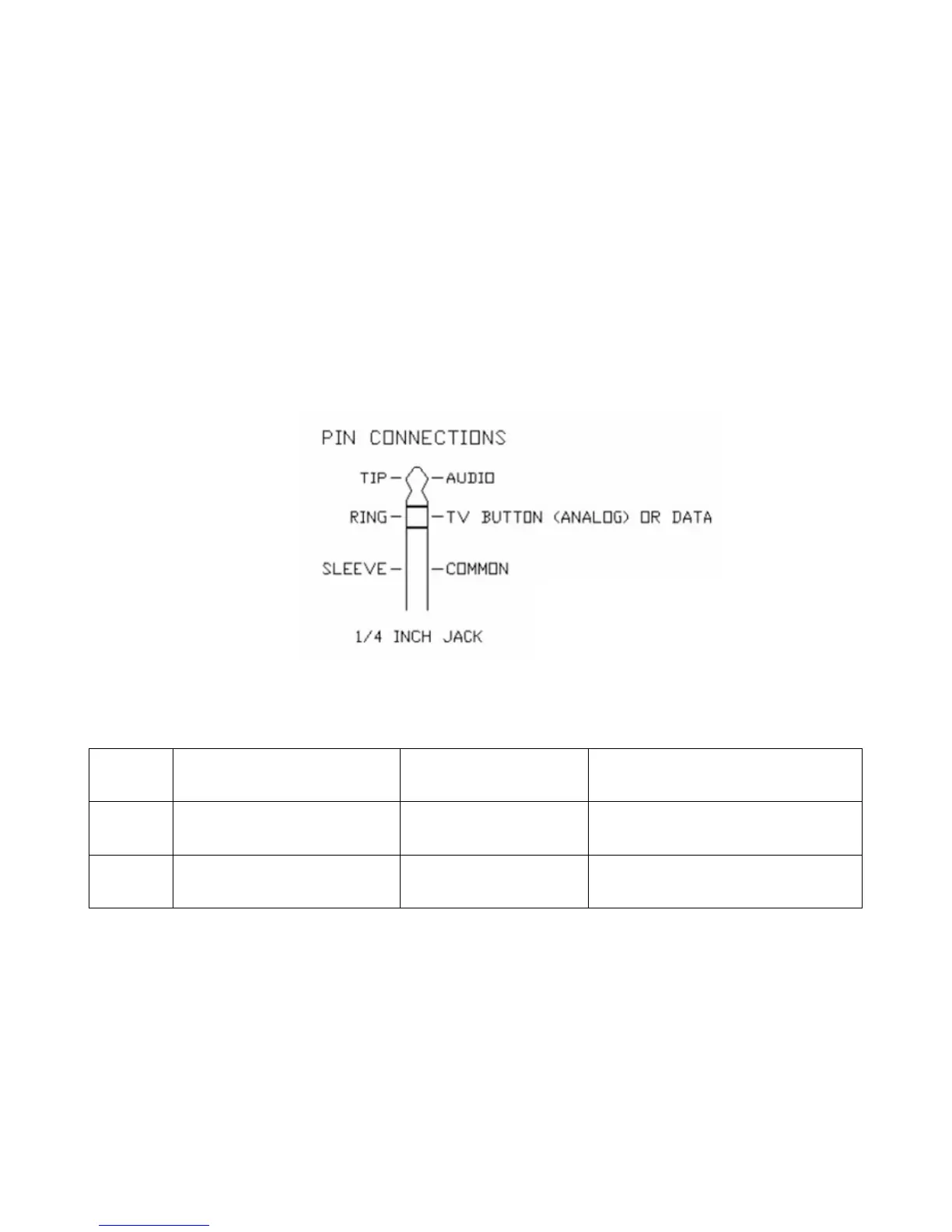
The BedMate II has a ¼” jack for pillow speaker connection. A one button analog pillow speaker or a digital pillow speaker set
for Zenith code may be used.
Make sure the TV is setup for the proper pillow speaker or S/P dev
ice being used before connecting the pillow speaker or S/P
device.
Pin Out
SIP/PUFF function:
Action
Less than 2 seconds
More than 2 seconds, less
than 3 seconds
More than 4 seconds
SIP
CH up / down
CH up / down direction
switching
Power on / off
PUFF
VOL up / down
VOL up / down direction
switching
Mute



 To Next Page