12
Basic Operations
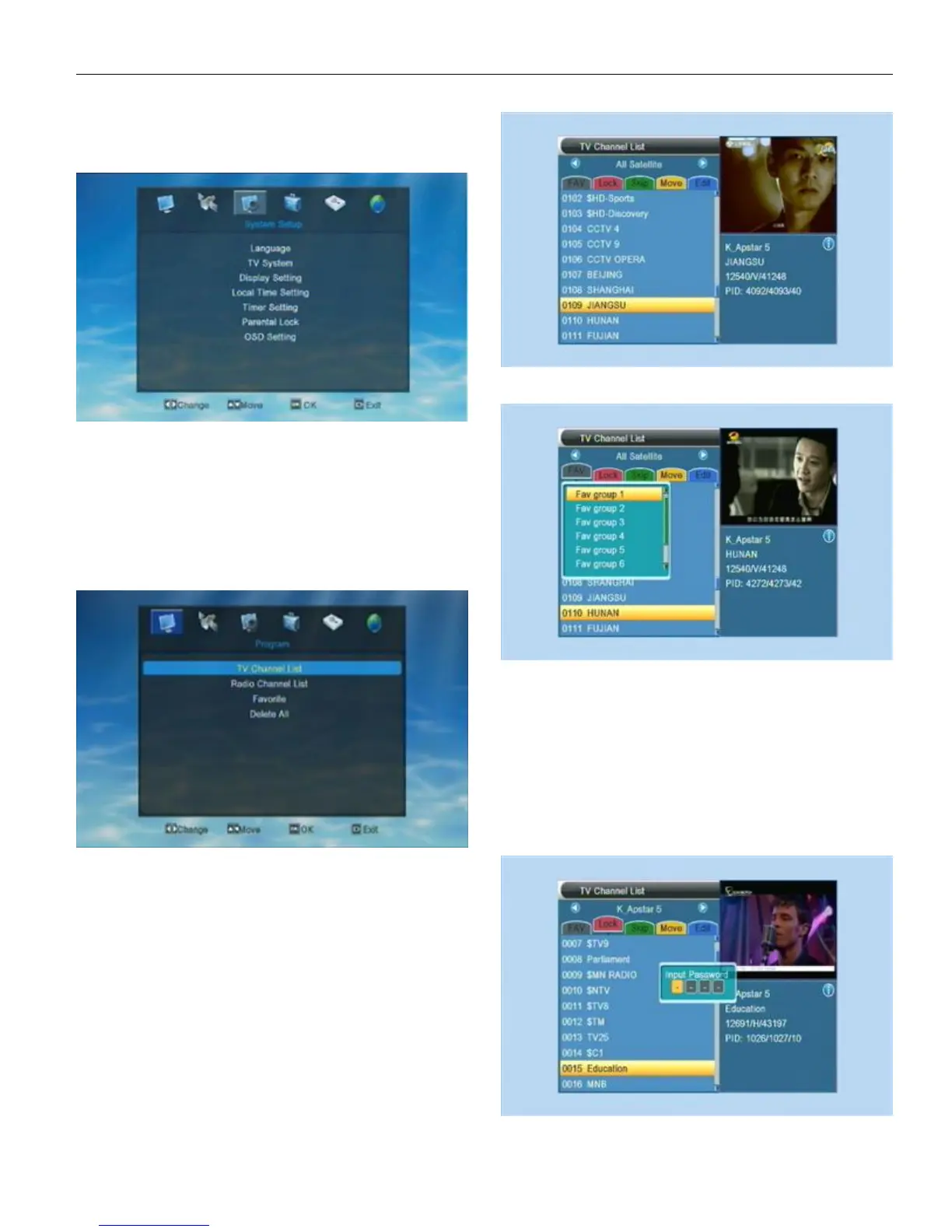
When first time turn on the STB, the system will enter into
the Main Menu, as following shows.
There are six symbols on the left side of Main Menu.
Choose different symbol, user can enter into different menus,
like Edit Channel, Installation, System Setting, Tool, Media and
Network Setup.
Users can press LEFT/RIGHT key to move the highlight
and press OK to choose the menu.
1.EditChannel
Choose the 1
st
symbol “Edit Channel”on the main menu,
then press OK to enter into the Edit Channel menu.
Press UP/DOWN to move highlight and press OK to enter
into the choice. If the menu has been locked, the STB will ask
user to input password. The default password is “0000”
Press EXIT to exit form the current menu.
1.1TV Channel List
When enter into “TV Channel List” menu, the system
will show a menu as below.
In TV Channel List menu user can find all the available
channels in the list. User can press UP/DOWN to choose the
channel and then press OK to perview. Right below the preview
window, user can find some detail informations of the playing
channel. Such as the name of the satellite, the name of the
channel, then parameter and the PID.
1.1.1 Favorite
1 . In TV Channel List menu press FAV/FAN can open
“Favorite” window ,like above pic. shows.
2 . There’s 8 groups in Favorite window. User can
press UP/DOWN to choose the group and press OK to add the
highlighted channel into the channel list.
Then user can check all the channels in that group.
1.1.2.Lock
User can set channel/channels to be locked.
1 . Press Red key to enter into Lock setting mode.
2 . Press UP/DOWN to move highlight and press OK
to confirm the choice. After that there will show a “lock” mark on
the right side of the chose channel.


 To Next Page