25
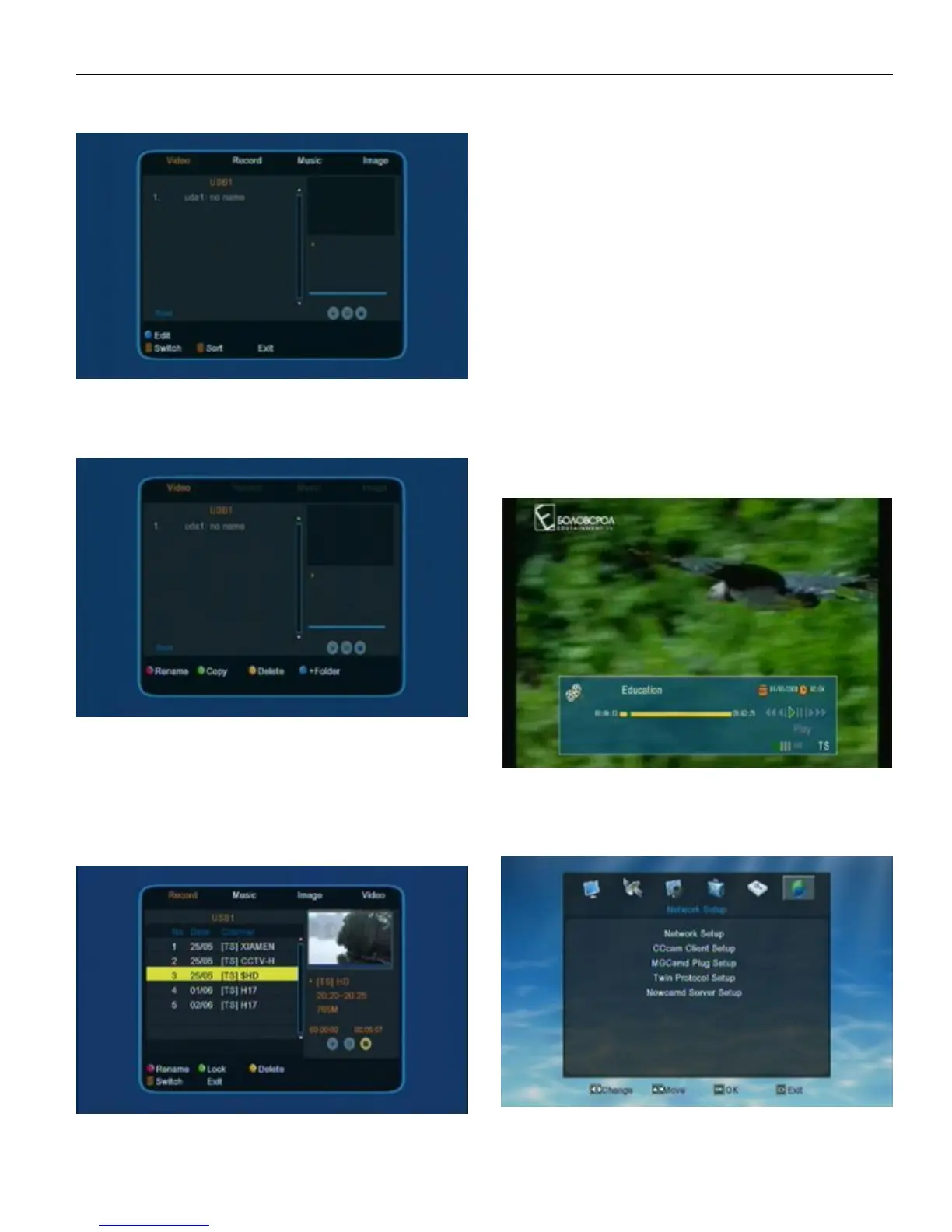
5.3.3 Video
press 1 to switch media format
press 2 to open sort window
Blue key to open edit window
Edit
Red key to rename
Green key to copy
Yellow key to delete
Blue key to create a new folder
5.3.4 Record
In Media menu, press UP/DOWN to move highlight to
“Record Manager” then press OK to confirm the choice and
enter into “Record Manager” menu.
In Record menu, user can check all the available
record in HDD or U-disk.Red key to rename,Green key to lock,
Yellow key to delete.
Lock
Press UP/DOWN to move highlight in the record list to
choose the one user want to lock. When a record has been
locked there will show a lock mark on the right side of the
record. Afer finish this setting, the STB will ask user to input
password when he/she want to play the locked record. Once
user input the correct password, the STB will cancel the lock
mark of the record.
The default password is “0000”.
Rename
Red color key to switch capital/small letter
Green color key to delete the inputted char
Yellow color key to make confirm
Blue color key to cancel the operation and exit .
Play
Press UP/DOWN to move highlight in the record list
and press OK/PLAY to play the chose record. When playing the
record, the screen will show like the below picture.
Press Stop to exit from playing.
6 . Network Setup
Choose the 6th symbol “Network Setup” on the main menu,
then press OK to enter into the Network Setup menu.


 To Next Page