24
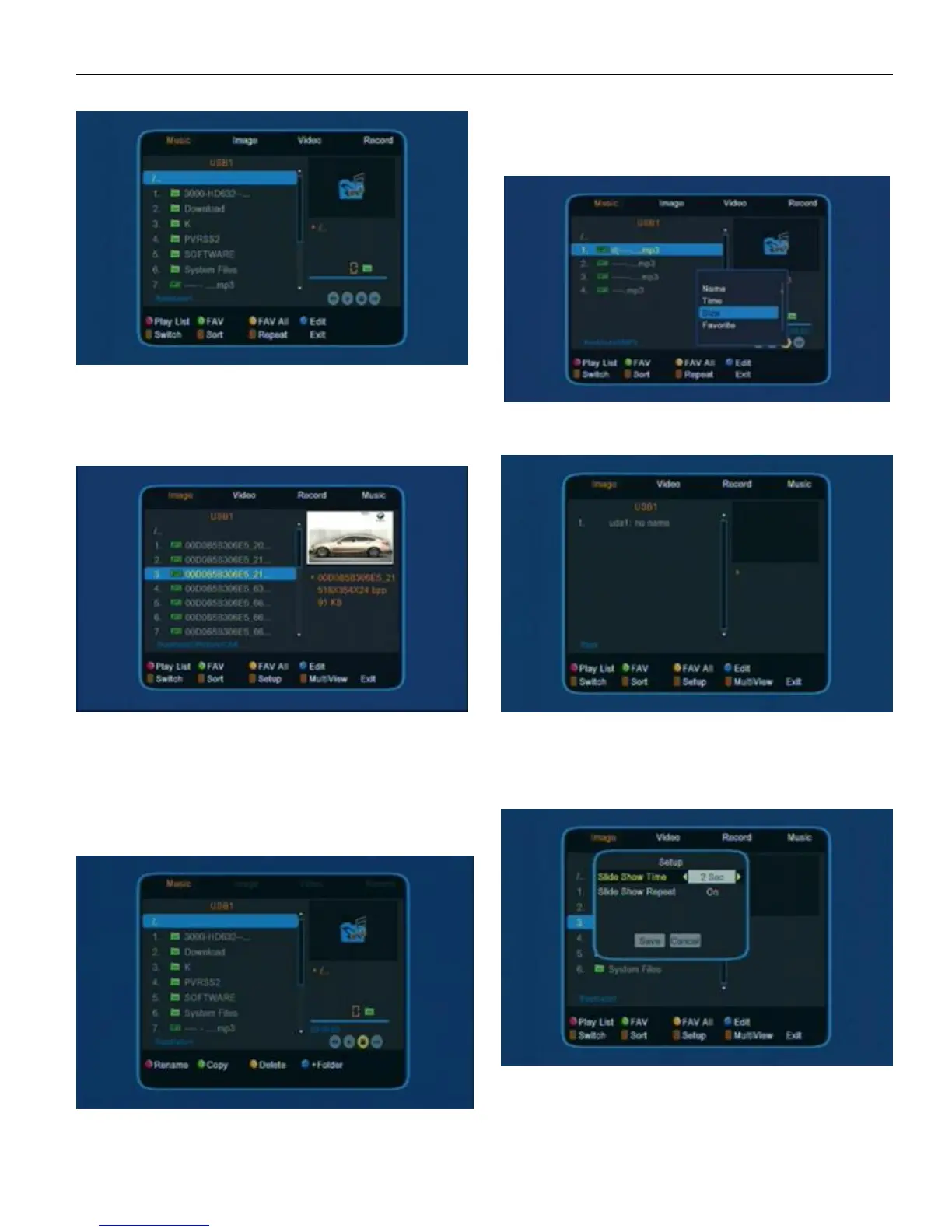
User can see Music, Image, Video and Record and
the top of the above window.
press 1 to to switch media format
Press 2 to open the sort window
5.3.1 Music
press 1 to switch media format.
press 2 to open sort window
press 3 to open setup window
Red color key to open the play list
Green color key to make a favor mark on the choice
Yellow color key to make favor mark on all the choice
Bule key color key to enter edit window
Edit
Sort
User can press UP/DOWN to movehighlight to choose
Default/Name (A-Z)/ Name (Z-A)/ Image list/Music list the press
OK on any of the choice to sort the list.
Press EXIT to exit form the window.
5.3.2 Image
press 1 to switch media f ormat
press 2 to open sort window
press 3 to open setup window
press 4 to open multiView window
Setup


 To Next Page