EN | 71
T. +49 30 54905949-1 | www.healy.eu | info@healy.de
3.1.2 Android operating system
• Open the Play Store
3
• Search for the “Healy APP“
• Choose “Healy APP“
• Download and install on your smartphone
3.1.3 iOS Operating System
• Open the Apple Store
4
• Search for the “Healy APP“
• Choose “Healy APP“
• Download and install on your smartphone
3
Play Store is the trademark of Google Inc.
4
App-Store is the trademark of Apple Inc.
3.1.4 Hardware
• Unpack the Healy and check for damage
• Charge the batteries for 1.5 hours before rst use
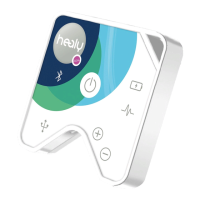
• Switch on the Healy device by briey pressing the on-switch
and verify that the right LED is blinking
Note: The battery cannot be removed by the user.
3.1.5 Pairing via Bluetooth
After installation of the App, switch on the Healy by briey
pushing the on-switch (see gure 2.4 .1.1) of the device..
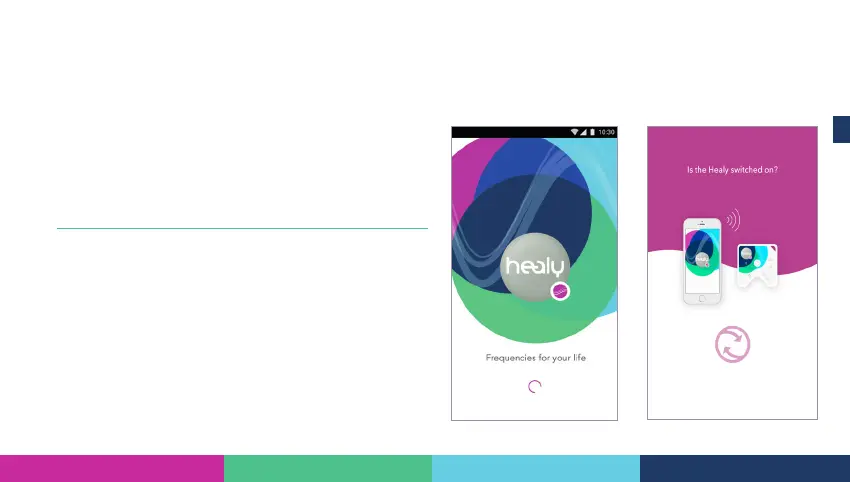
After starting the App there is a short starting screen (see gure
3.1.5.1).
After the App is loaded it is scanning for Bluetooth devices (see
gure 3.1.5.2).
Figure 3.1.5.2: Scanning screen
Figure 3.1.5.1: Starting screen



 To Next Page