EN | 73
T. +49 30 54905949-1 | www.healy.eu | info@healy.de
• Connect the electrode to the cable of the device.
• Check the functioning of the system before beginning the
procedure.
• If the procedure is interrupted, check the functioning of the
system again before recommencing the session.
• Remove the liner and apply the electrode to the skin surface.
• Before switching on the device, check the adherence of the
electrode to the skin surface.
WARNINGS:
• A reduced contact between the skin and the electrode may
cause the electric current to concentrate in one point and
cause burning.
• Interrupt the application if there is discomfort or a burning
sensation.
• After the session, turn o the device, disconnect the cable
from the electrode and gently remove the electrode from the
skin by lifting it up by one corner.
• Rapid removal of the electrode could cause skin traumas.
• Do not remove by pulling the connection part of the cable.
• After use, reposition the electrodes in the plastic liner and put
them back in the pouch.
• Electrodes may be reused: Reuse only for the same person.
• Verify the adhesion of the electrode before use. When electro-
des lose adhesion, gently rub one or two drops of water onto
the gel surface. This may extend the usability. If there is no im-
provement, replace with new electrode.
• Keep the packet closed in order to prevent the unused electro-
des from becoming dehydrated.
• Do not reposition the elec-
trode during use.
4. Operating the Healy
You should become familiar
with these frequently used
operations:
• switch On-O (please refer
to chapter 3.1.5 and 4.4)
• select application (please re-
fer to chapter 4.1)
• start application (please re-
fer to chapter 4.1)
• connect the electrodes
(please refer to chapter 3.1.6)
4.1 Starting the appli-
cation using the smart-
phone
After the installation of the
App, pairing and connection
of the electrodes, the Healy
is ready for operation. In the
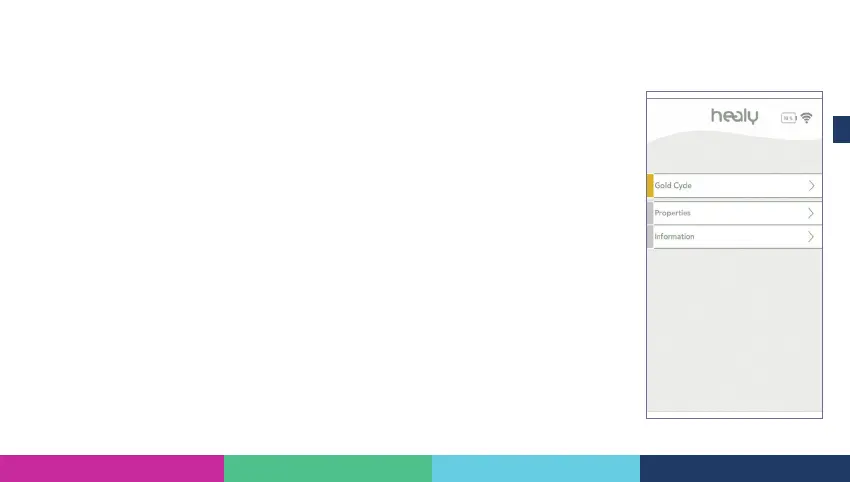
Figure 4 .1.1: Overview interface



 To Next Page