EasyManua.ls Logo

Heath Zenith 5869 - User Manual

Heath Zenith 5869
24 pages
Print Icon
To Next Page IconTo Next Page
Loading...
To see operational and troubleshooting information and videos,
go to www.hzsupport.com
Dated receipt required for warranty replacement.
FEATURES
Bright, energy saving LED light
Creep Zone™ technology
Automatically comes on when motion is detected.
UNPACKING
Be sure to remove all contents from packaging and verify
all items are present before assembling this light xture.
is package includes the following items:
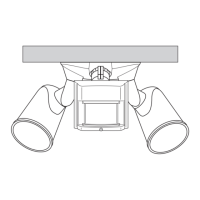
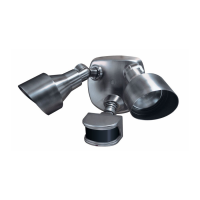
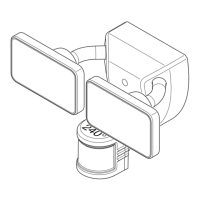
Security Light
Owners Manual
Mounting Hardware
© 2020 HeathCo LLC 208801-03A
Motion Sensor
Light Control
Model: 5869
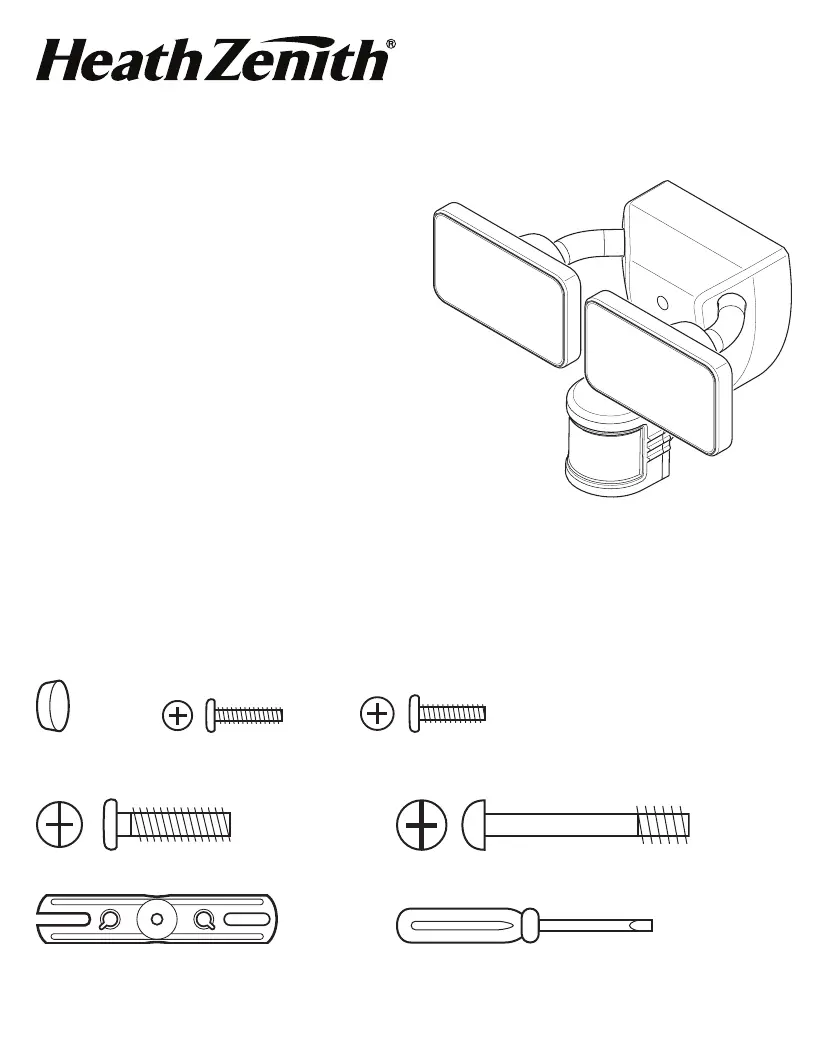
HARDWARE INCLUDED
Note: Six mounting bracket screws are included. e installation will only require two. Discard the unused mounting
bracket screws after installation.
Plastic plug #6 Mounting Bracket #8 Mounting Bracket
Screw (x2) Screw (x2)
Mounting Bolt Mounting Bolt (Pre-Installed in Light Fixture)
FRONT
Mounting Bracket Mini Screwdriver
240°

Questions and Answers

  • B
    Brian WheelerJul 29, 2025
    Why do my Heath Zenith 5869 lights stay on continuously?
    • K
      Kimberly WilliamsJul 30, 2025
      If the lights stay on continuously, try decreasing the “SENS” setting or repositioning the motion sensor. Also, set the ON-TIME switch to 1, 5, or 20 minutes, and follow the Manual Mode instructions to reset. Ensure that you are not using a dimmer or timer to control the light fixture; replace it with a standard on/off wall switch. Finally, install the light fixture on a circuit without motors, transformers, or fluorescent bulbs.
  • S
    Stephanie WelchAug 6, 2025
    What to do if my Heath Zenith Control Unit light will not come on?
    • I
      ianstrongAug 6, 2025
      First, ensure the light switch is turned on. If that doesn't work, replace the fuse or turn the circuit breaker on. Recheck the light after dark and verify the wiring is correct. Re-aim the motion sensor to cover the desired area and increase the “SENS” setting.
  • P
    Penny CooperAug 13, 2025
    Why does my Heath Zenith 5869 Control Unit light come on for no apparent reason?
    • J
      johnsondanielAug 14, 2025
      If the light comes on for no apparent reason, decrease the “SENS” setting or reposition the motion sensor. Also, do not use a dimmer or timer to control the light fixture; replace the dimmer or timer with a standard on/off wall switch.
  • R
    Robert MorenoAug 21, 2025
    Why are my Heath Zenith 5869 Control Unit lights flashing on and off?
    • K
      kcampbellAug 21, 2025
      Reposition the lamp heads away from the motion sensor. Also, decrease the “SENS” setting or reposition the motion sensor. While in TEST mode, the light only stays on for 8 seconds, so set the ON-TIME switch to 1, 5, or 20 minutes.

Summary

Safety and Installation Guidelines

Installation Process

Wiring Connections

Details for connecting the light fixture wires to the terminal block and ground screw.

Final Assembly and Mounting

Steps to physically attach the light fixture to the mounting plate and secure it properly.

Testing and Adjustments

Final Setup Configuration

Set the duration for which the lights remain on after motion detection.

Important Considerations for Use

Product Specifications

Technical Service and Warranty Information

Heath Zenith 5869 Specifications

General IconGeneral
BrandHeath Zenith
Model5869
CategoryControl Unit
LanguageEnglish

Related product manuals