01
02
03
04
05
06
07
08
09
10
11
12
FEATURE
Temperature Format
Switching Dierential
Frost Protect
Frost Protection Temperature
Output Delay
Communications ID No.
Up/Down Temperature Limit
Sensor Selection
Floor Temperature Limit
Optimum Start
Rate of Change
Program Mode
DESCRIPTION
00 =
o
C, 01 =
o
F (°C = Default)
0.5
o
- 3.0
o
C (1.0
o
C = Default)
00 = Disabled, 01 = Enabled (01 = Default)
07
o
- 17
o
C (12
o
C = Default)
Enter Value: 00 - 15 Minutes (00 = Default)
Enter number 01-32
00
o
- 10
o
C (00
o
C = Default)
Fixed on Internal Sensor
Not available on this model
00 = Disabled (Default)
01 = 01hr, 02 = 02hr, 03 = 03hr
Minutes to raise by 1
o
C
00 = Weekday/Weekend (Default)
01 = 7 Day Programming
SETTING
Optional Settings - Feature Table
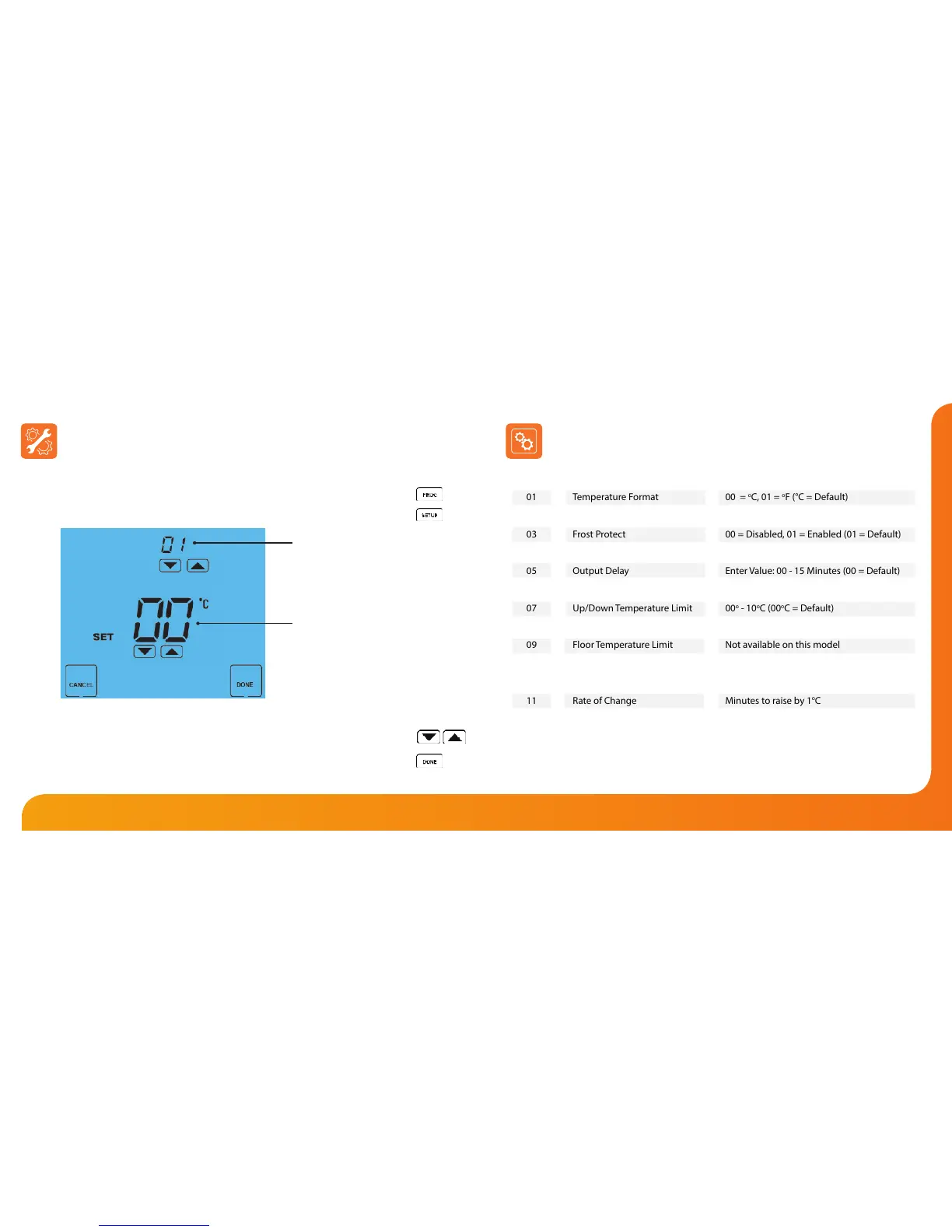
To adjust the optional settings, follow these steps.
• Press PROG ...........................................................................................................................
• Press SETUP ..........................................................................................................................
• Use the Up/Down keys at the top of the screen to select the feature
number (shown on page 22) and then use the Up/Down keys in the
center to adjust the setting ............................................................................................
• Press DONE to conrm settings and exit ...................................................................
Adjusting the Optional Settings
Feature Number
Setting Value













 To Next Page