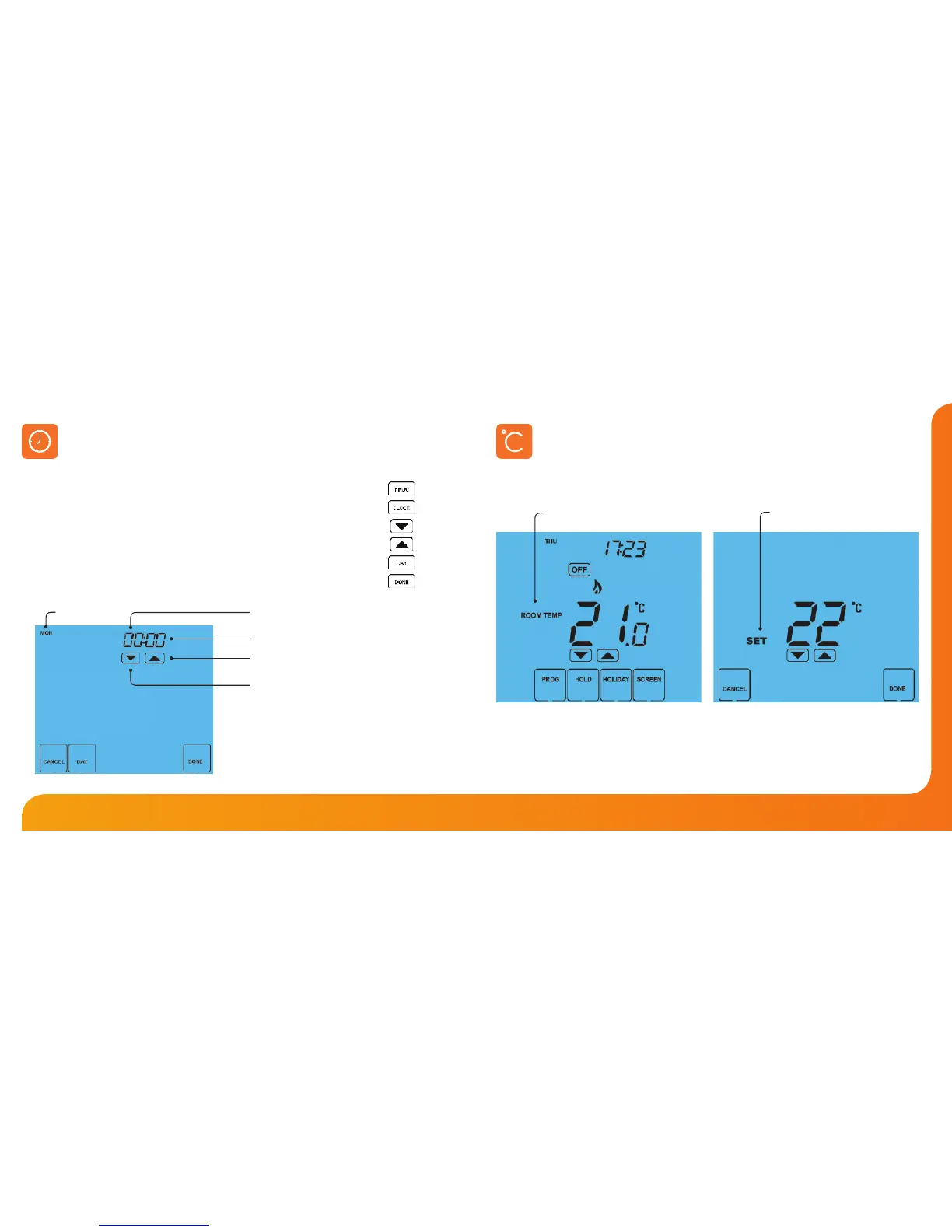
Room Temperature SET Temperature
Temperature Display
The temperature display information is driven by two dierent inputs; the sensor
measurement and the target temperature you have set.
This is the current room temperature. This is the temperature you are trying to
achieve in your home.
To set the clock, follow these steps.
• Press PROG ................................................................................................................
• Press CLOCK ..............................................................................................................
• Use the Down key to set the hours ..................................................................
• Use the Up key to set the minutes ...................................................................
• Use the Day key to set the day of the week ..................................................
• Press DONE to conrm and exit ........................................................................
Setting the Clock
Hours
Change Hours
Minutes
Day
Change Minutes













 To Next Page