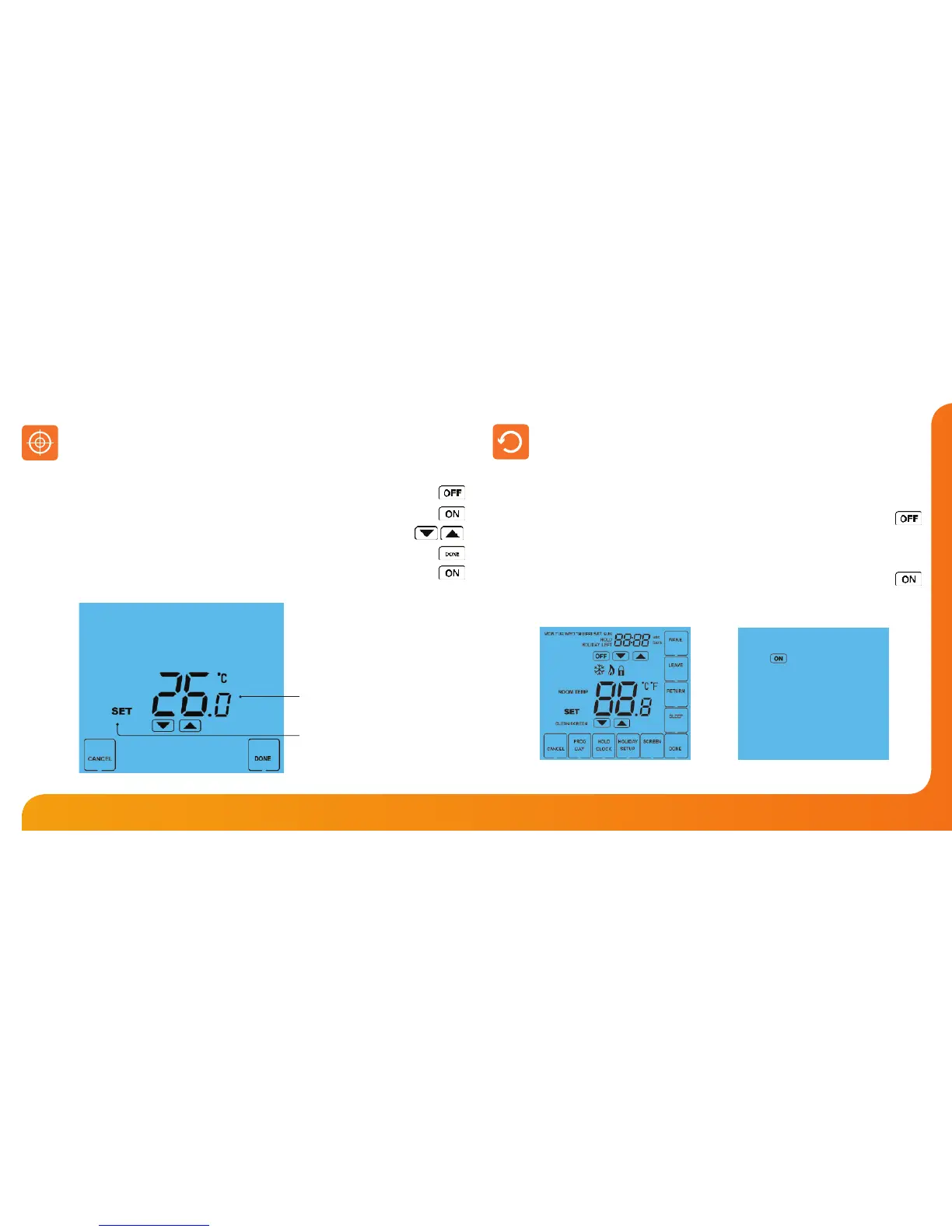
All icons displayed simultaneously.
Factory reset is complete.
Calibration Temperature Setting
Set Icon
If you need to re-calibrate the thermostat, follow these steps.
• Press and hold the OFF key to turn the thermostat OFF ..............................................
• Press and hold the ON key until the temperature appears on the screen .............
• Use the Up/Down keys to congure the new temperature ...............................
• Press DONE to conrm the new temperature ..................................................................
• Press the ON key once to turn the thermostat back ON ...............................................
Re-calibrating the Thermostat
The thermostat has a reset function to restore all settings to their factory defaults.
To perform a factory reset, follow these steps.
• Press & hold the OFF key to turn the thermostat display OFF ...............................
• Press and hold the bottom left corner of the LCD for 10 seconds.
• All of the screen icons will appear for 2 seconds and then disappear.
• Press the ON key once to turn the thermostat display back ON ...........................
Factory Reset













 To Next Page