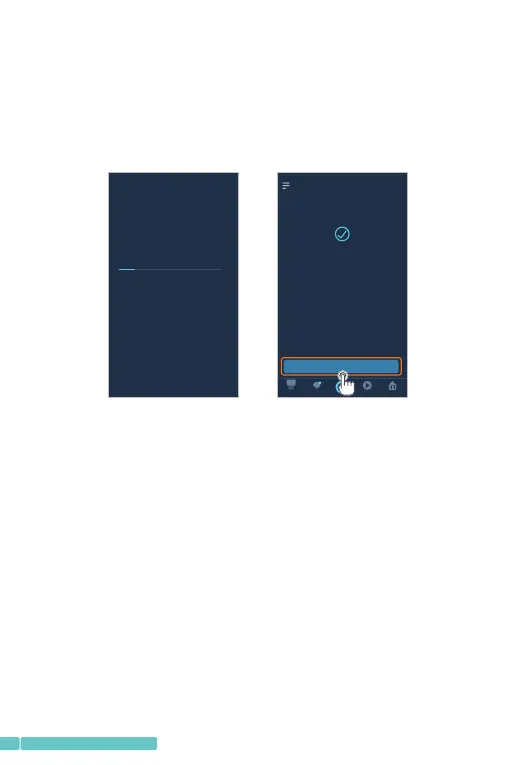
Step5:
Afterdiscovering,tapCHOOSEDEVICEtostarttheexperience.
YoucancontrolyourcamerawithAmazonAlexabystarting
tosay"Alexa,showthecamera"toentertheLIVEvideo
interface,thensay"Alexa,stop"toexitfromit.
Note:
Forrenamingthelinkedcameraorlinkingthenewcamera
inthePixplusAppwithAmazonAlexa,pleasediscoverthe
deviceagain.
Alexaisdiscove ringde vices …
SET UP
1 device discovered
CHOOSE D EVI CE
Next, we w ill s et th e devices up one a t a
time to en sur e pro per setup. Cho ose
which de vic e you 'd like to set up fir st.
Hom e
Pla y
Dev ices
Com munic ate
This may t ake l ong er than 20 secon ds
14
support@heimvision.com
FunctionsIntroduction
Tapthethumbnailofthecamerainthemaininterfaceof
PixPlustoentertheLIVEinterface.


 To Next Page