ConnectingtheCameratoAmazonAlexa
Step1:
LogintoAmazonAlexawithyourAmazonaccountafter
downloadingandinstallingit,tapontheleftupper
corneroftheHomepage,thenselectSkills&Games;
Note:
Allthecommunicationswillbedisconnectedfromthe
networkandsomefunctionsofPixPlusarenotavailable
whenyourmobiledeviceisconnectingtothecamera'sWi-Fi.
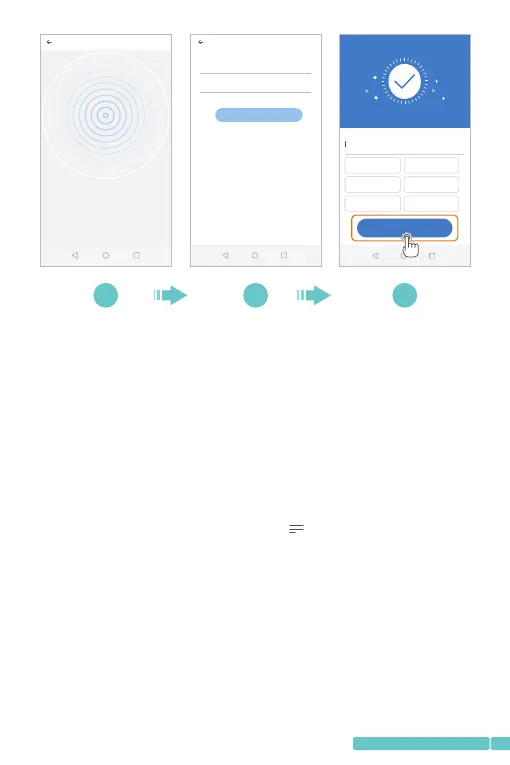
APnetworkingdevicepreview
AP networking d evice p...
Scanning the device in the WiFi network...
Device accoun t
Device p assword
Next
3/3
Addition is successful
Dev ice nam e
Clic k to input the d evice nam e or choose the follow ing name
Bed room Liv ing roo m
Sec ond bed room Ent rance
Off ice Me eting R oom
Start to expe rie nce
9 10 11
11
support@heimvision.com


 To Next Page